
Features
The whole day’s work, in one app.
Nine groups, straight off the rate card. Where a line starts at a higher tier it’s marked — everything else is in every tier, Solo included.
The brief
Everyone talks at once. The job gets one brief.
A job is a week of emails, texts, notes and updates from the crew. Daybook files each one on the job it belongs to and writes the brief: the gate code, the deadline, what the customer asked for, what you owe them and what they owe you — rewritten whenever something new arrives.
The brief and the AssistantTexting comes with the top plan of every rate card (Company, for a trade), from a verified toll-free number of your own.
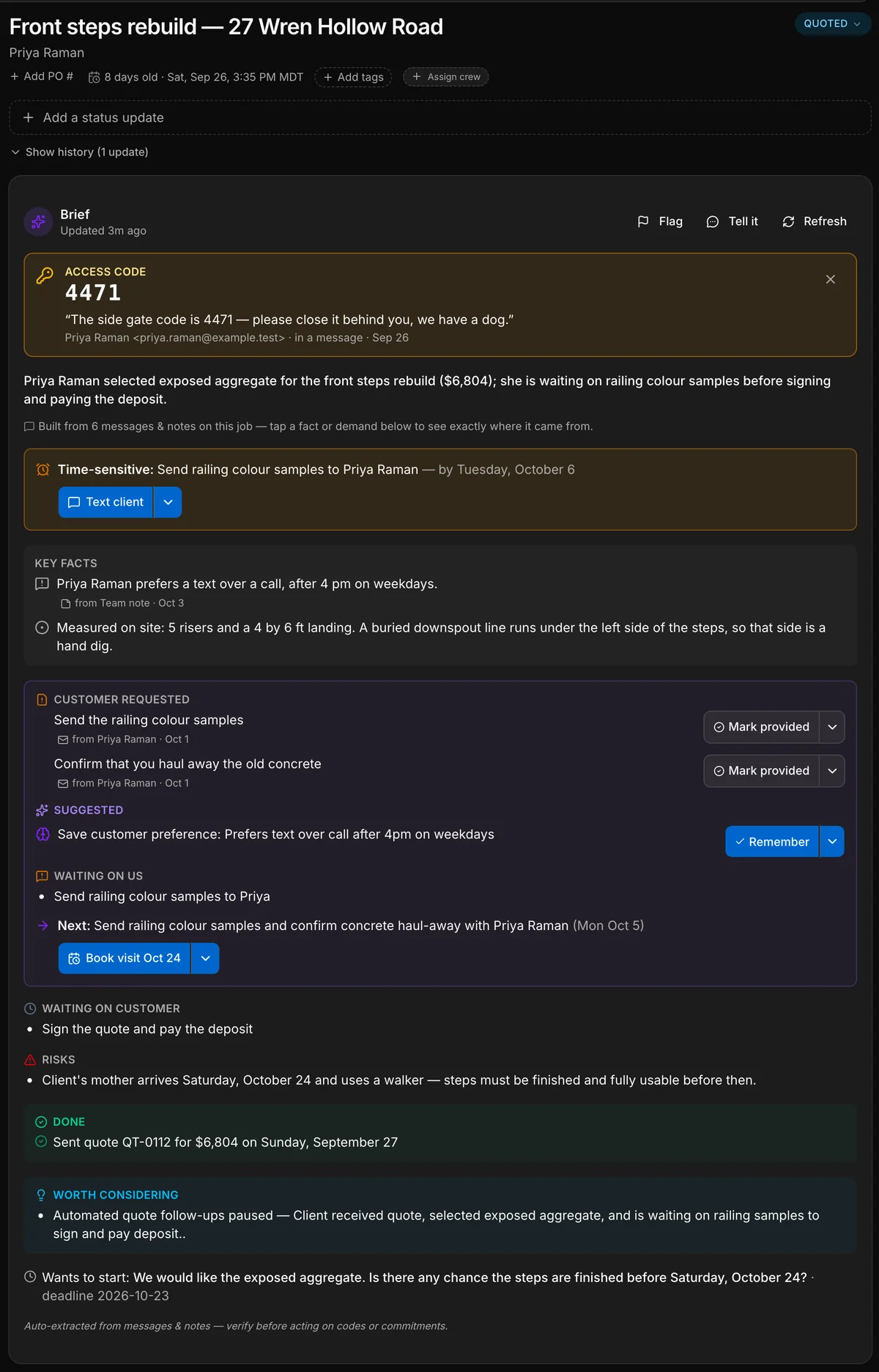
A real capture of a contractor’s job. Daybook wrote every line of this brief from the messages on the job; only the five teal labels are added. A camp gets the same brief on a booking, a property manager on a work order.



- Our front steps are crumblingThe customer, by email
- 5 risers. Hand dig on the leftThe crew, from the site
- Your quote is attachedThe office, by email
- 3 photosThe crew, from the site
- Done before the 24th?The customer, by text
- Gate code 4471. Mind the dogThe office, to the crew
- Checklist doneThe crew, from the site
- The gate code, pinned. Said once in an email, and now at the top of the job for the crew.
- The deadline. What is time-sensitive, and by when.
- What the customer asked for. Each request, with the message it came from.
- What we owe, and the next step. One next step, and a button that starts it.
- What the customer owes. So nobody chases the wrong person.
A real capture of a contractor’s job. Daybook wrote every line of this brief from the messages on the job; only the five teal labels are added. A camp gets the same brief on a booking, a property manager on a work order.
Quoting and getting paid
Put your costs in and the quote builder writes the labour, materials and line items — the AI never does the math; pricing stays deterministic. Send multi-option quotes with public approve/decline pages, then get paid by Interac e-transfer (auto-matched, you confirm each one) or card — EFT remittances are read and reconciled for you. Twenty-one named reports — Job Profitability, Underwater Jobs, A/R Aging, Sales Tax, T5018 — and GST/HST done correctly by province.
- Quotes, invoices, payments, expenses
- Quote builder — put your costs in, it writes the labour, materials and line items
- Quote from the catalog — real prices, not genericCrew and up
- Material price book — scan a supplier invoice, prices updateCrew and up
- Material takeoff — the crew gets the list straight off the quoteCrew and up
- Sales dashboard — outstanding invoices, quotes, tax owing, analyticsCrew and up
- Bookkeeping — upload your bank statement, the categories are doneCompany
- QuickBooks and Xero sync — comingCompany
Your clients
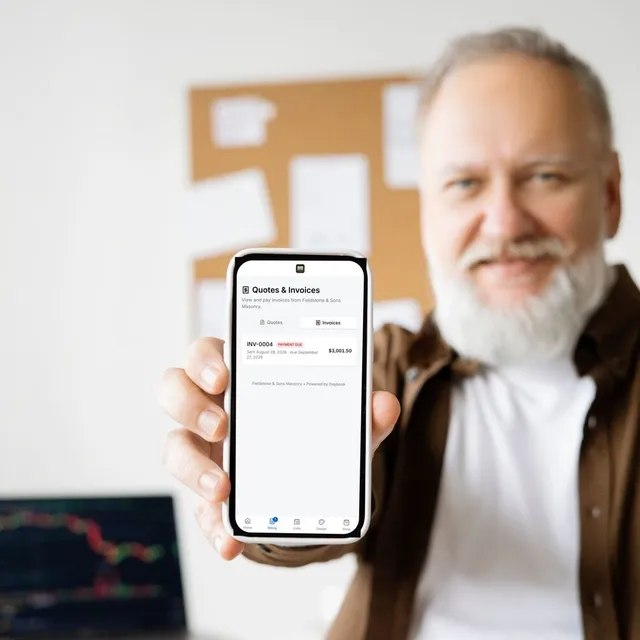
Your email lives in the job — two-way, with texts filed on the same job. Photograph a business card and the client is made. Clients get a portal to view and pay, message the office, and hand over site info — gate codes, pets, parking — before the crew arrives. The job brief links its key facts and requests to the message they came from.
- Inbox — your email, in the job
- Client portal
- Client briefings — every email, text and status change, as it happens
- Smart paste — photograph a business card or paste an email, the client is made
- Mood boards — clients and designers lay out your products, colours and finishesCompany
Paperwork
Branded documents on your letterhead, written for you when you ask — warranty, O&M, inspection and closeout papers, PDF’d and done. Scan an emailed drawing or spec and it’s read down to what matters. Spec sheets, MSDS and warranties attach to any email in one click.
- Branded documents on your letterhead
- Scan attachment — an emailed drawing or spec, read down to what mattersCrew and up
- Warranty, O&M, inspection and closeout documents, written and PDF’dCrew and up
- Company files — spec sheets, MSDS, warranties, onto any email in one clickCrew and up
Day to day
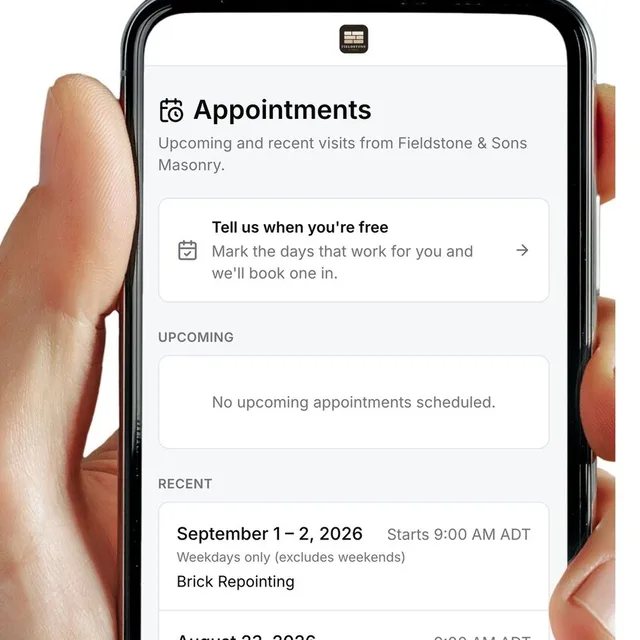
One list holds everything that needs you — and the schedule shows the same day six ways, including on a map. Rain moves in? Reschedule the day and the client-notify step is built into the flow. Every morning, a briefing tells you what’s priority; the priority is computed deterministically — not guessed.
- Action list — everything that needs you, in one list
- Jobs, clients, schedule, tasks
- Automations — invoices, quotes, reviews, reminders, follow-upsCrew and up
- Projects — long jobs with their own lists, contacts and calendarCompany
Your products
Your trade’s services from day one, ready for your prices, with your own products alongside them. A photo of a wall finds the closest brick or stone in your catalogue. On Company, clients see your products on their own photo — before and after, one drag apart — and buy from your storefront by card.
- Starter price list for your trade — browse and match
- Your own products alongside the starter listCrew and up
- Product matching — closest match in seconds, RFQ straight to your suppliersCrew and up
- Storefront — sell your products on your site or in the portal, by cardCrew and up
- Visualizer — try your products on the customer's own photoCompany
Your website
A website you edit inside the app — photos and changes go live when you press Publish, across seven themes and around 40 blocks. The quote-request form mints a real lead, their answers to your own questions and the job address already on it. And every page is written so search engines, and the assistants people ask now, can read it.
- A website you edit in here — live at yourname.daybooksites.com, photos and changes go live when you press Publish
- Quote-request form — their photos and details land as a request
- A street view of the address, without asking them for one
- Your own domain — abcplumbing.com instead of a daybooksites.com addressCompany
- Marketing campaigns — with a launch page and private links to sell fromCompany
Your crew
The crew works off their phones: clock-in, bi-weekly timesheets, FLHA safety forms, material requests, and photo capture that works offline and syncs when signal returns. Hours flow straight into true job cost — from the hours actually logged. Achievements and a leaderboard give the crew something to compete on.
- Crew app, timesheets, FLHA, materials requestsCrew and up
- Time & Wages — hours off their phones, overtime, payroll-ready exportCrew and up
- True job cost, from the hours actually loggedCrew and up
- Checklists your crew ticks off on siteCrew and up
- Team, HR and safety formsCrew and up
- Achievements, points and a leaderboard your crew competes onCrew and up
AI that sounds like you
Drafting, client summaries and smart quoting are included on every plan. Teach it your policies and specialties and everything it writes sounds like you wrote it.
- Smart quoting, email drafting, client summaries
- Built-in assistant — ask it anything about the app
- “Write it for me” on every documentCrew and up
- Your own knowledge — your policies and specialties, so it writes in your voiceCrew and up
The account
The phone app does what the desktop does. Dark mode and light mode. An audit log from Crew up; white-label and an onboarding call with priority support on Company. Custom roles are coming.
- Everything on your phone — the app does what the desktop does
- Dark mode and light mode
- Audit logCrew and up
- Custom roles — comingCompany
- White-labelCompany
- Onboarding call and priority supportCompany
Twenty minutes, your own workflow.
The fastest way to judge any of this is to watch it run on one of your real jobs.
14-day free trial · no card required