
Features · Products, matching & the visualizer
Your products, working as hard as you do.
Your trade’s services and your own products in one place, a site photo matched to the closest product, a visualizer that shows it on the customer’s own house — and a storefront to sell it.
The catalog
Your price list and your products, in one place.
Every account starts with the services its trade sells, ready for your own prices, and your products sit beside them with their photos and colours. Masonry and painting can add a brand library to browse. Sort it the way you sell: tabs by type, filters by colour and brand, and the badges your clients see too — top seller, exclusive, in stock or the lead time. When you need a supplier’s price, the quote drafts the RFQ email for you to send.
- Your trade’s services from day one, ready for your prices
- Your own products beside them, with photos and colours
- Tabs, colour and brand filters, and badges your clients see

A page for every product
Every colour, close up, side by side and on a wall.
Open a product and it has a page of its own: a swatch of each colour, whether you stock it, its sizes, and photos of the jobs you’ve done in that colour. Compare up to six colours of a line side by side, or put one on a wall you’ve traced and saved and split the wall between two. Your clients open the same page in their portal, with nothing internal on it.
- A swatch, a stock label and the sizes for every colour
- Up to six colours side by side, or two on one wall
- Photos of your own jobs in that colour
On a wall uses the walls you’ve traced and saved in the visualizer.
-
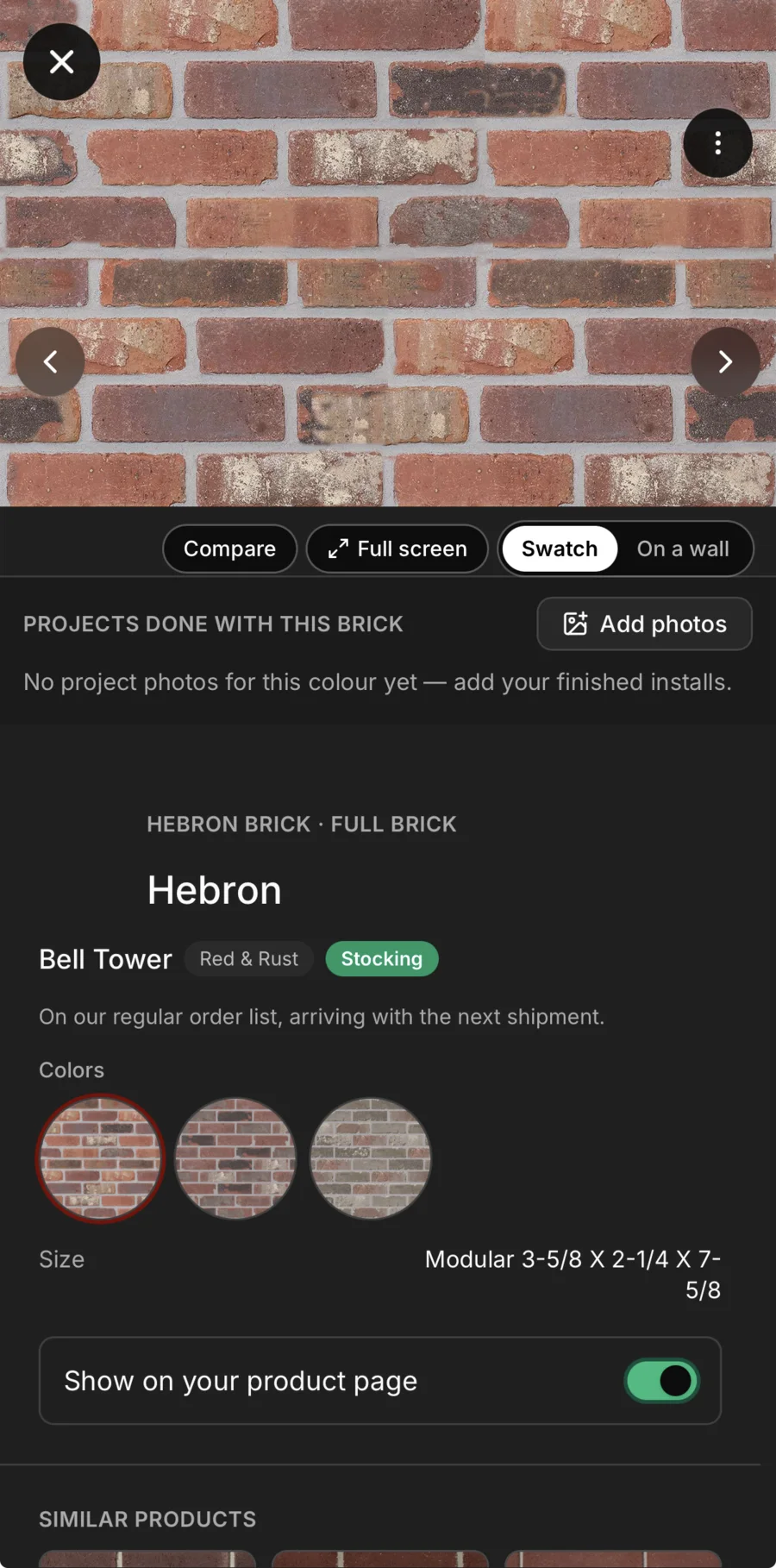
Up close. Every colour as a full swatch, with whether you stock it and its sizes below.
-
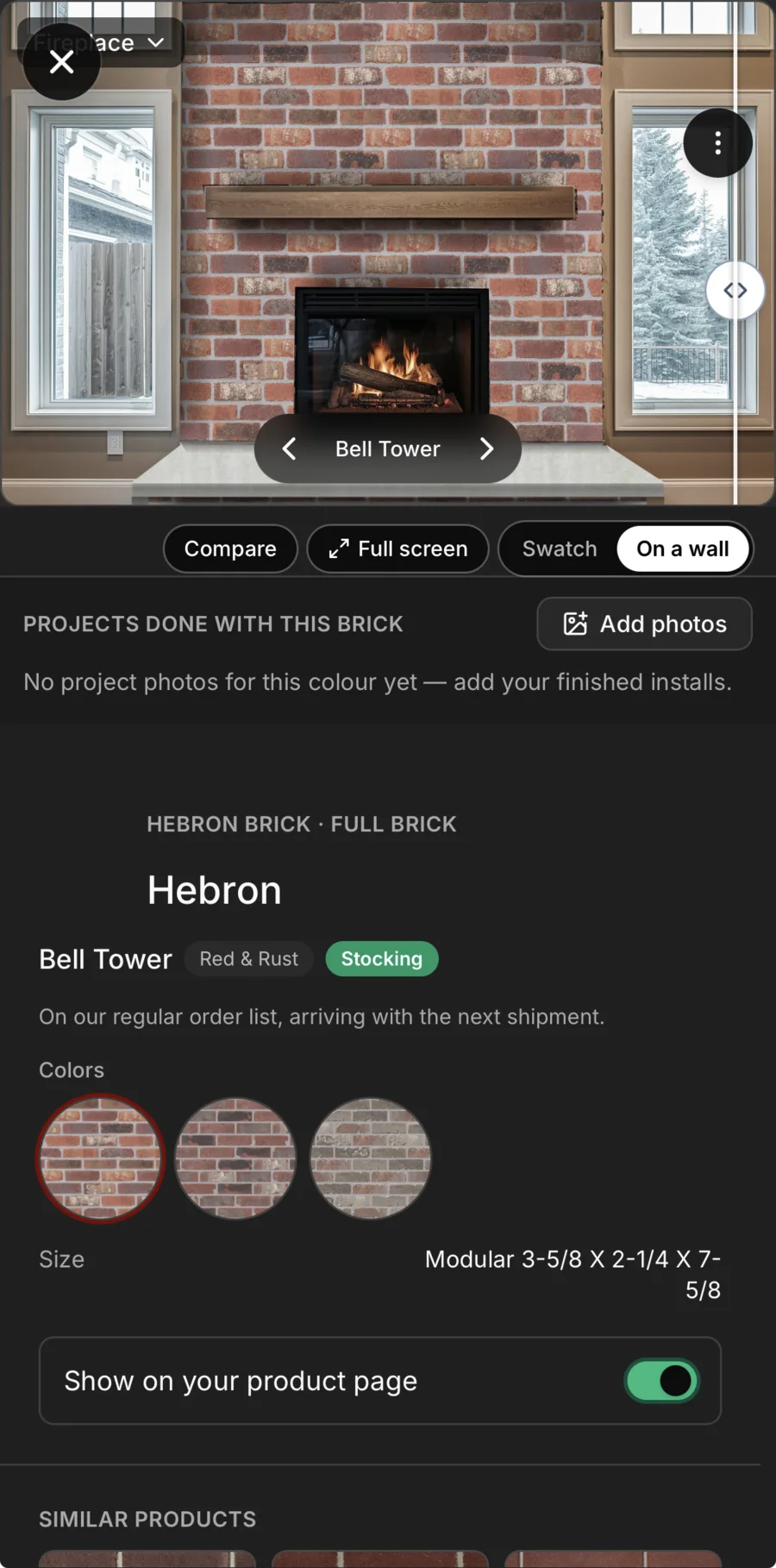
On a wall. The colour on a wall you’ve traced and saved, with arrows to step through the line.
-
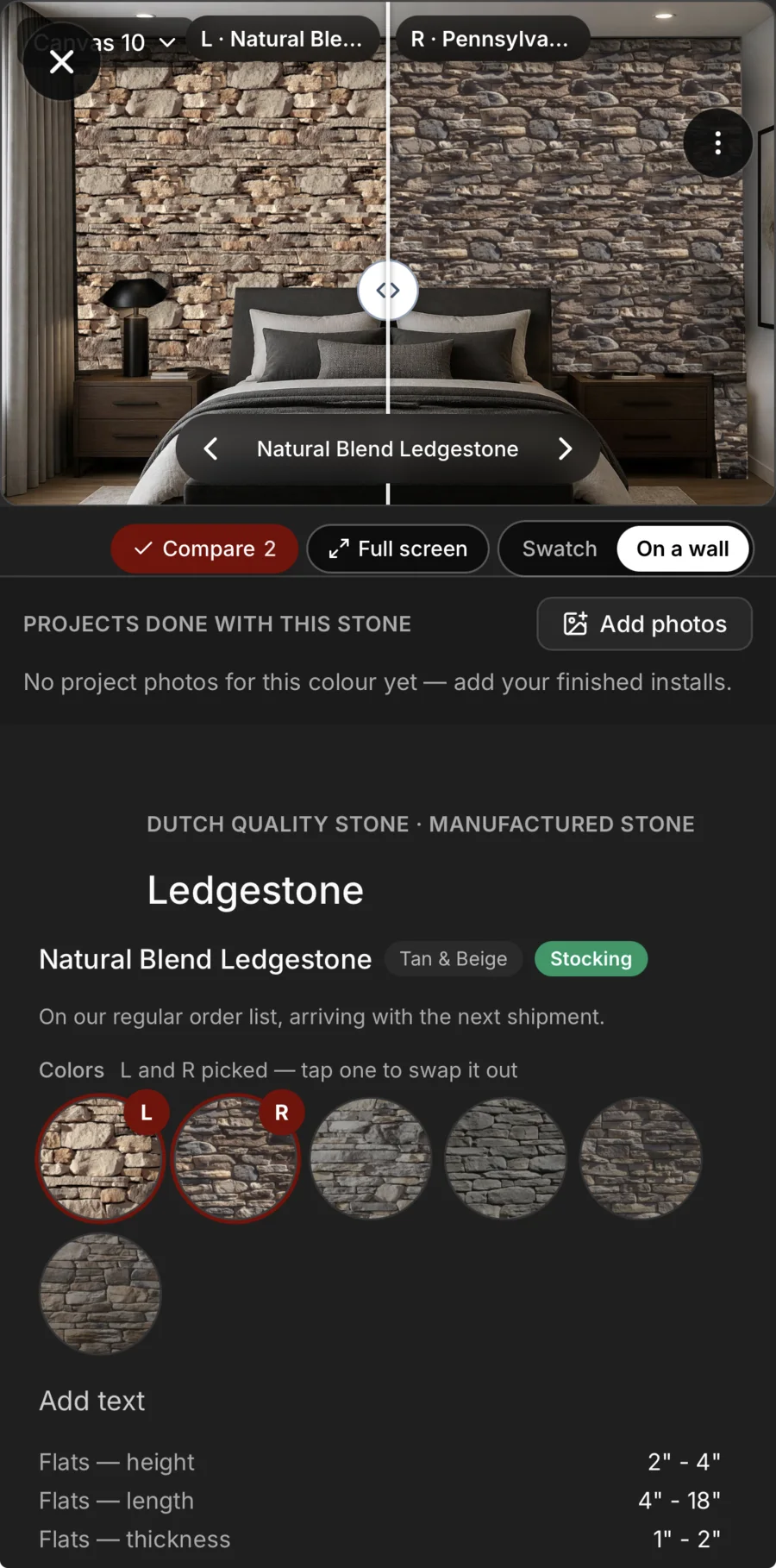
Two on one wall. Split the wall between two colours and drag the line between them.
-
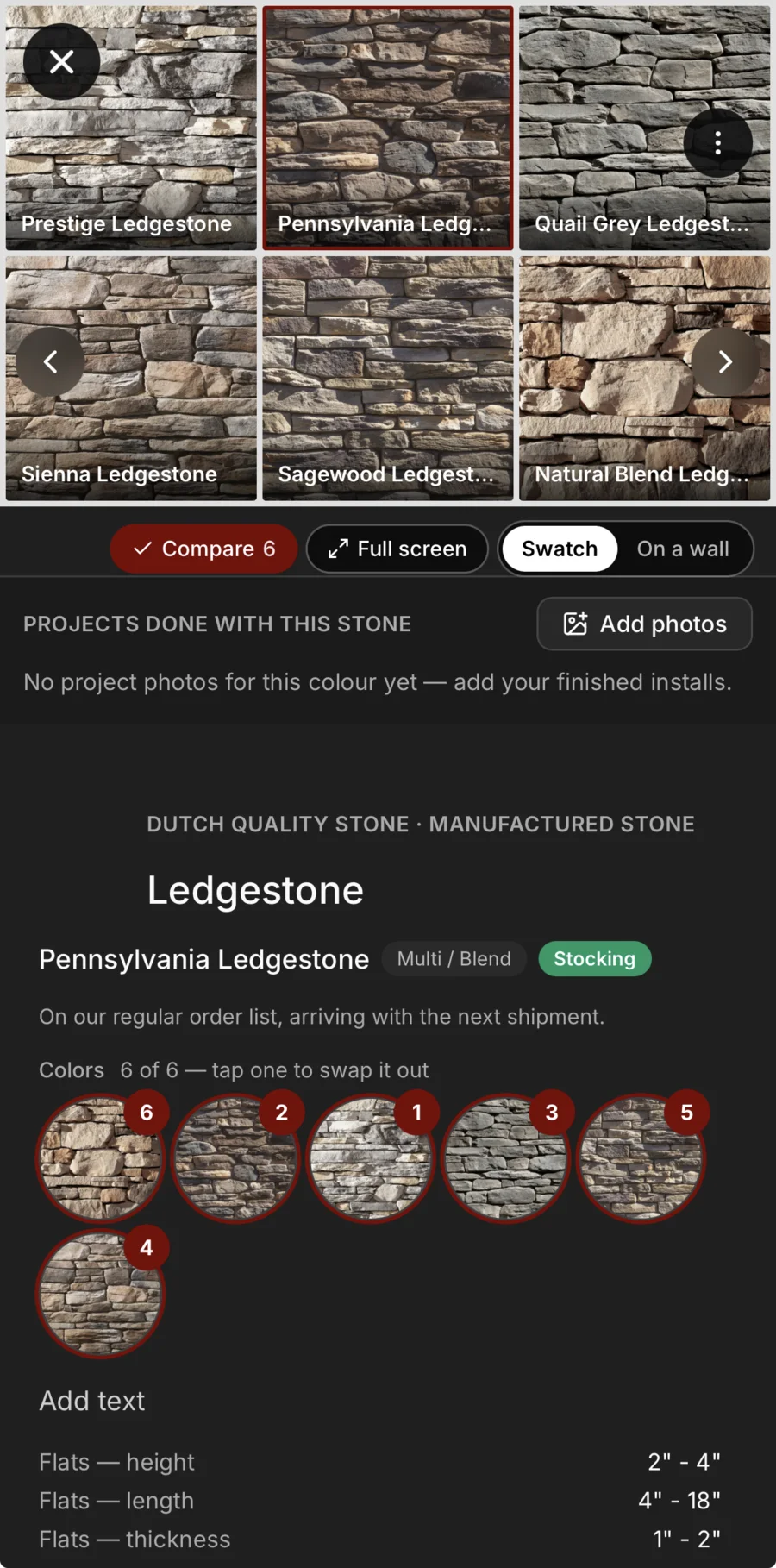
Six side by side. Pick up to six colours of a line and see them together.
Matched from a photo
A photo of the wall. The closest brick or stone, first.
Photograph the wall you have to match — the house next door, the chimney, a sample board — and Daybook ranks the closest brick and stone in your catalogue, each with a percentage and a sentence on how close it really is. Add the one you want to the quote, or send the shortlist to the client to rank in their portal.
- Brick and stone matched from any photo, closest first
- A percentage and a plain reason on every match
- The shortlist goes to the client to rank 1st, 2nd and 3rd
Matching reads brick and stone, and each scan uses AI credits from your plan.

Against their photo
Their wall beside your brick, on one screen.
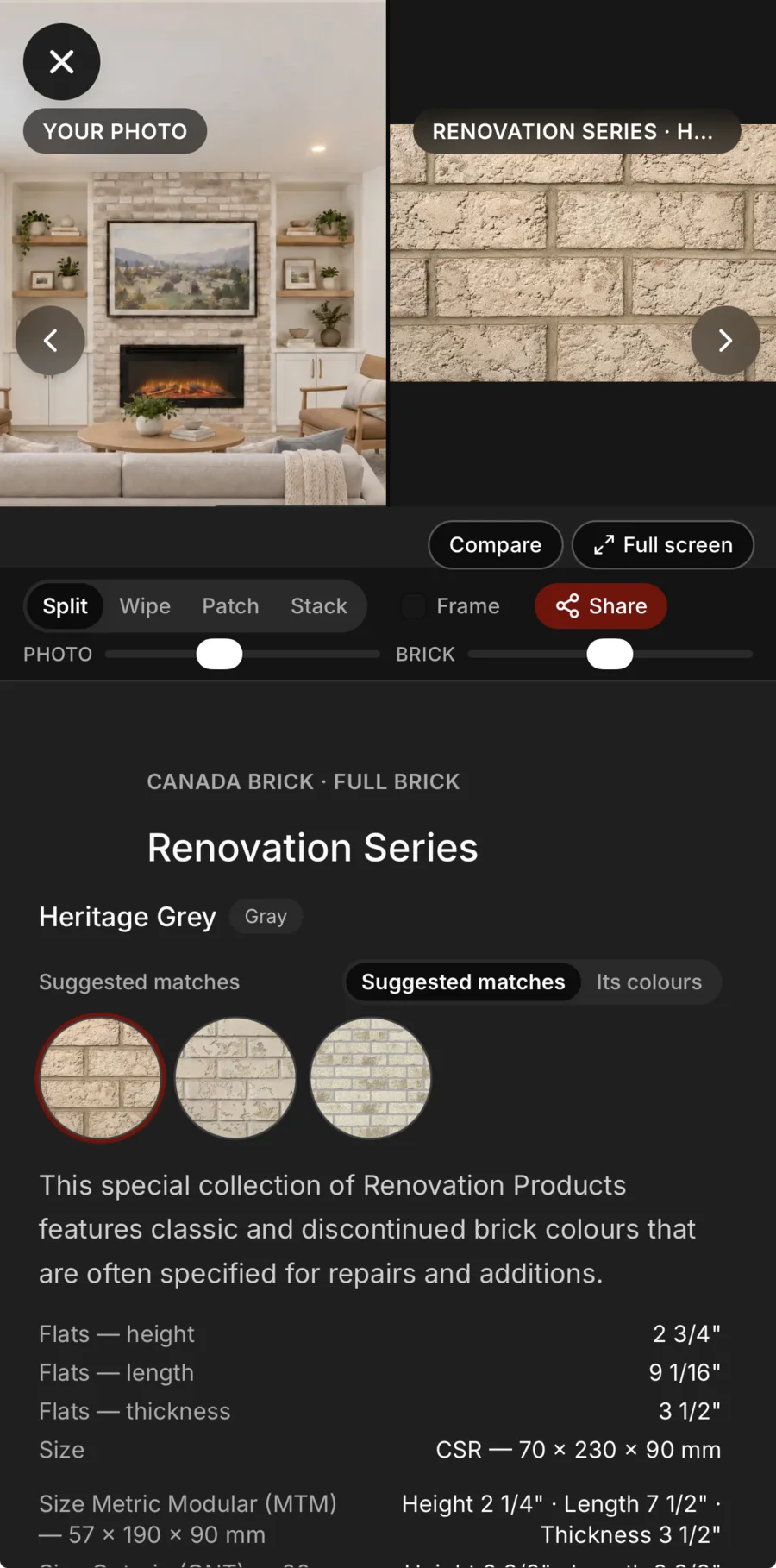
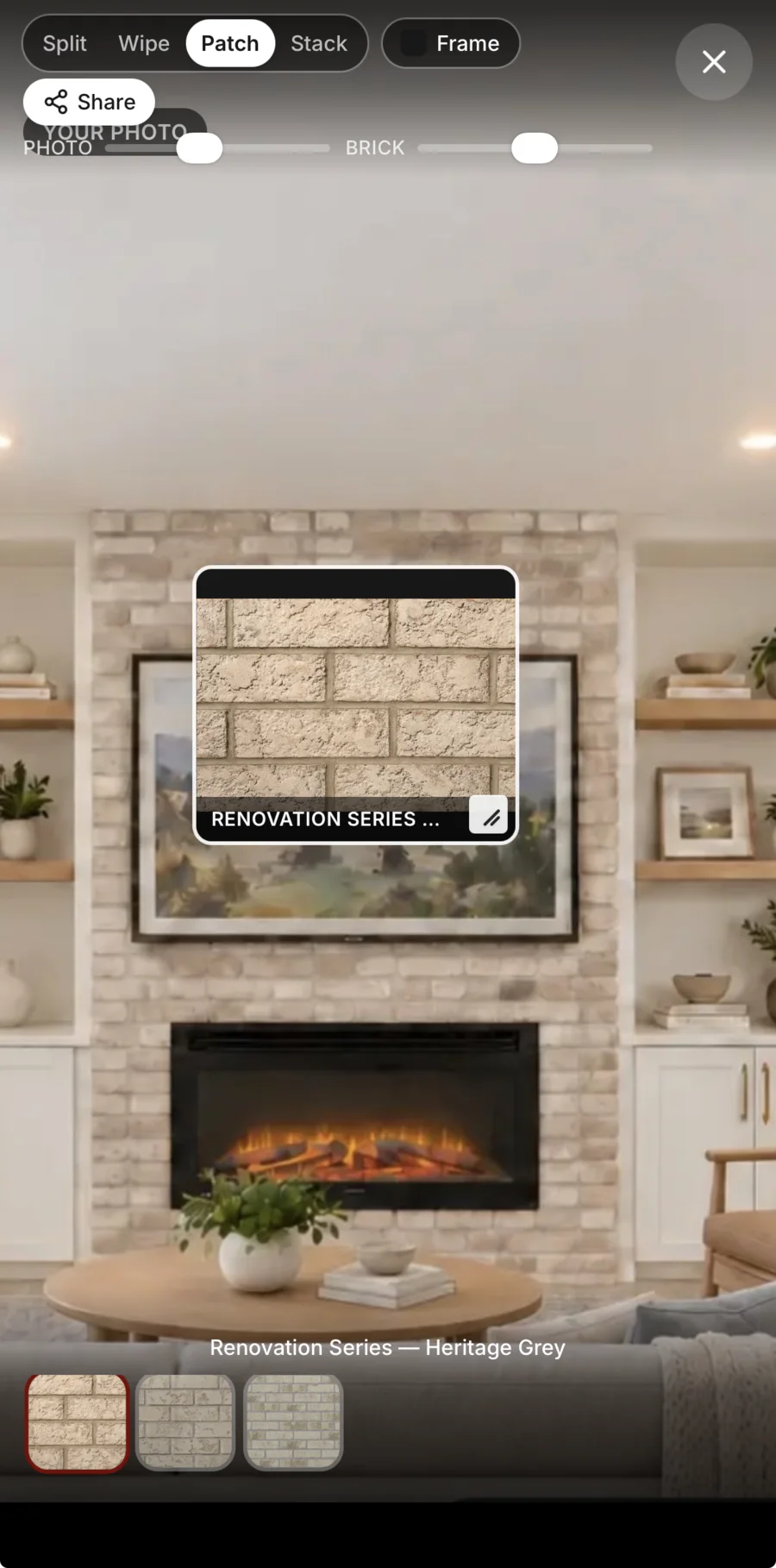
Tap a match and it opens against the client’s own photo: side by side, wiped from one to the other, stacked, or as a patch of the brick laid right on their wall. Zoom the photo and the brick on their own until a brick in one is the size of a brick in the other. Share a picture of exactly that view — or send the client their options, and they compare them the same way, against their own photo, in their portal.
- Side by side, wiped, stacked or a patch on their wall
- The photo and the brick zoomed on their own
- A picture of the view to share, or the options in their portal
Seen and sold
Show it on their wall. Sell it from your yard.
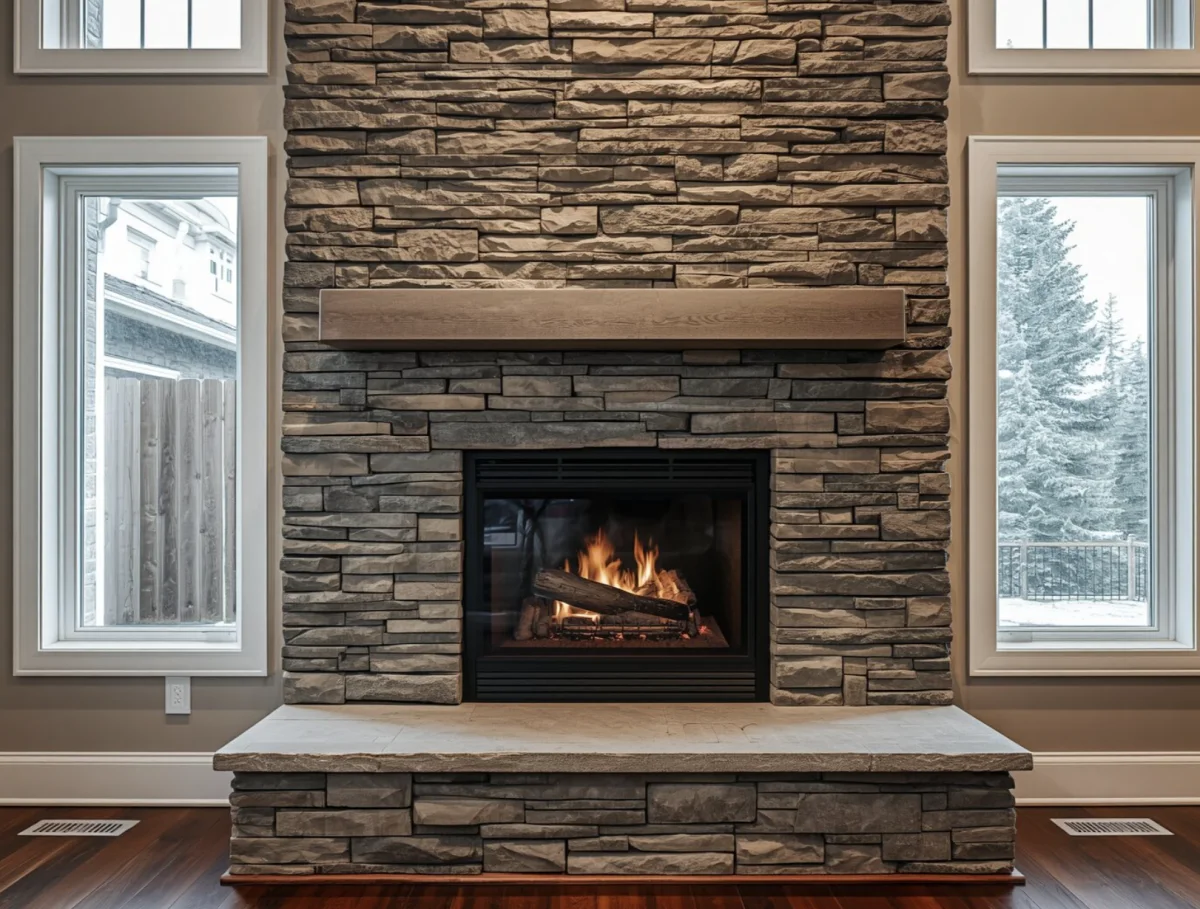
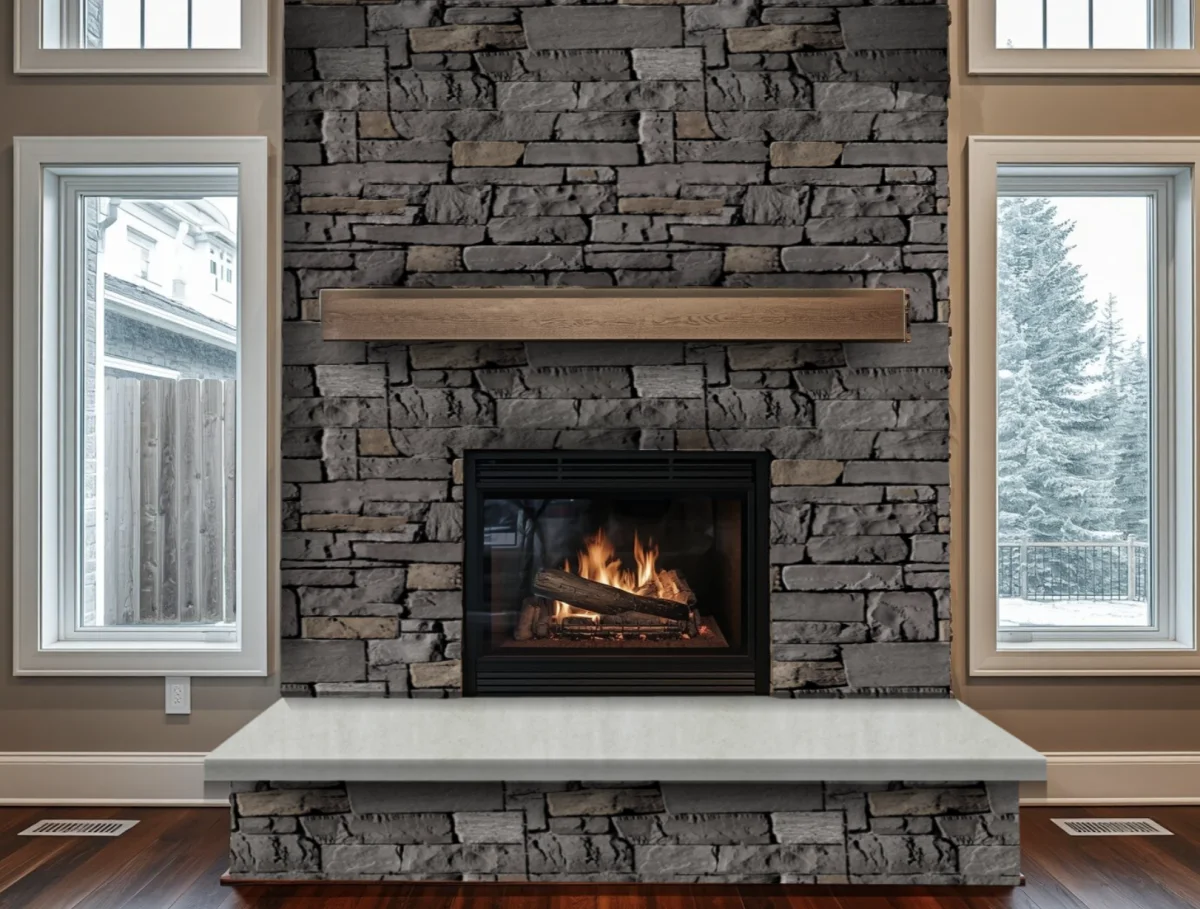
On Company, the visualizer puts your products on the customer’s own photo — tap a wall, see the stone on it, the caps styled on their own — and in their portal the customer drags between the photo as it is and the wall as it could be. The storefront sells anything in your yard, on your site or in the portal, by card.
- Visualizer — your products on the customer’s own photo
- Before and after, one drag apart, in the customer’s portal
- Storefront — sell your products on your site or in the portal, by card
Traced from their photo
Tap the wall. Daybook traces it.
Upload the customer’s photo and tap a wall, a pillar or a chimney: Daybook outlines that surface, and whatever you put on it follows the wall’s angle. Tap a spot it missed, drag any edge into place and cut out the windows and doors, then pick from your own stone and brick and set its size, alignment, variation and brightness until it reads like the real thing — and see how it reads at dusk or after dark. Saved to your library, it’s a wall every product page can show — and you can send it to the client to try your products on.
- A wall, pillar or chimney traced from one tap
- Your own stone and brick on it, at the wall’s angle
- Saved for every product, and sent to the client
Tracing from a tap uses no AI credits; trimming a trace, finding every wall at once and automatic shadows do.
-
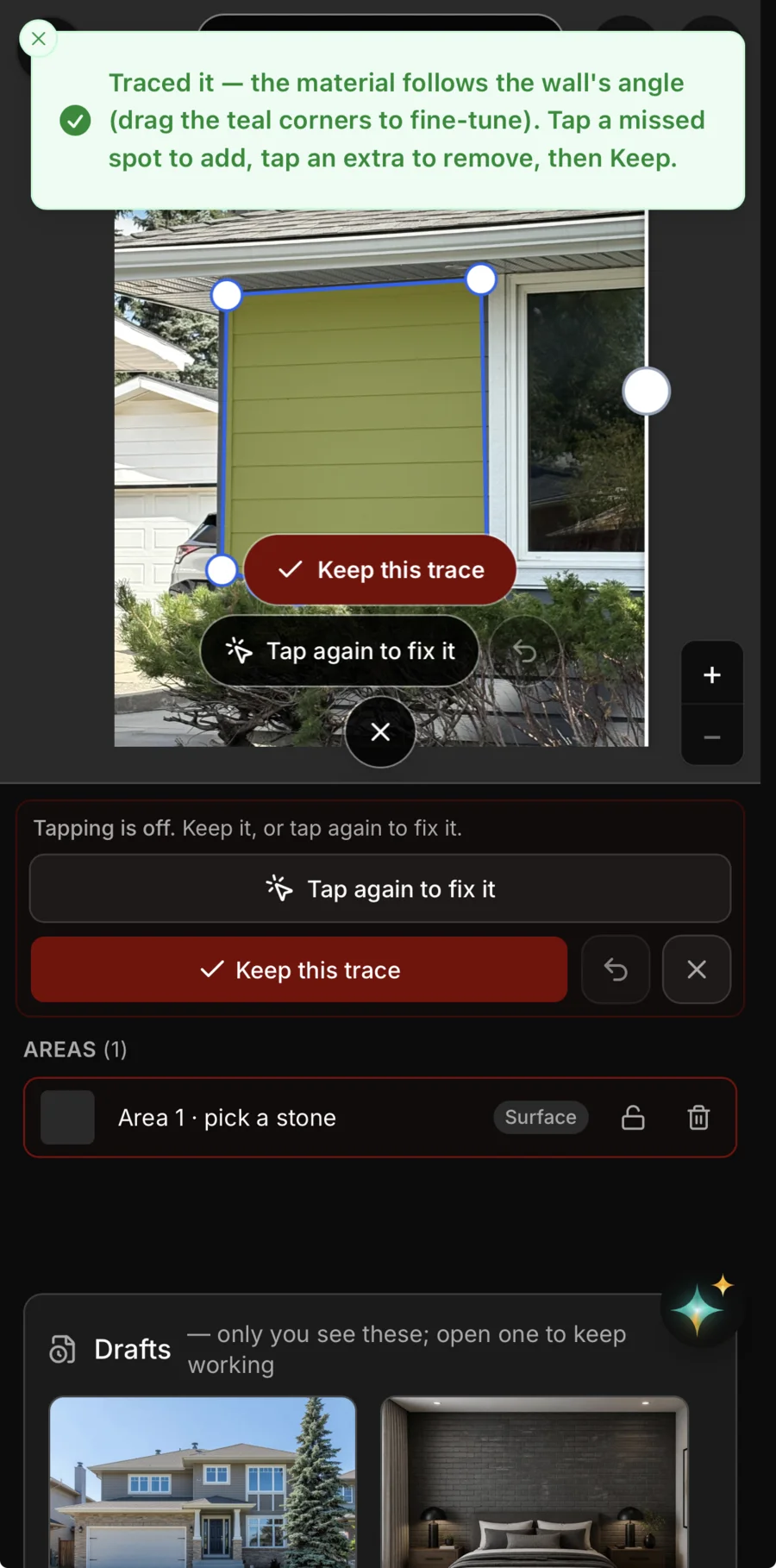
Tap the wall. Daybook traces that surface and the stone follows its angle — tap a spot it missed, then keep the trace.
-
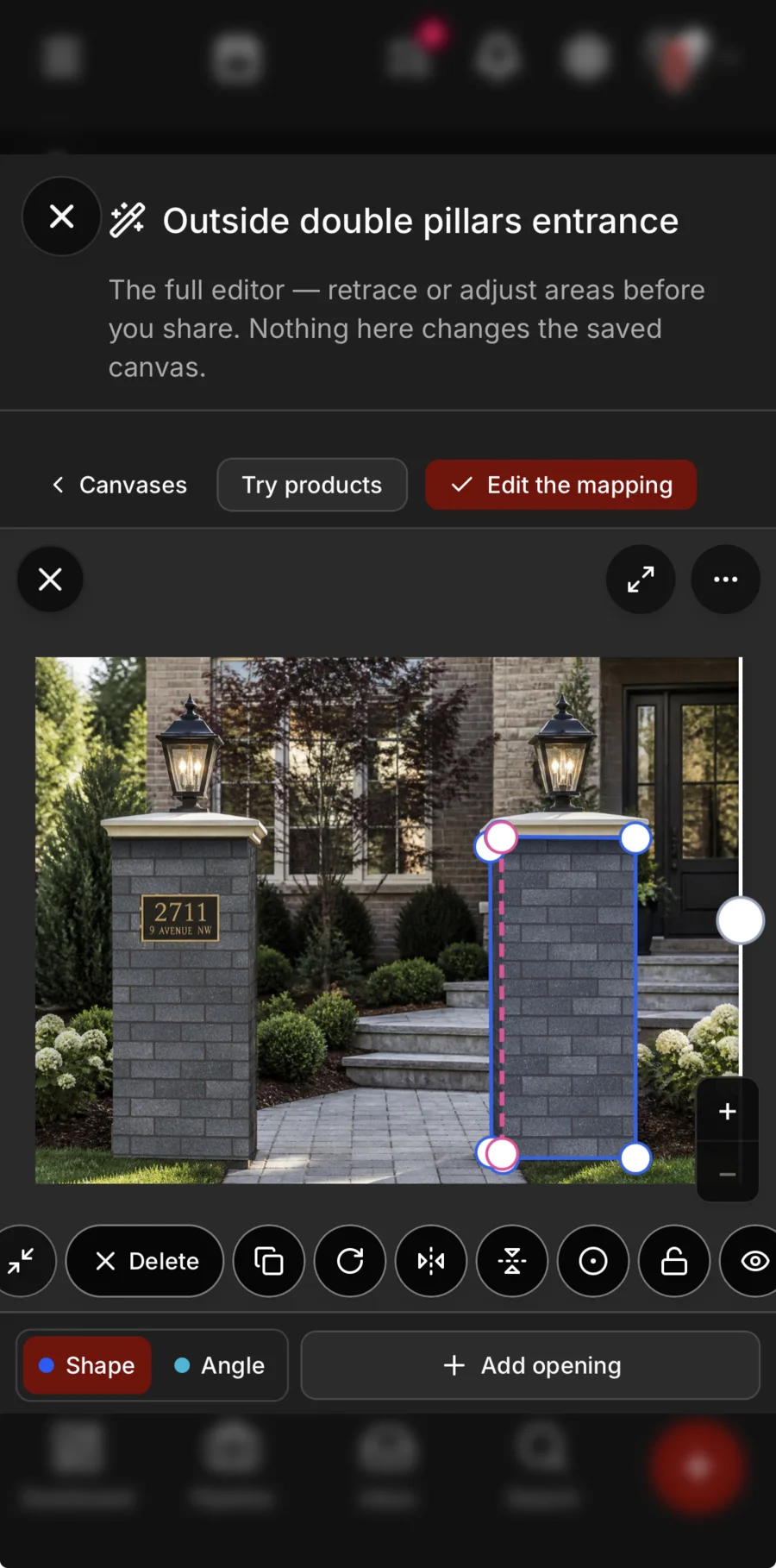
Fix any outline. Drag the dots to the edge, tilt the box to the wall’s angle, and cut out a window or a door.
-
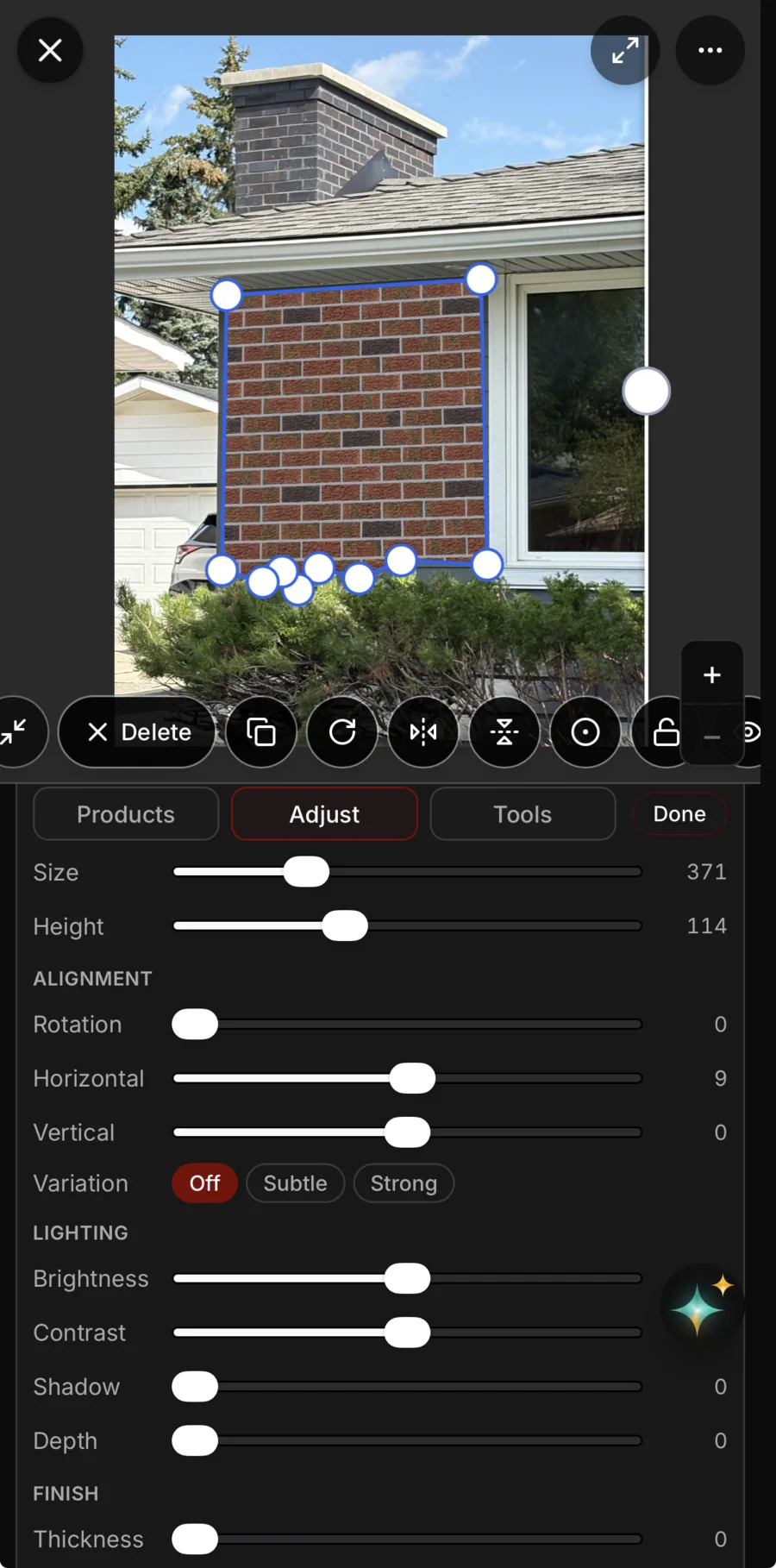
Make it look real. Size, alignment, variation, brightness and depth, a slider each.
-
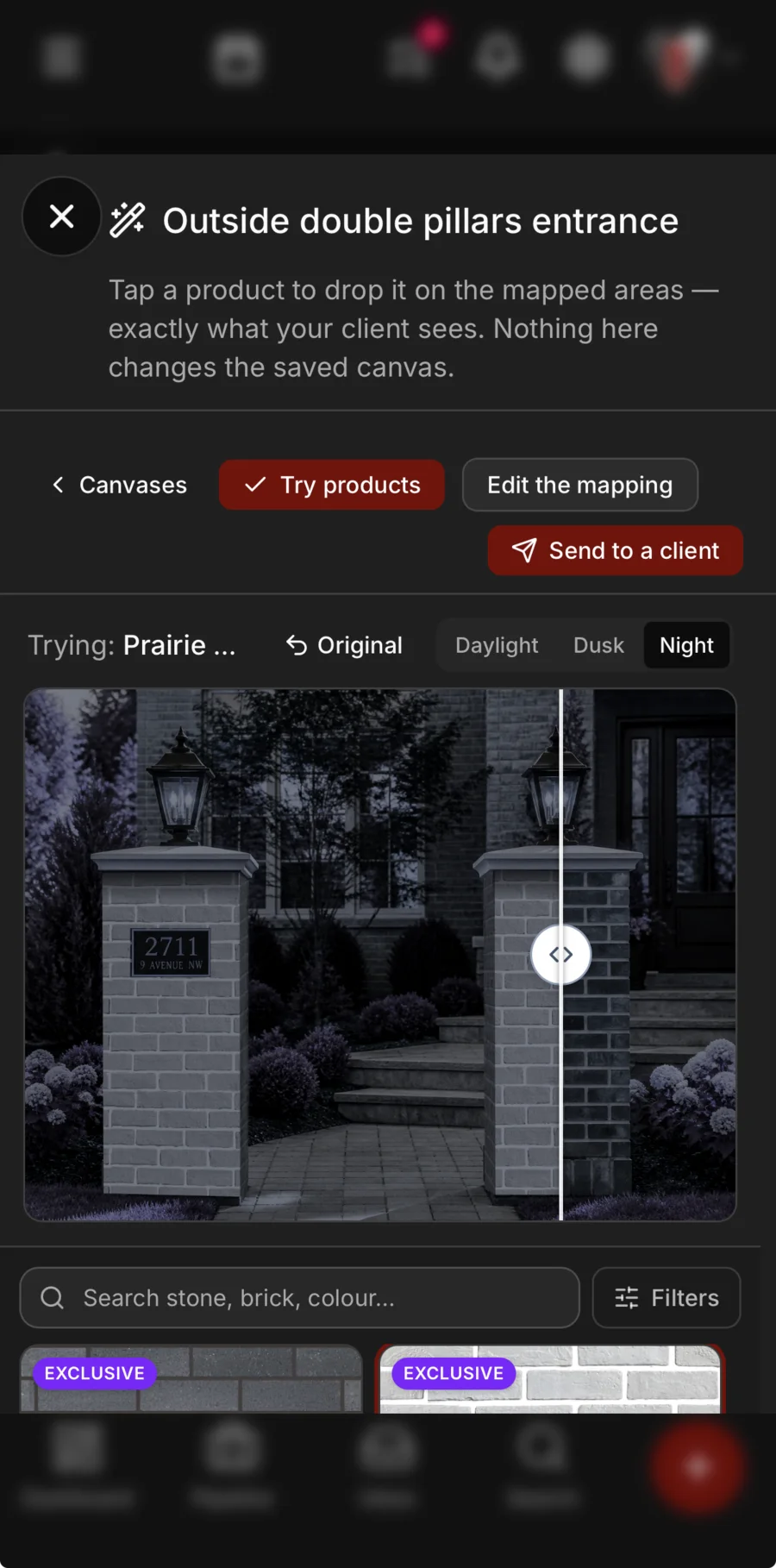
Try it after dark. Drop any of your products on the wall, see how it reads at dusk or at night, and send it to the client.
Decided together
The look, settled before anything is ordered.
Your clients put their own mood board together in their portal — your products, paint colours for the siding, trim and door, their photos and their notes — starting from templates you make. When it’s ready they send it to you with a note, it lands in your inbox on their file, and they can save it as a PDF to show anyone else who has a say.
- Built by the client, from templates you make
- Your products, paint colours, photos and notes on one board
- Sent to you with a note, and saved as a PDF
The visualizer and mood boards come with the trades that sell a finish: masonry, painting, flooring, roofing and landscaping.

See it on one of your real jobs.
Run your own workflow through Daybook — bring a quote, a messy email thread, or a week of scheduling.
14-day free trial · no card required