Quoting
Built from your real costs.
Every line shows what it costs you and the margin you are making on it — while you can still change your mind.
How a quote gets built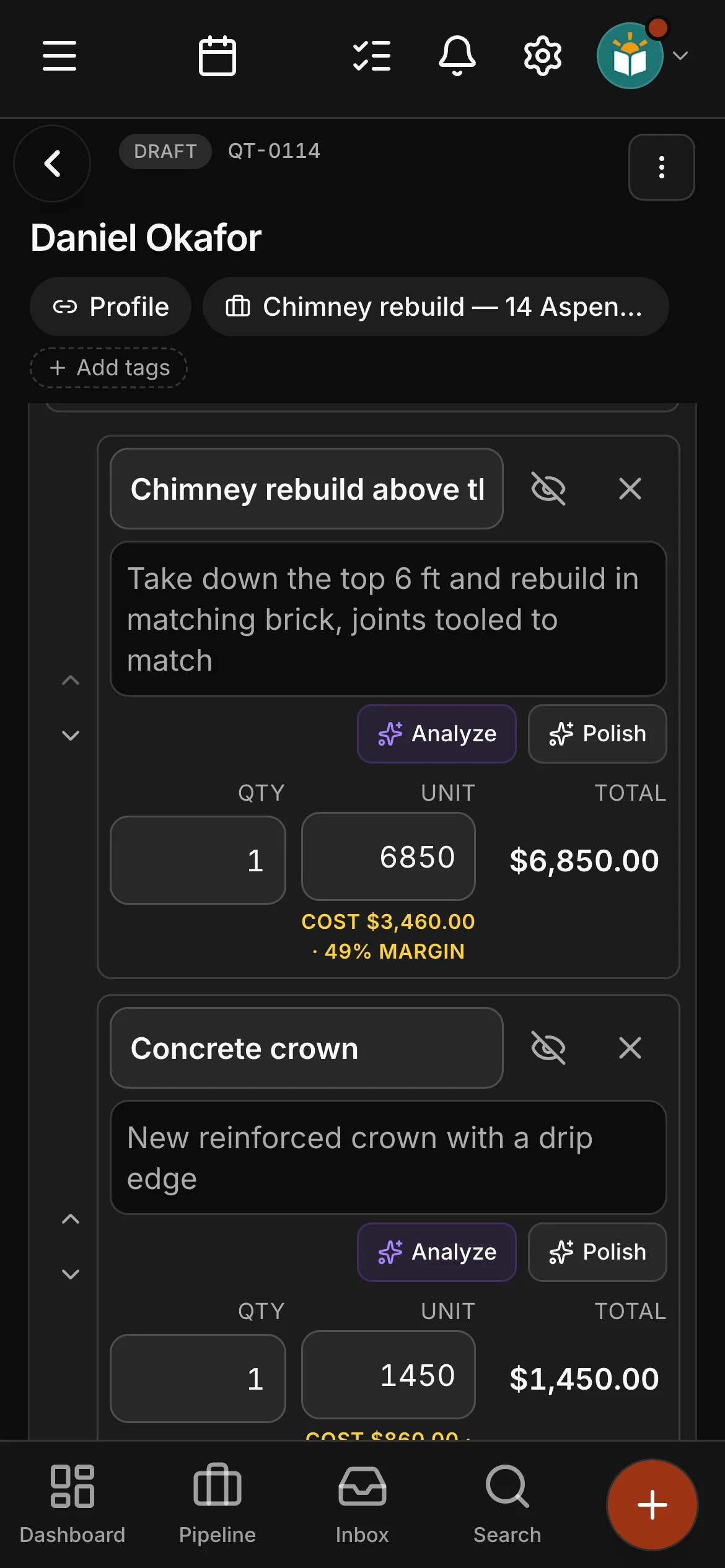
 Daybook
Service businesses
Contractors, shops and crews. Price the work from your own numbers, put it on the calendar, send the crew with it, and get paid — without anything being typed twice.
In the app
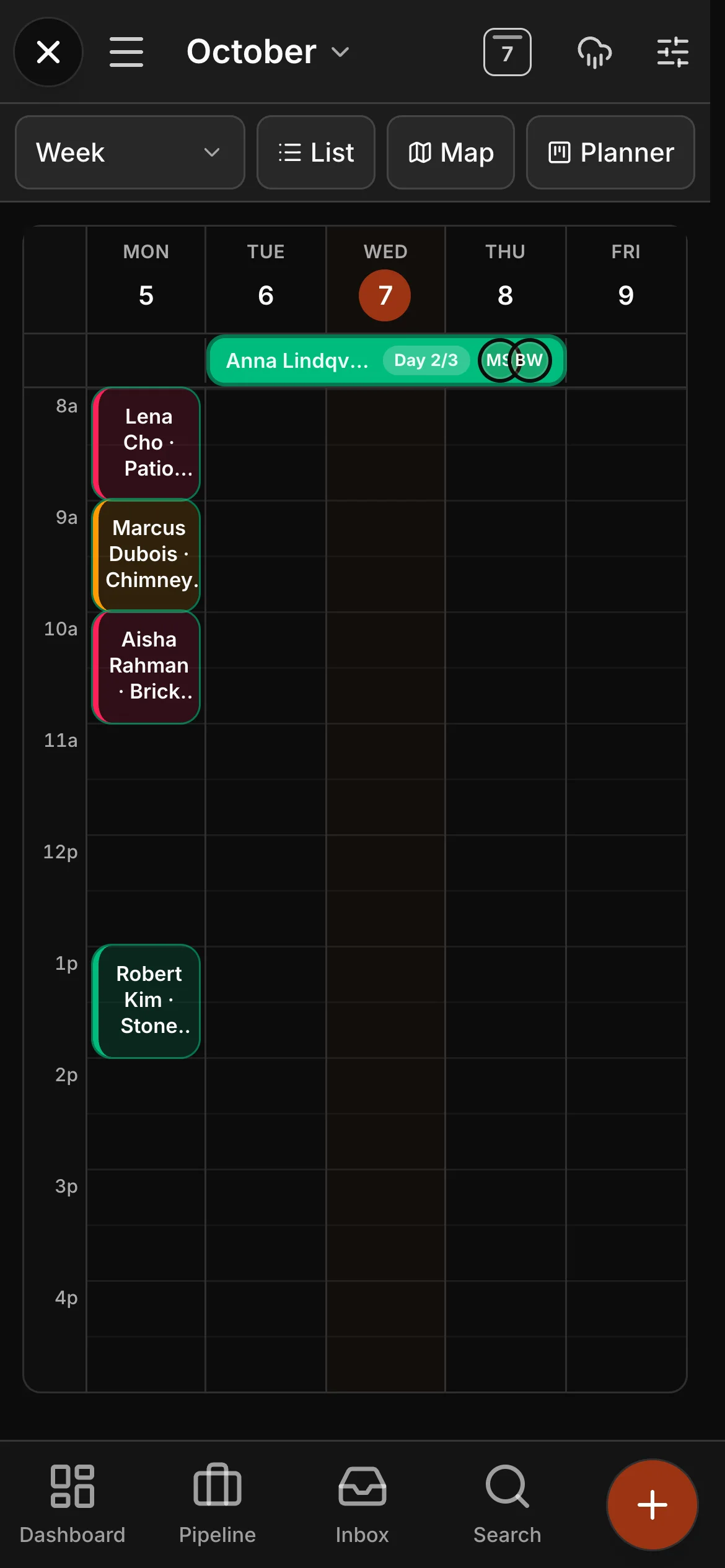
The week, laid out the way you plan it. Every won job has a date, and the office and the field are looking at the same picture.
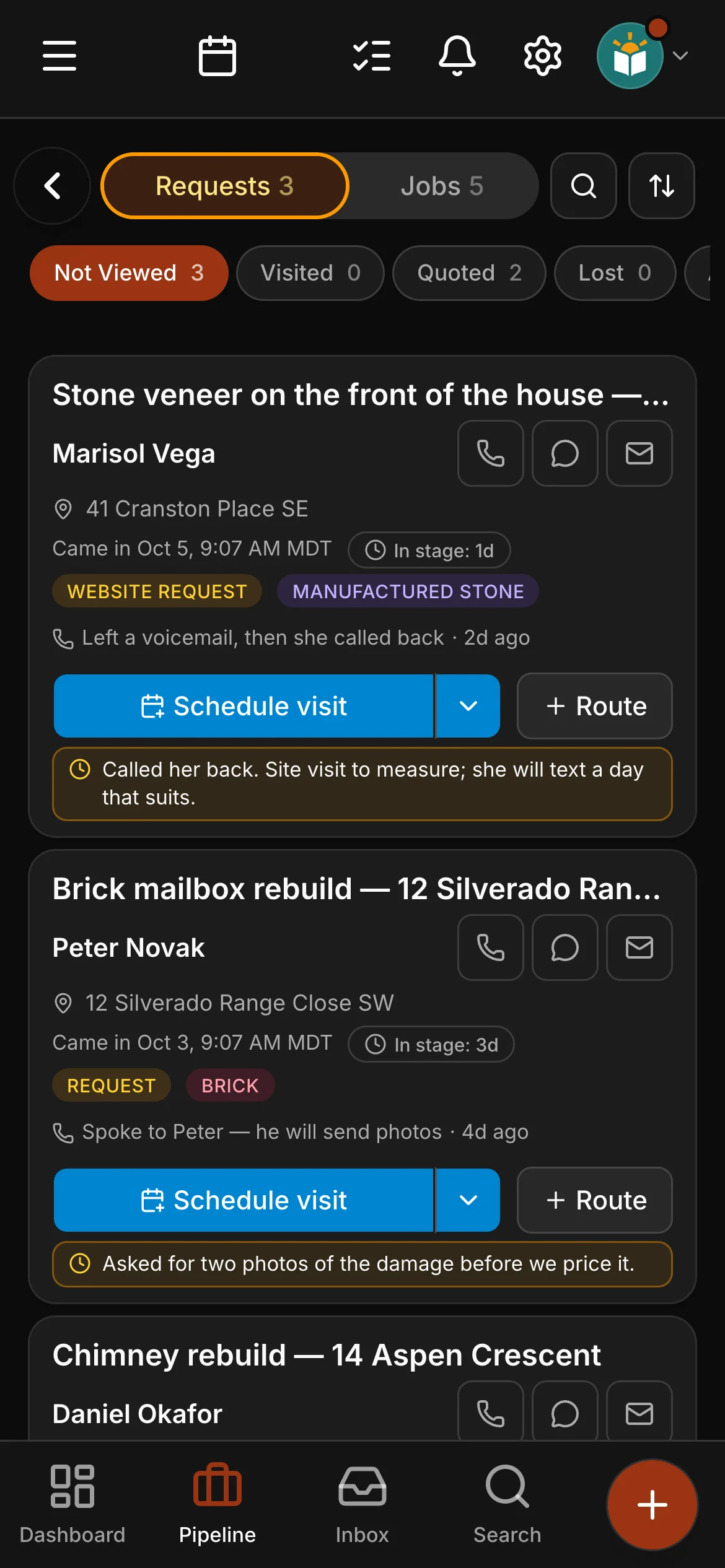
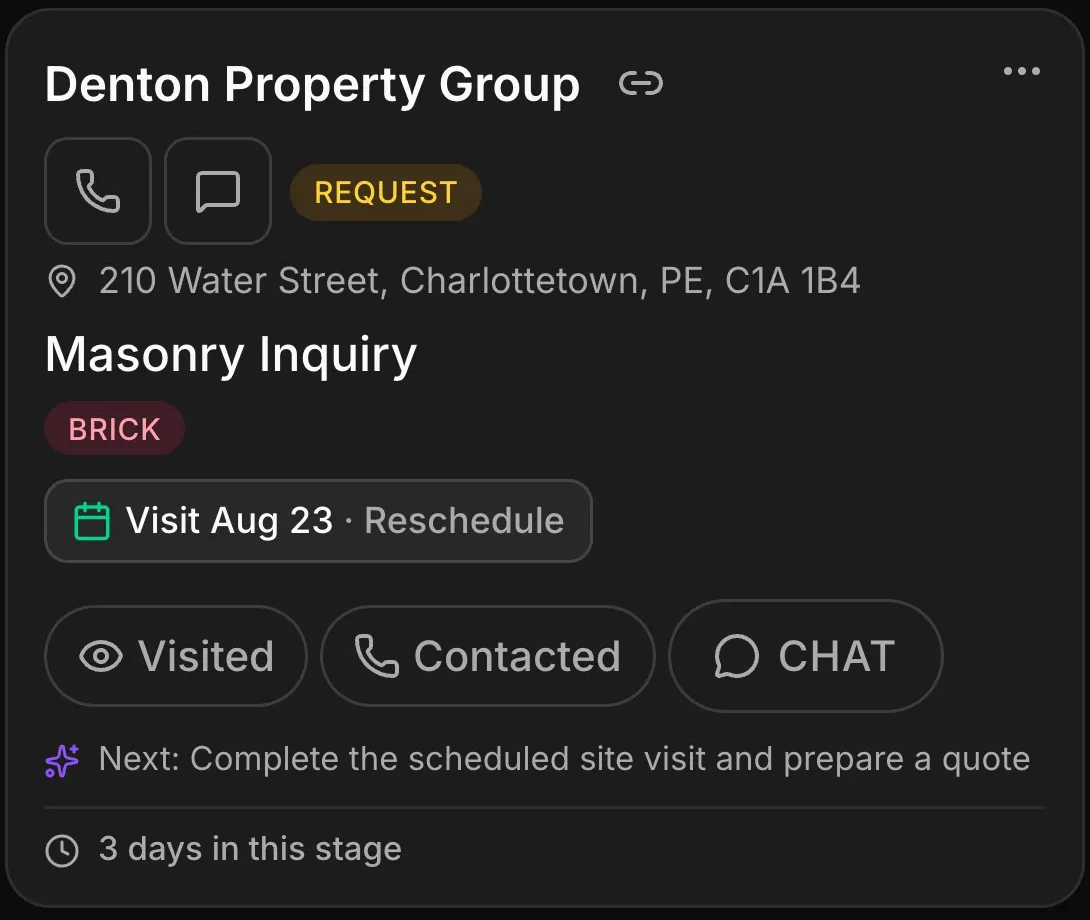
Every enquiry, in one pipeline. Each card carries the address, the scope and a suggested next step — so nothing sits waiting to be noticed.
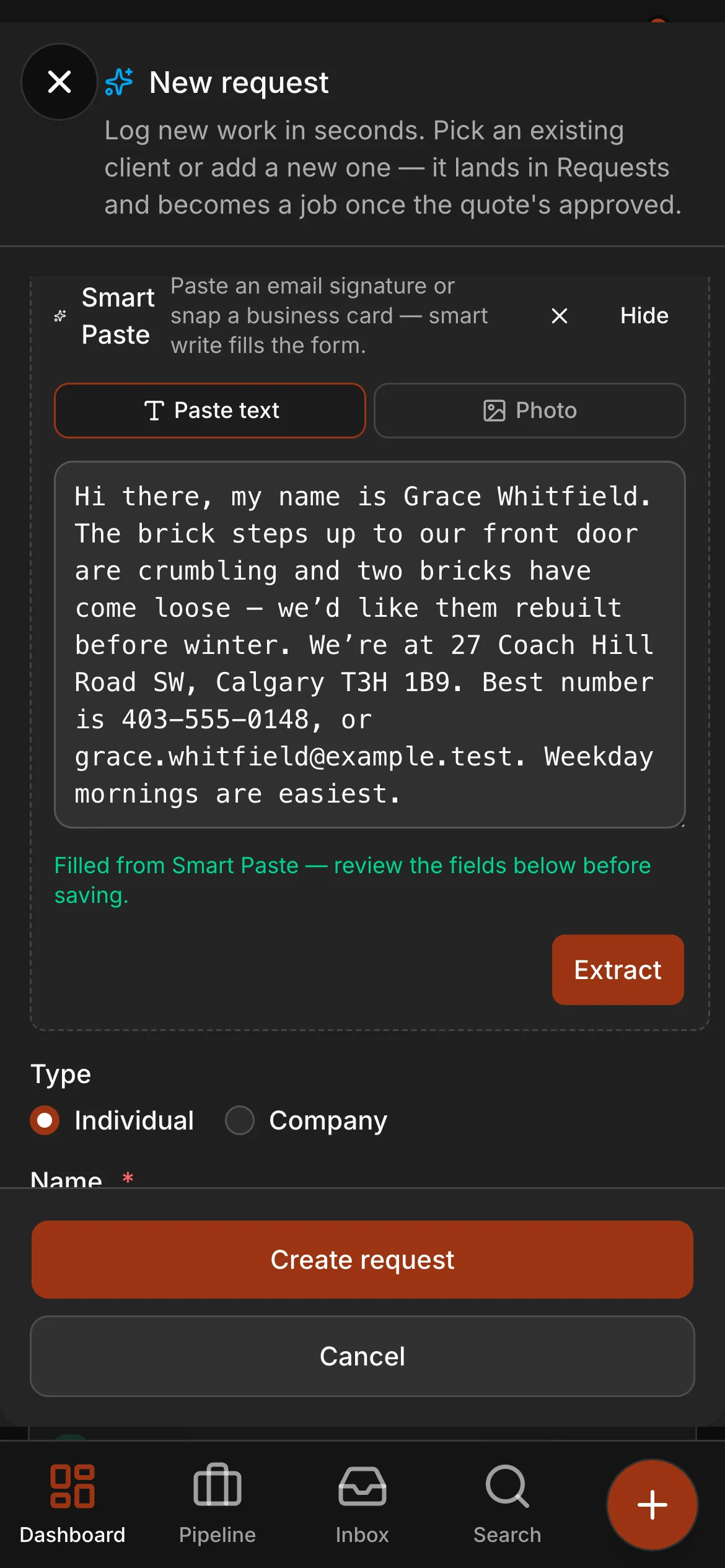
Paste anything. It reads it. Drop in the text of an email or a voicemail transcript and it comes back as a real request, already filled in.
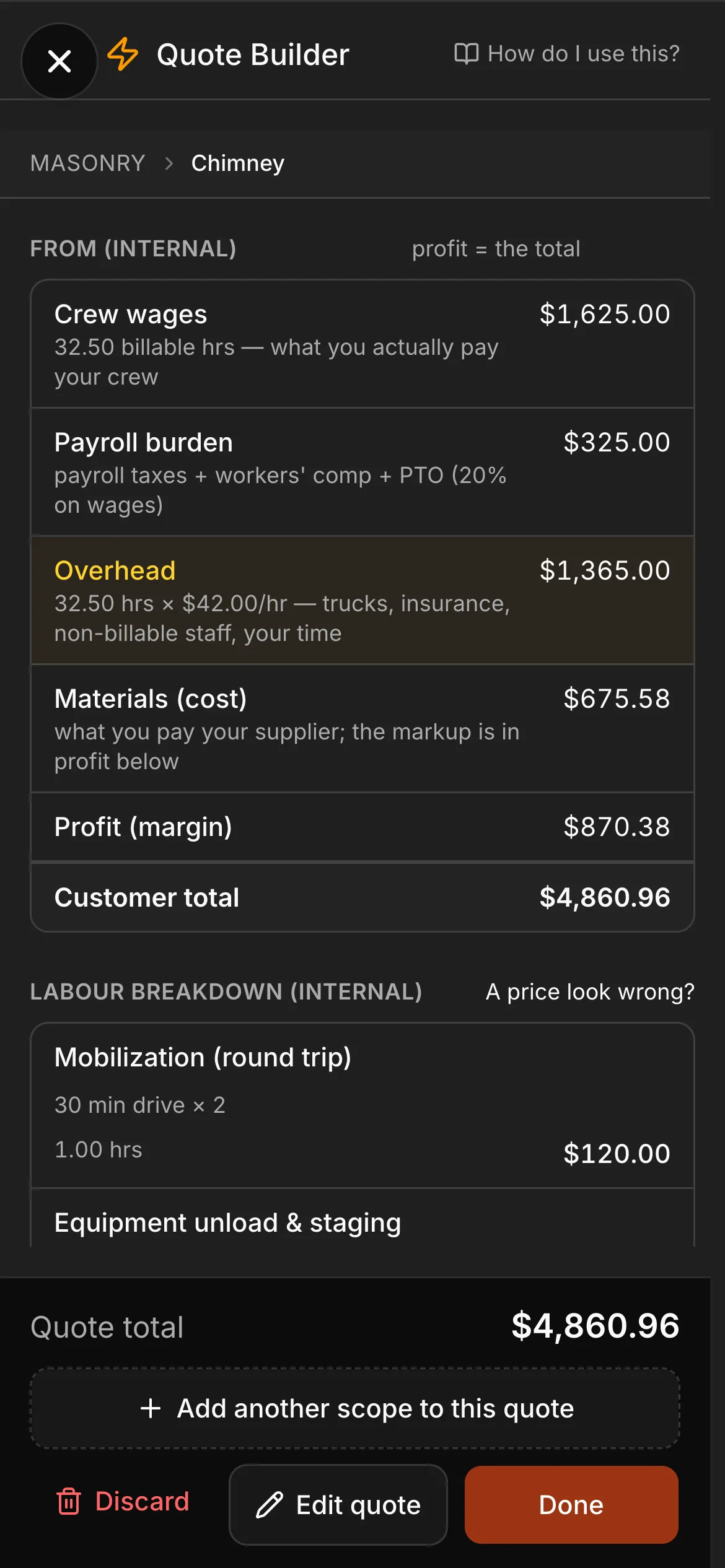
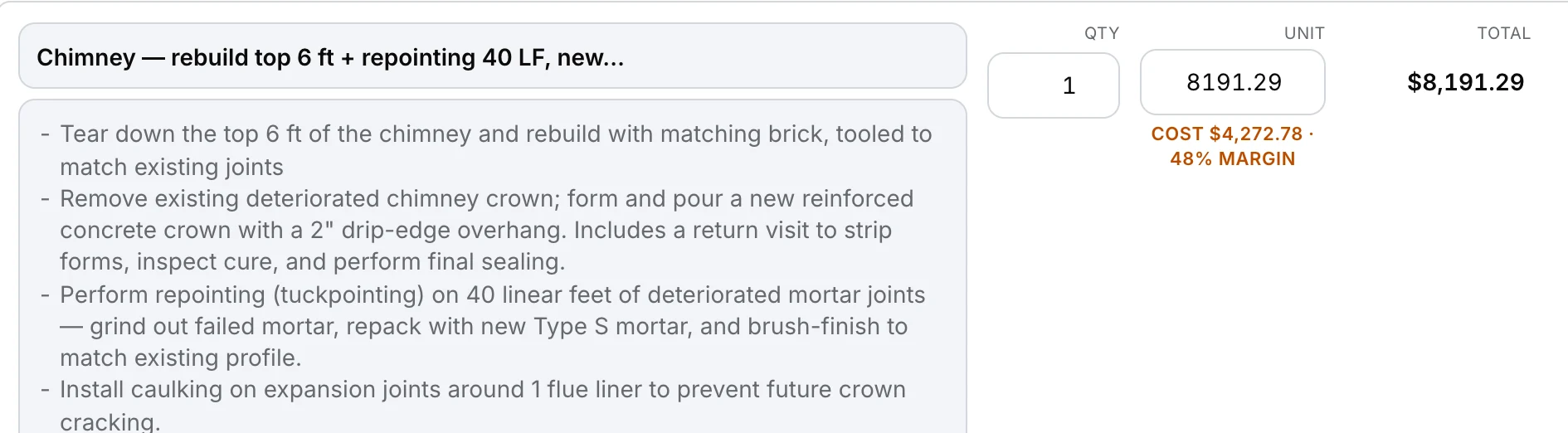
The margin, before you send it. Every quote shows what the work costs you and what you are making on it — while you can still change your mind.

Adjust any number, anywhere. Everything the builder used is listed in order — change a dimension or a choice directly, or step back through the questions.
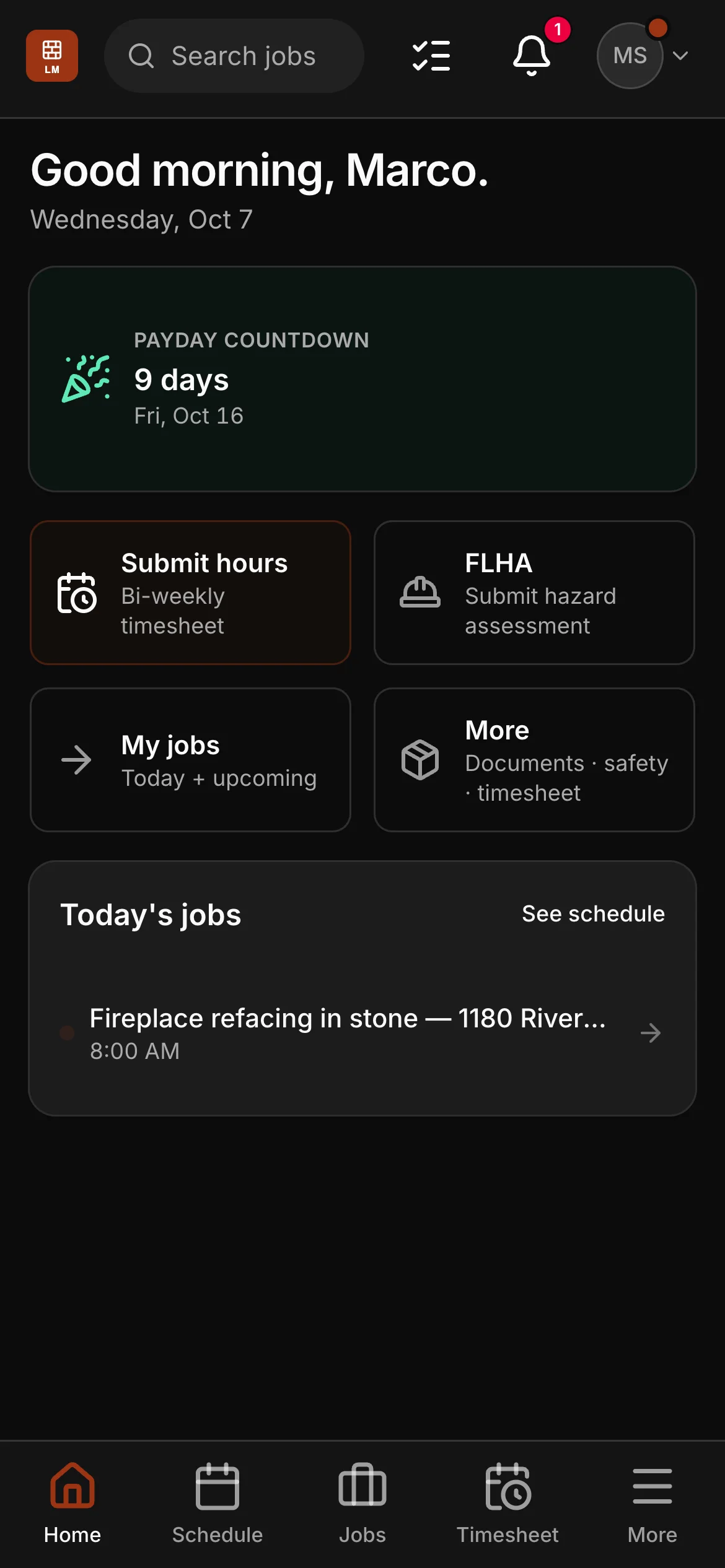
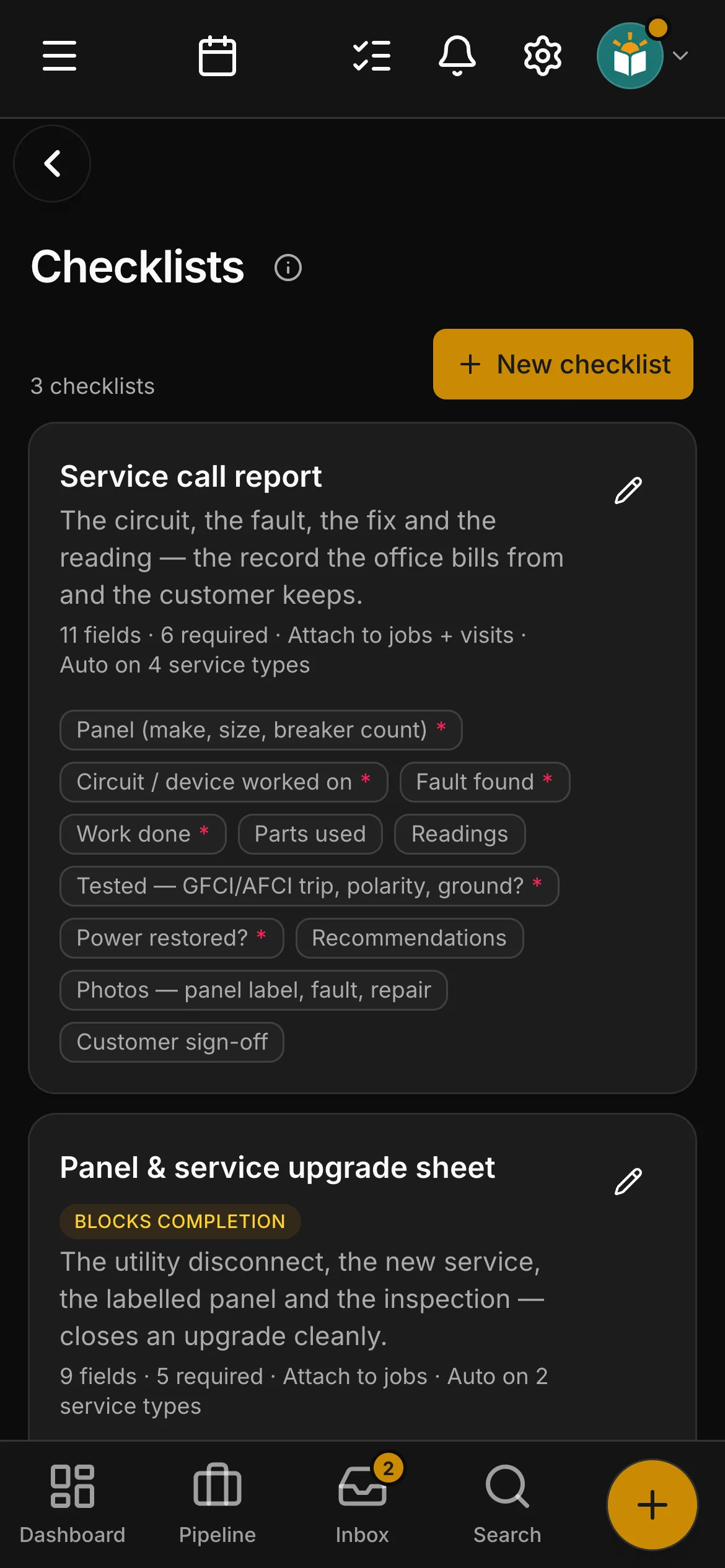
What the field carries. Clock-in, checklists and photos — the crew opens one thing, and what they log lands on the job.
On the job
Quoting
Every line shows what it costs you and the margin you are making on it — while you can still change your mind.
How a quote gets builtThe schedule
The month at a glance, the week in detail — the office and the field looking at the same picture.
See the schedule
Before the first lift
Assignments, checklists and clock-in on the phone already in their pocket. Photos taken where there is no signal, filed the moment it comes back.
Free every field seat on Crew and Company
One place
It lands as a real request — the address, the scope and a suggested next step already read out of it. Nothing sits waiting to be noticed.
Priced from your own catalog and your own costs, written on the spot, and approved by the client with one tap.
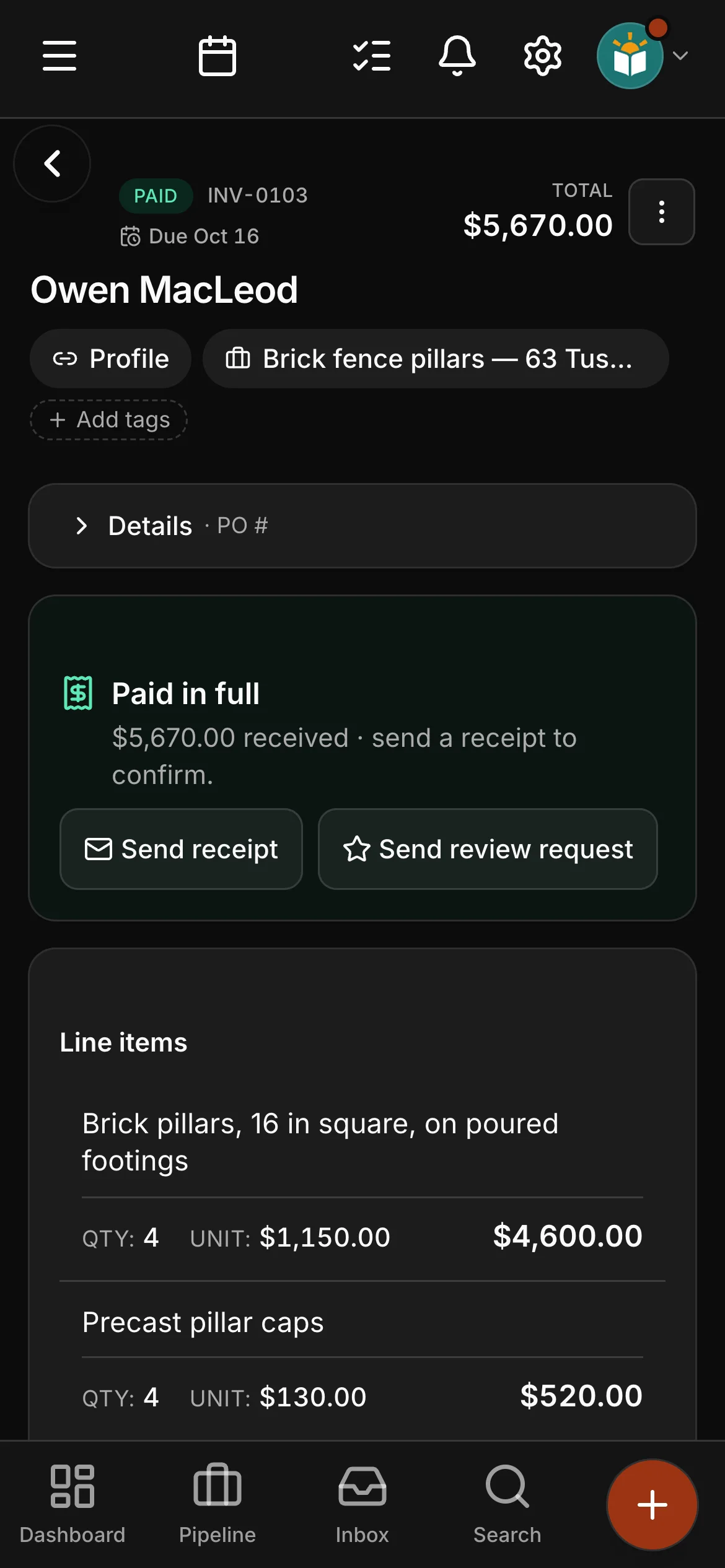
Raised off the approved quote, chased by a reminder you set once, and settled by the rails your clients already use.
In the field
Every lead lands complete, every price carries its own margin, and the crew sees the same picture you do.
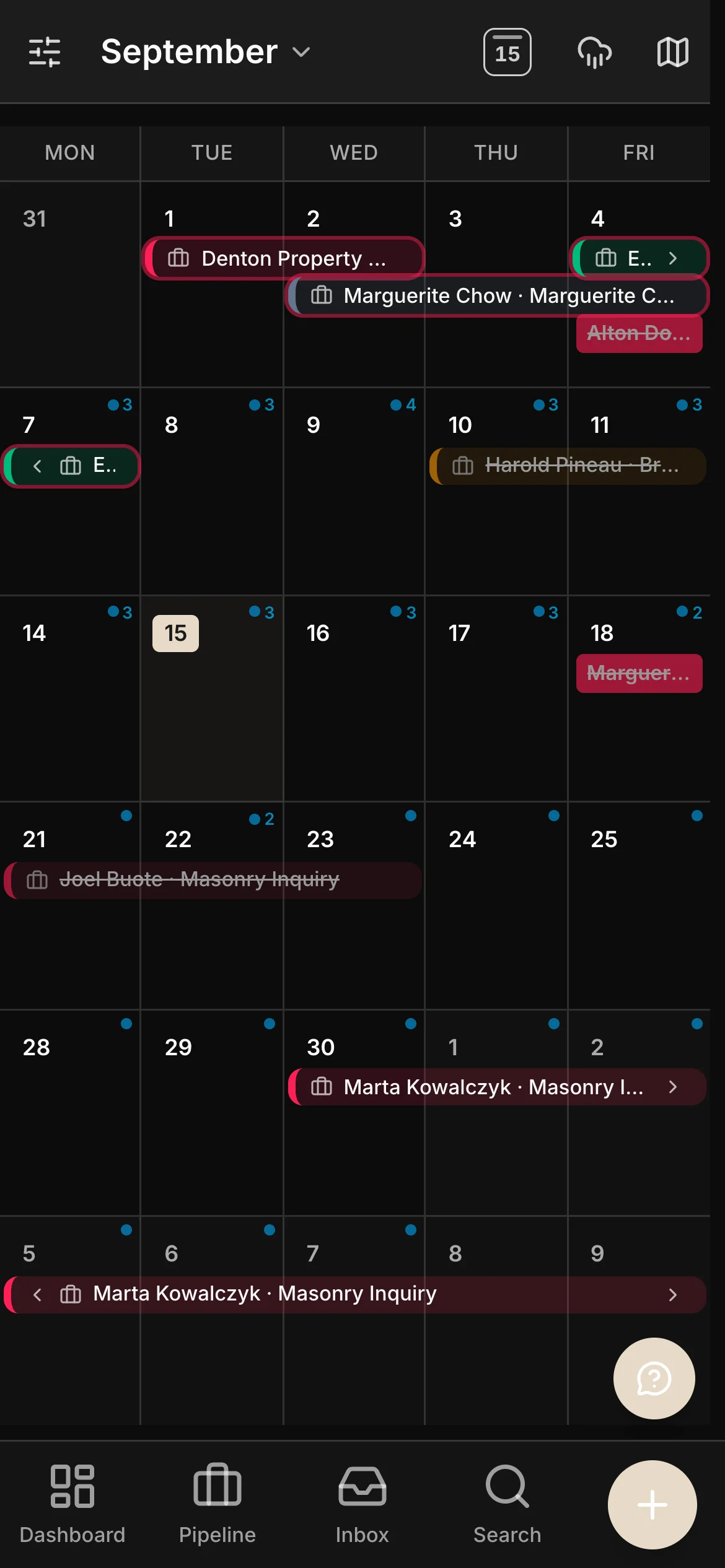
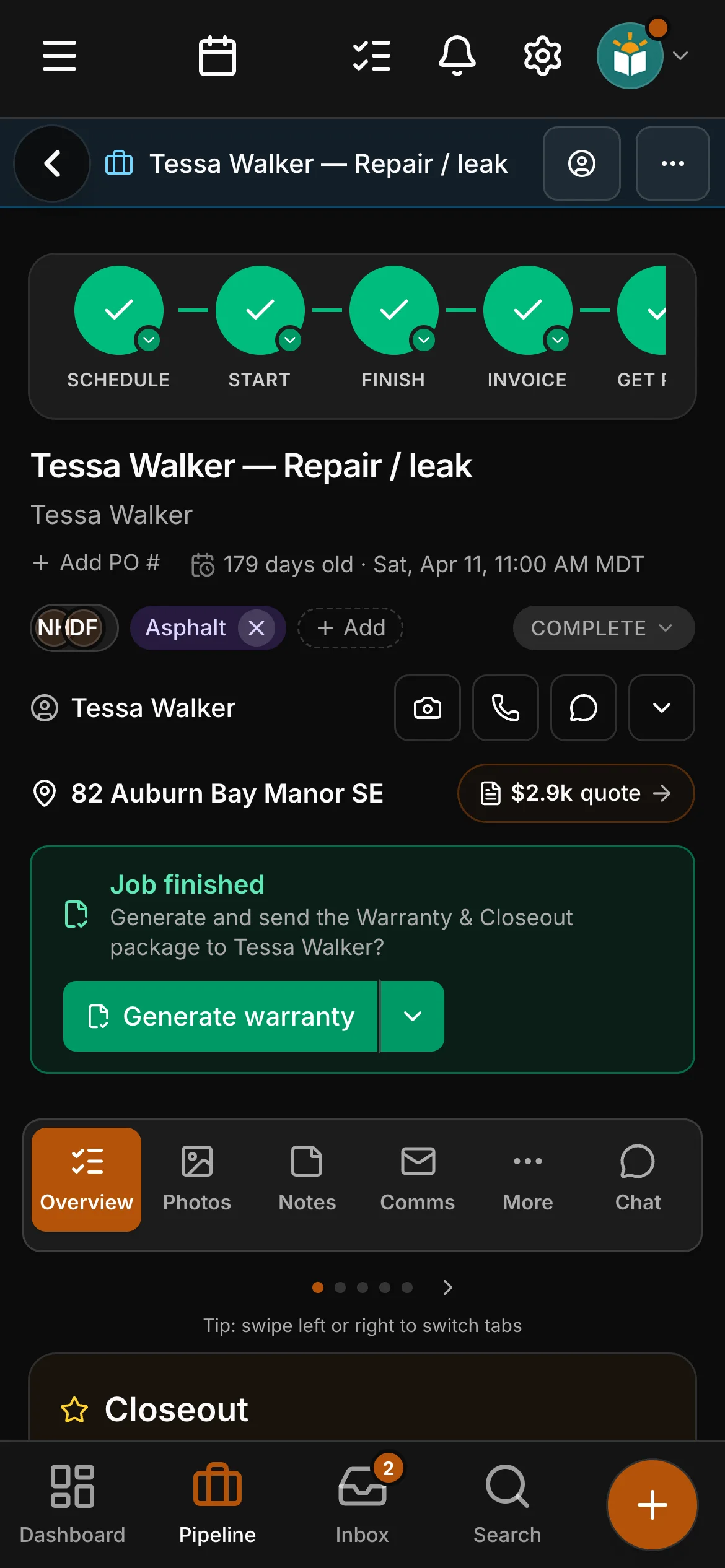
Every job you have taken on, sitting on the date it happens — in your hand, standing on the site.
The address, the kind of work, the visit already booked — and how long it has been sitting there.
Every line priced against what it actually costs you — before it ever reaches the customer.
Built for the trades
Checklists
The crew app
Documents
The first time you open the Website page, it fills in with pages and wording written for your kind of work — with no licence, guarantee or promise you have not made, so you add your own, with your photographs. Flooring is the one trade still starting from the general site. The cards are a few of them:
Brick & stone library, matching, a visualizer — the deepest toolkit in Daybook.
Doors, frames and hardware — spec-heavy work with paperwork to match.
Quotes by the coat, colour libraries, painter checklists — the second trade finished end to end.
Seasonal scheduling and crews across many small sites.
Long jobs, many subs, one thread per project.
Lines, manufacturers’ orders and commissions — for a rep who sells and installs nothing.
The same app, the same website, the same billing for every one of them — and every trade here has a page of its own. Open one to see Daybook in that trade’s words. Every one of them but flooring starts with a website written for its work; the six shown as cards above are a few.
ElectricalPlumbingHeating & coolingGasfittingAppliance repairSeptic services
Lawn careSnow & ice managementLandscapingTree care & arboristsPressure washingEavestrough & guttersExcavation & site work
Carpentry & framingRoofingMasonryConcrete & pavingDrywall & finishingPaintingGlass & glazingWindows & doorsCommercial openingsFlooring & tileSidingFencing & decksGeneral contracting
Pet waste removalPest controlCarpet & upholstery cleaningCleaning servicesWindow cleaningJunk removal & haulingPool & spa careHome inspectionHandyman services
Heavy equipment repairMobile mechanicSmall engine repairEquipment rentalWelding & fabricationLocksmith & access controlChimney & fireplace servicesSolar & renewable energy
Not on the list? The app underneath is the same for everyone — start the trial and run it on your own workflow.
Your own numbers beat any feature list — bring the job you priced last week and build it in Daybook.
14-day free trial · no card required