
Features · Invoicing & payments
Invoices out. Money in. The chasing, automated.
Interac e-transfer matched automatically, card payments online, EFT remittances read for you — and reminders that do the following-up so you don’t have to.
Getting paid
Every way your clients actually pay.
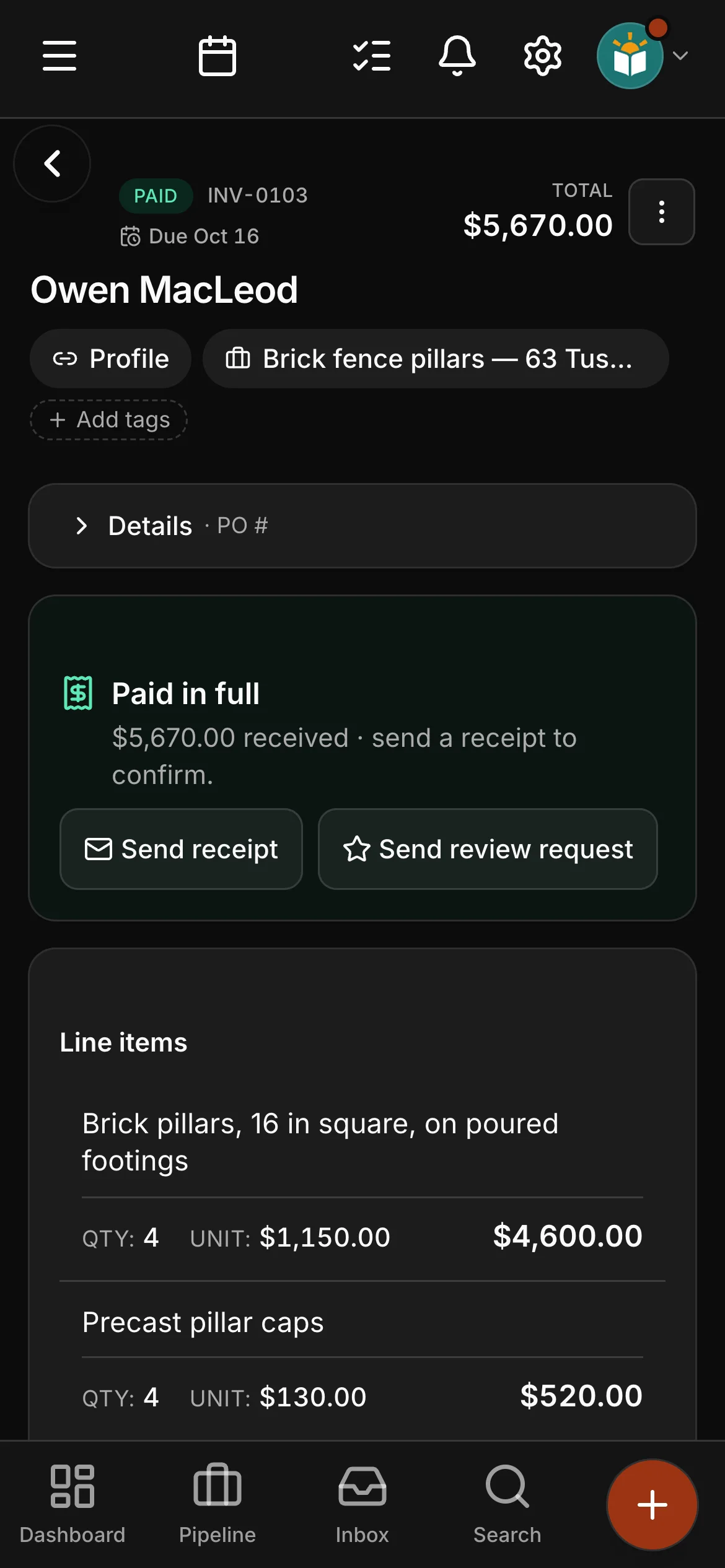
E-transfers get matched to their invoices automatically — you confirm each match before it books, so the books stay yours. Cards are paid online from the invoice or the portal. EFT remittance advices are read and reconciled for you.
- Interac e-transfer auto-match — confirm-first, always
- Card payments online, from the invoice or the client portal
- EFT remittances read and reconciled
Knowing where you stand
The numbers, without the spreadsheet night.
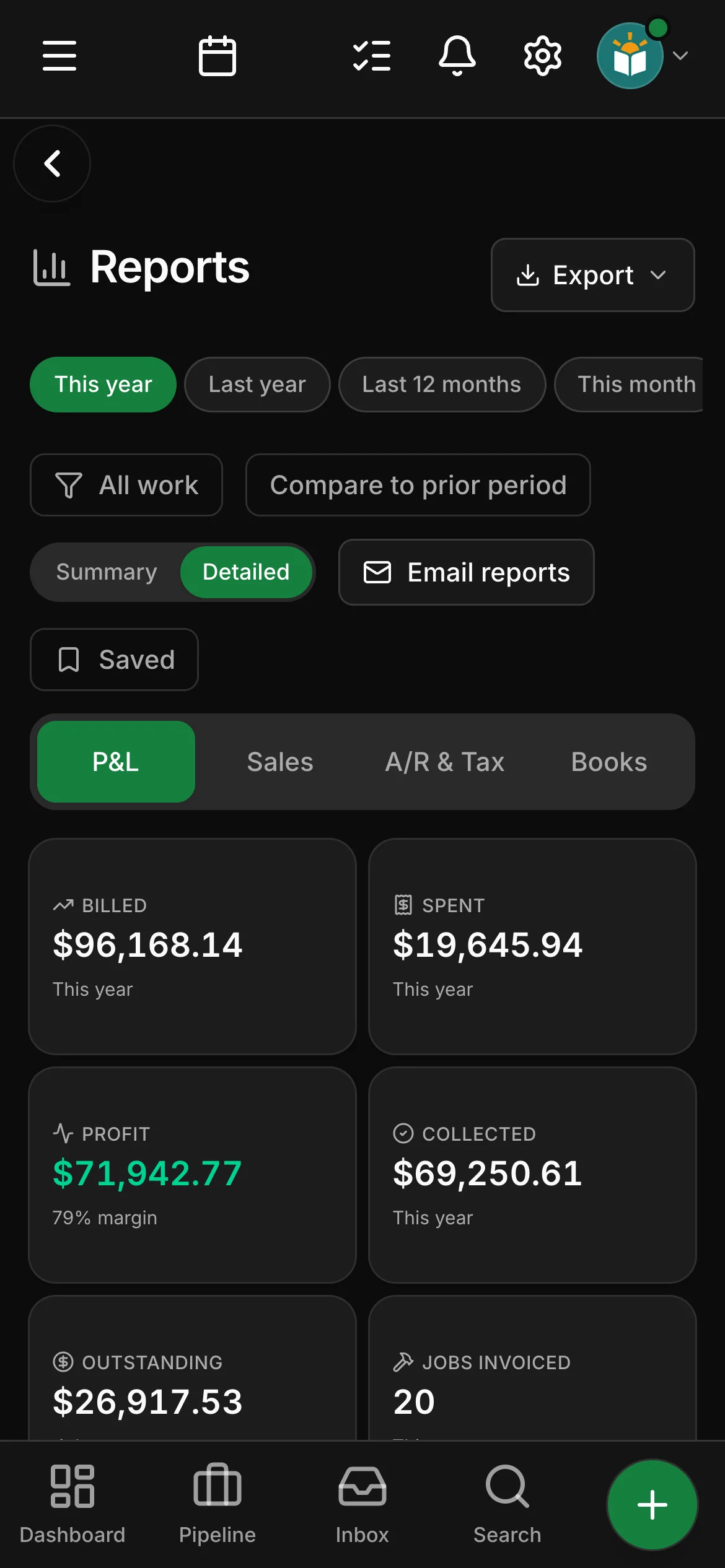
More than twenty named reports come with the app — Job Profitability, Underwater Jobs, A/R Aging and Sales Tax among them, and T5018 slips for the construction trades. On Company, upload your bank statement and most of the bookkeeping sorts itself; what it cannot place, it asks you about.
- More than twenty named reports, ready to open
- Sales overview — what is owed, what came in, the quotes still out
- Bookkeeping — upload your bank statement and most of it is sorted for you
In the field
Paid before the truck leaves.
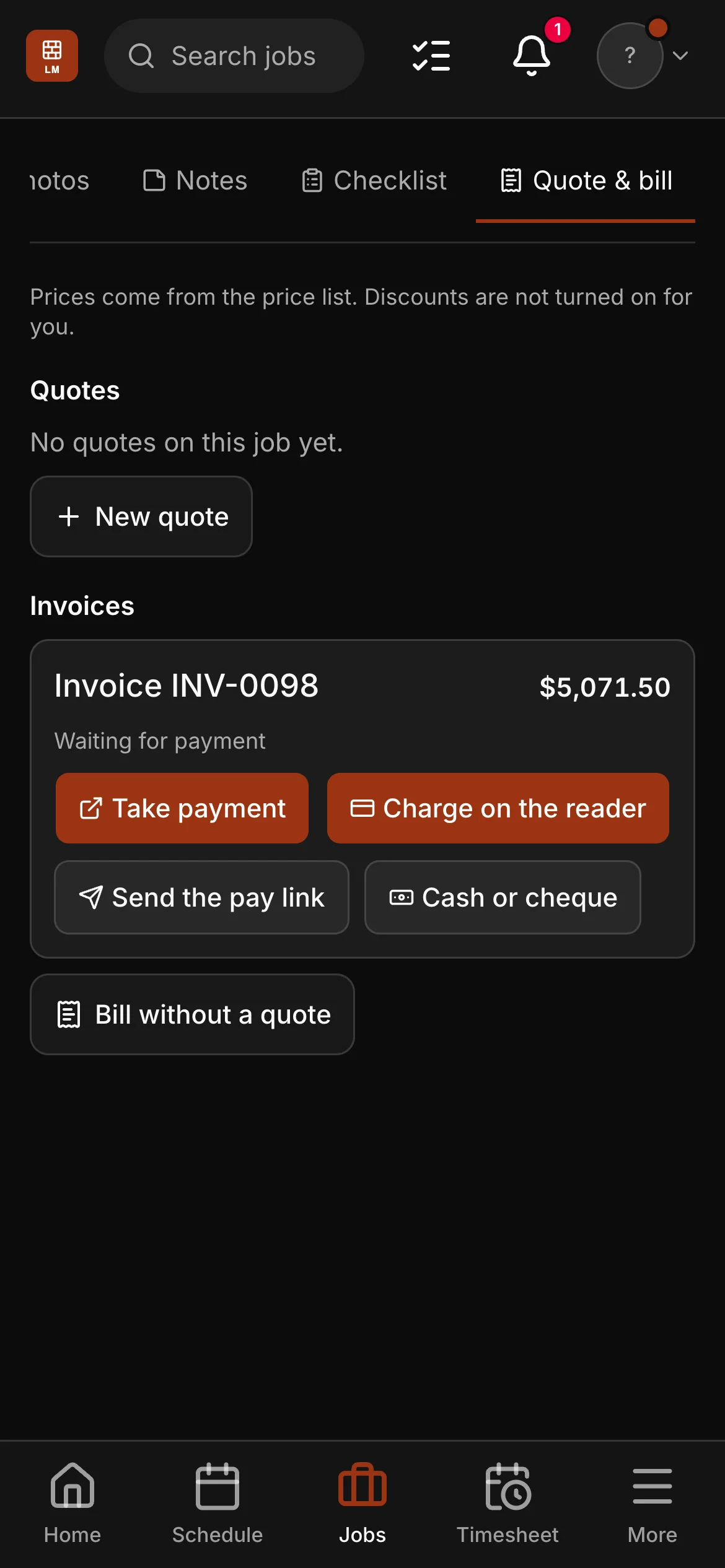
With a Stripe card reader, anyone in the field you have allowed to take payment charges the invoice for the job they are on — tap, insert or Interac debit — and the payment lands on the invoice by itself. Cash and cheques are recorded on the spot, with who collected them.
- A card or Interac debit at the door, on a Stripe card reader
- Cash and cheques recorded on the invoice, with who collected them
- Field staff you allow can quote from your price list, have it signed and take payment — and never see your costs
Expenses and tax
Receipts read for you. Mileage at your rate. Tax by province.
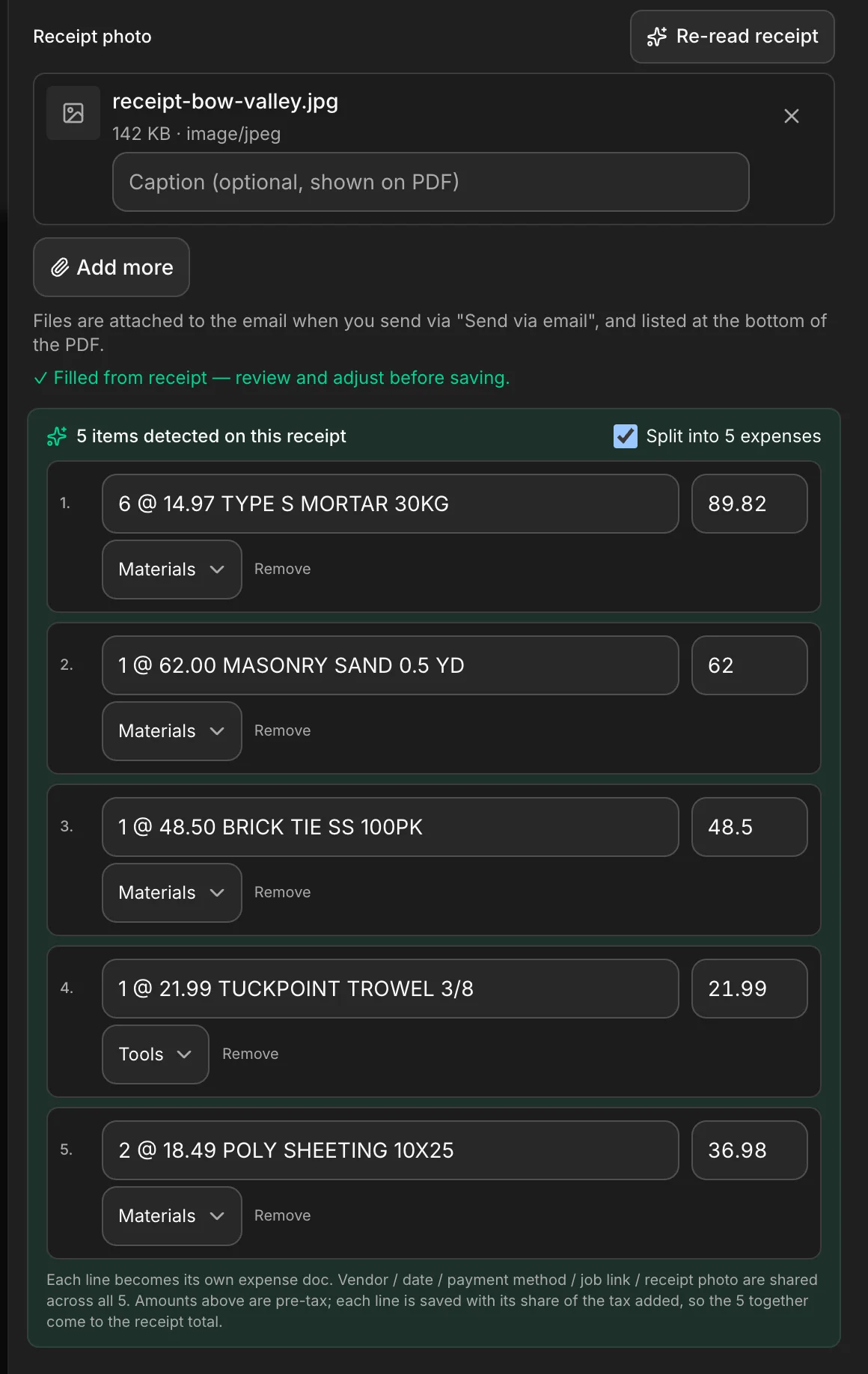
Snap a receipt and it fills itself in; when it lists several items, split it into one expense a line, each filed at what you actually paid. Log a trip — Measure the drive works out the kilometres — and the mileage log adds it up at your own rate per kilometre. GST or HST follows the province of the work on every invoice, and the Sales Tax report shows what you collected, what you claim back and what you owe, quarter by quarter.
- A receipt read for you — you check it before it saves
- A mileage log at the rate per kilometre you set
- GST/HST by the province of the work, on every invoice
See it on one of your real jobs.
Run your own workflow through Daybook — bring a quote, a messy email thread, or a week of scheduling.
14-day free trial · no card required