
Features · The quote builder
Put your costs in. The quote writes itself.
Labour, materials and line items, written from your numbers and priced from your own catalog — with math that is deterministic, never a guess.
The Quote Builder, step by step
Watch it price a chimney rebuild.
A real repair, priced in the builder: answer the questions a foreman would ask, and the labour, the materials and the scaffolding price themselves.
-
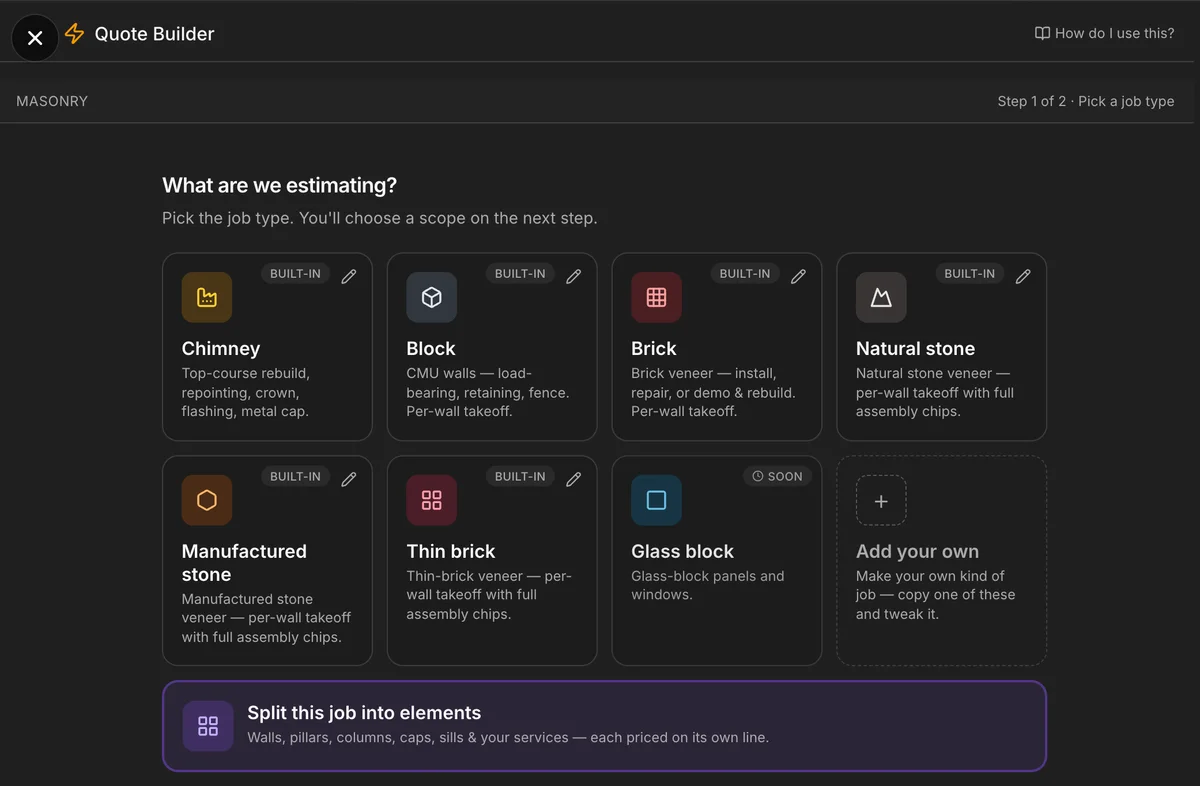
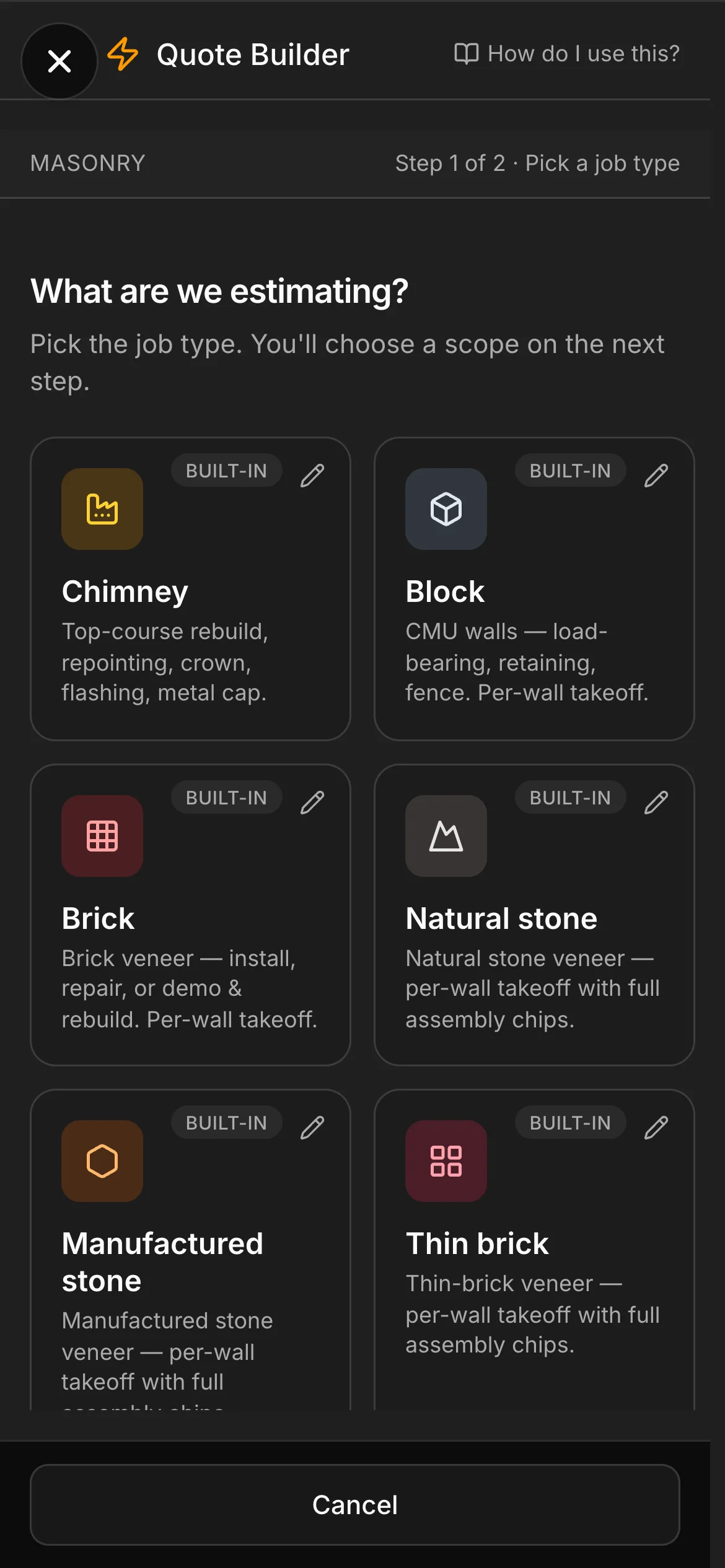
1. Pick the job. Chimney, block, brick, natural stone — every built-in job type asks its own trade questions and does its own math. Or copy one and make your own kind of job.
-
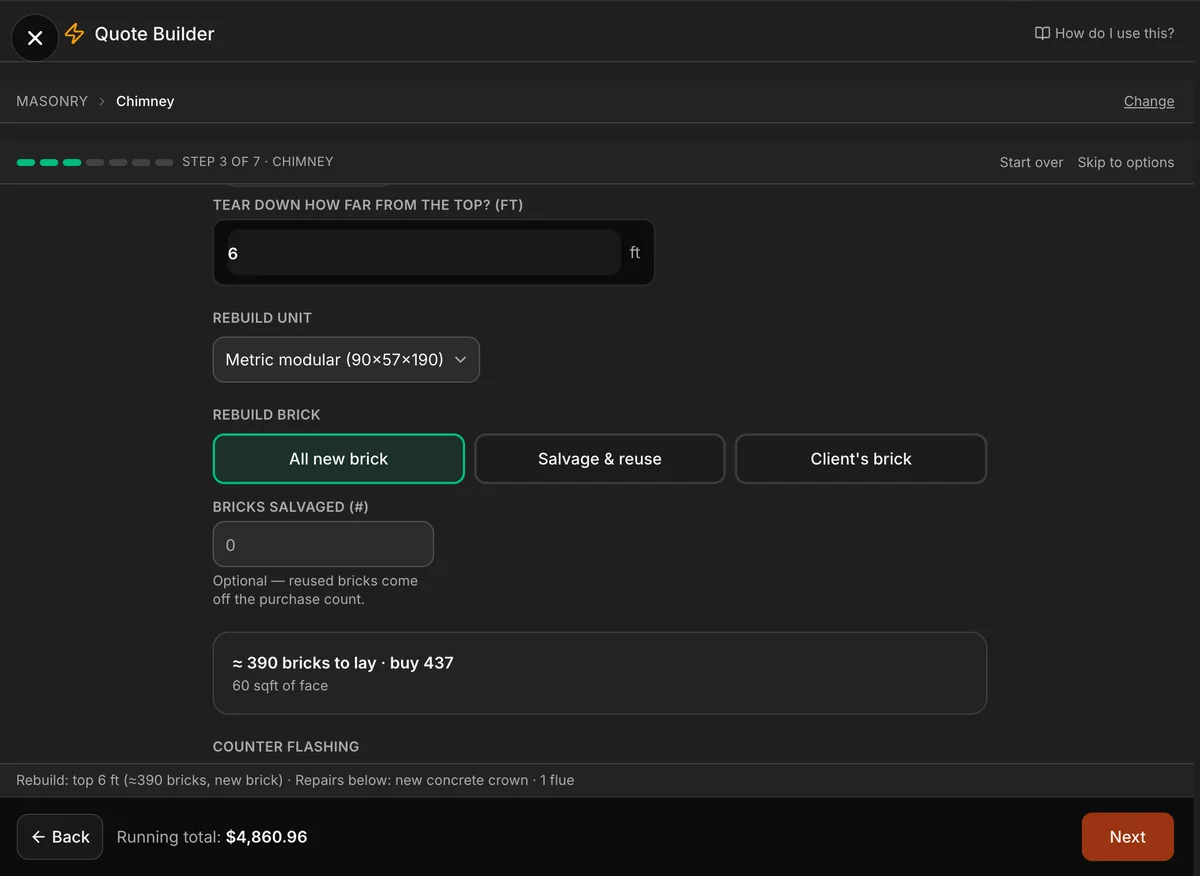
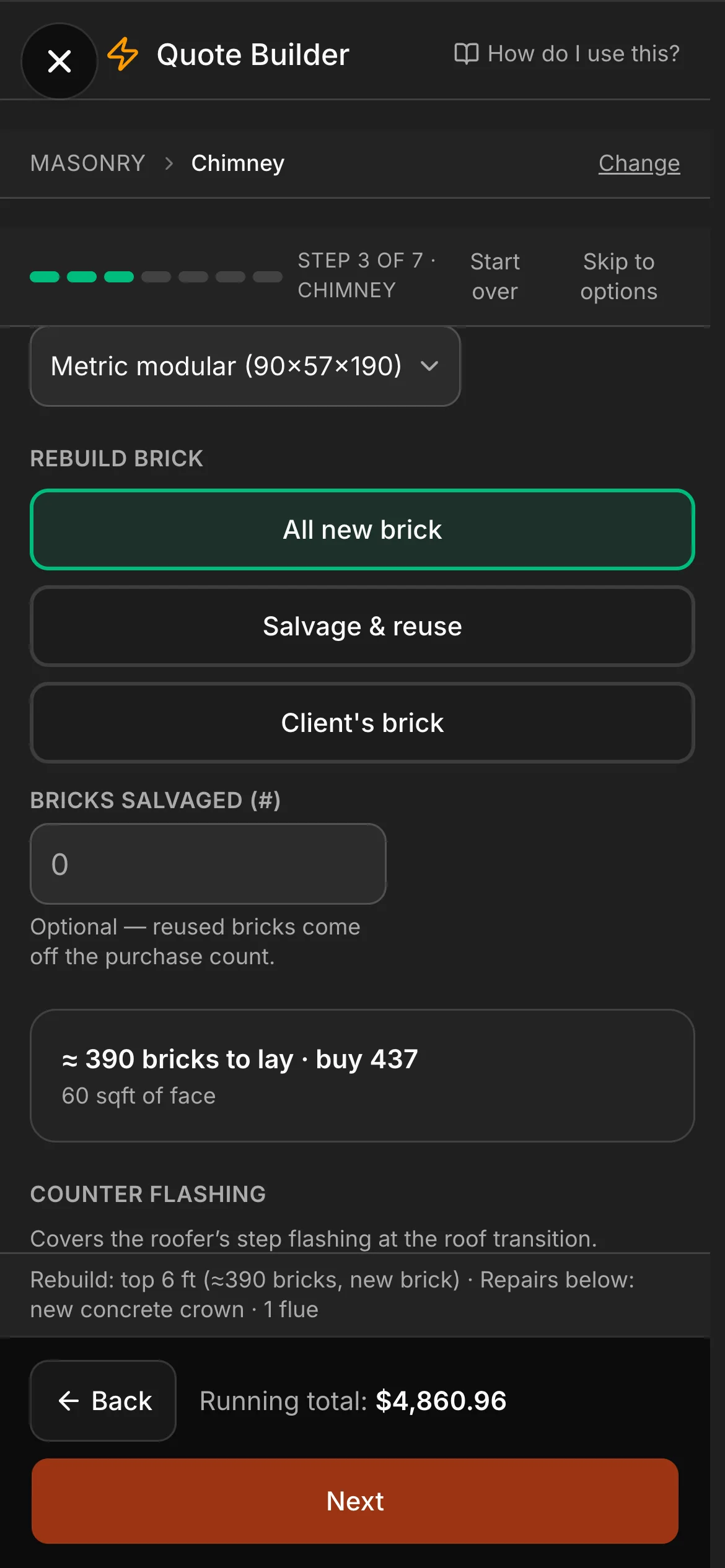
2. Watch the takeoff happen. Tear the top six feet down and rebuild: from the chimney’s size the builder works out about 390 bricks to lay and 437 to buy. Pick the brick, count what you salvage — the running total follows every answer.
-
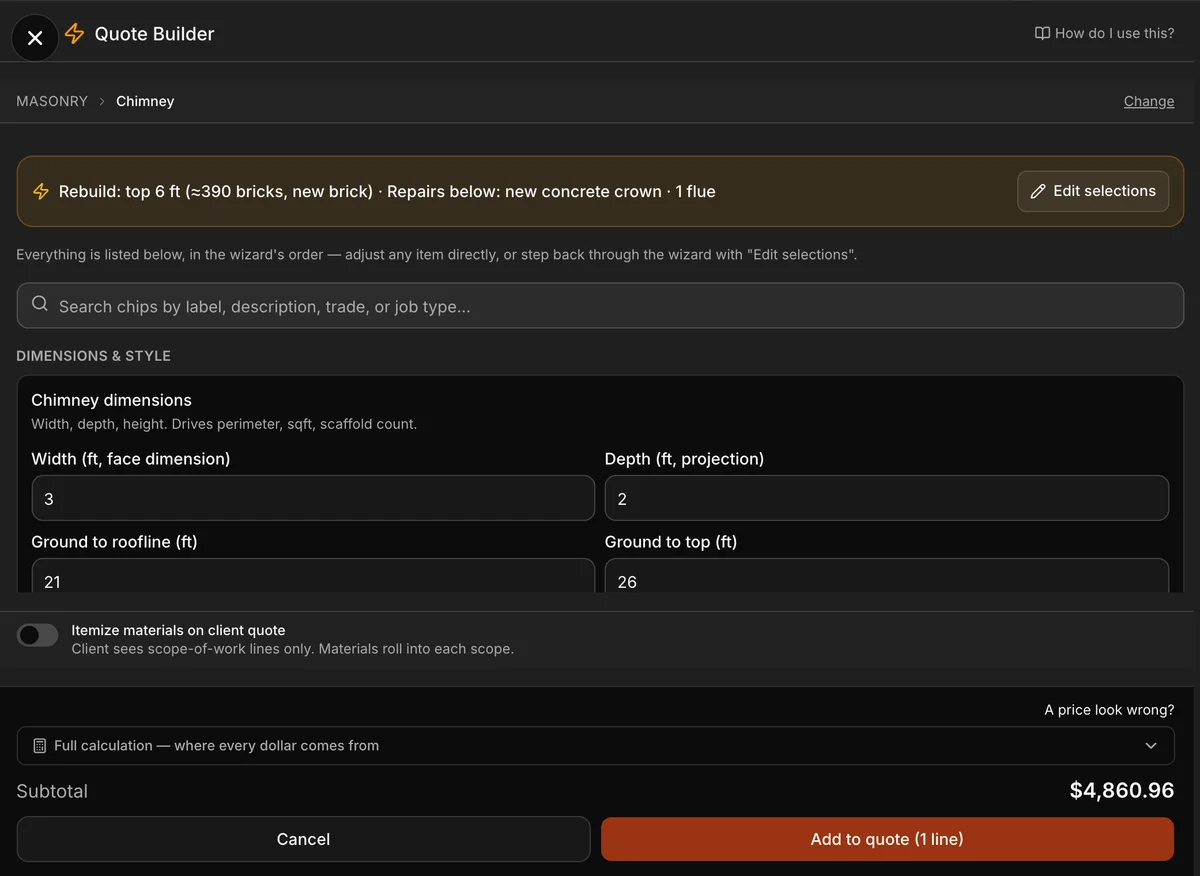
3. Every assumption is yours to adjust. Mortar type, brick size, flue liner, flashing — everything the wizard assumed is listed in one place, editable. The math is deterministic: the same inputs price the same way, every time.
-
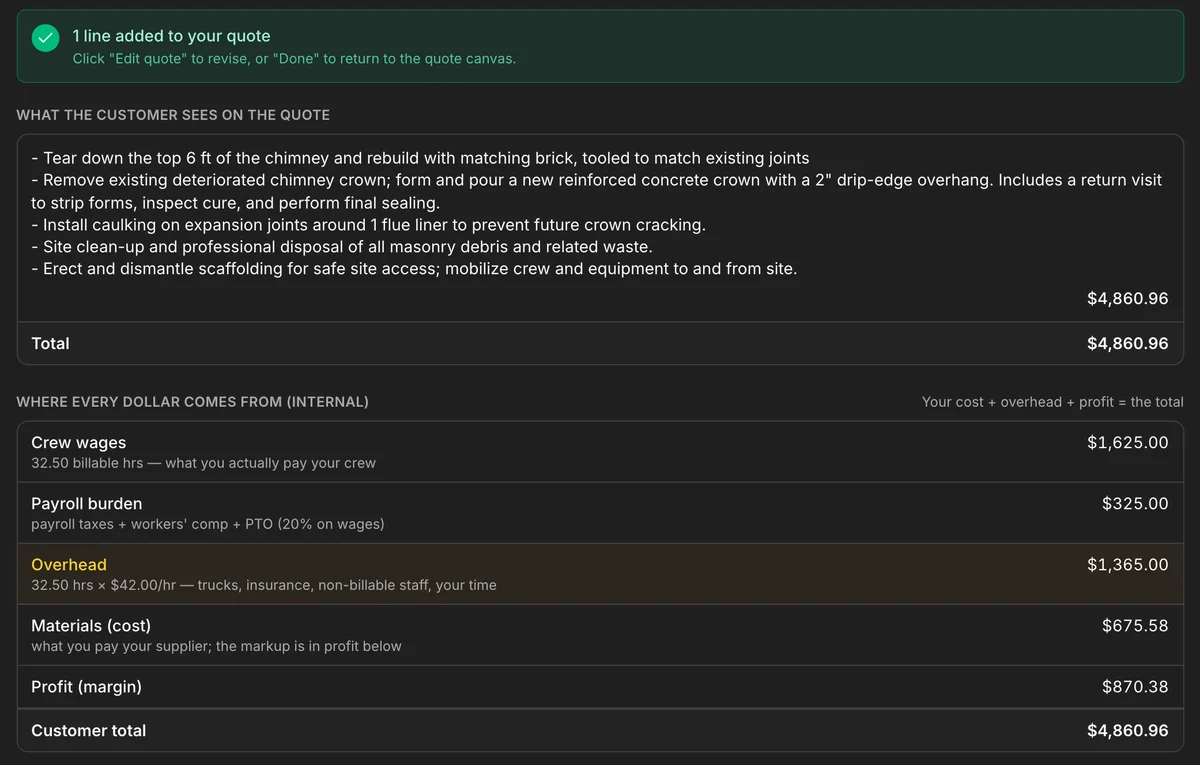
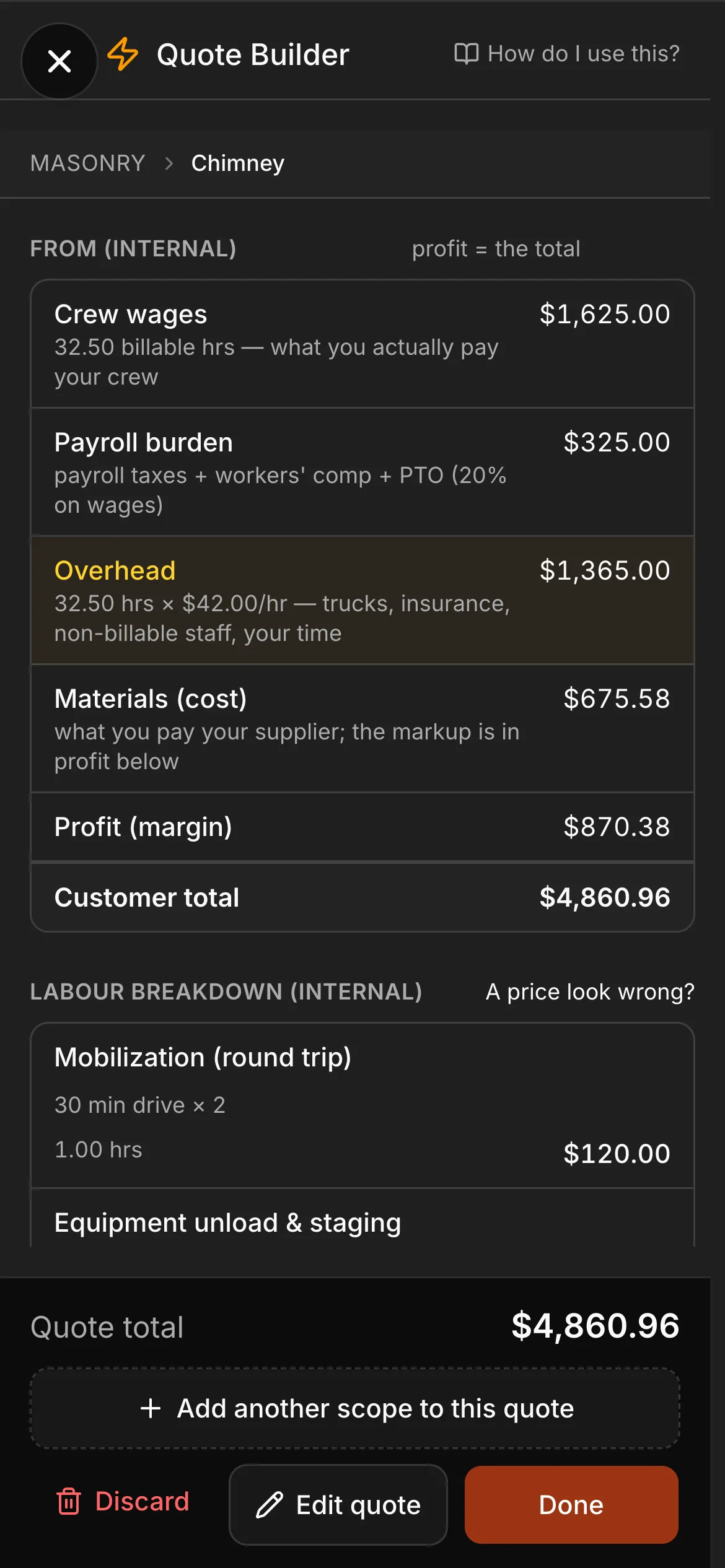
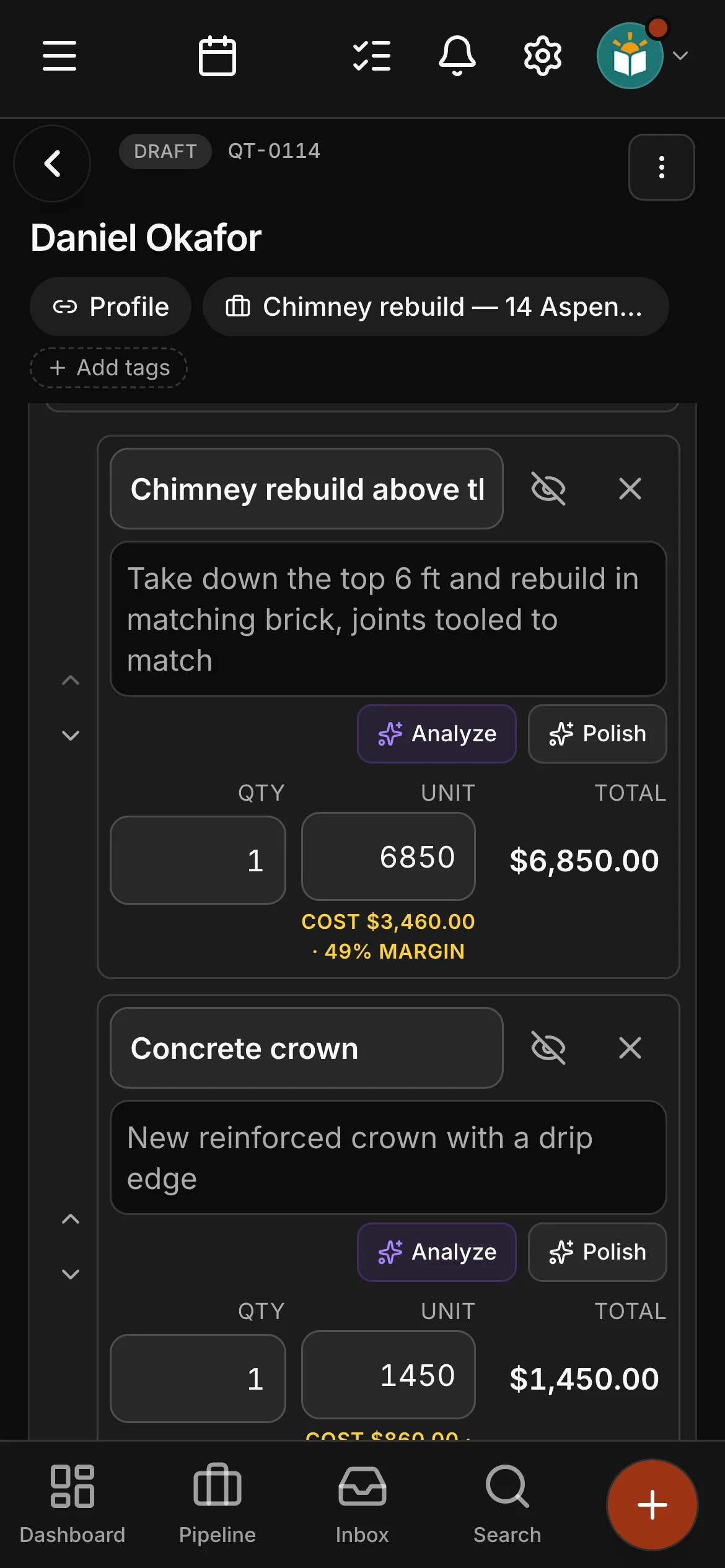
4. One clean line for the client. The whole story for you. The client sees a tidy scope of work. You see where every dollar comes from — crew wages, payroll burden, overhead — before you hit send.
-
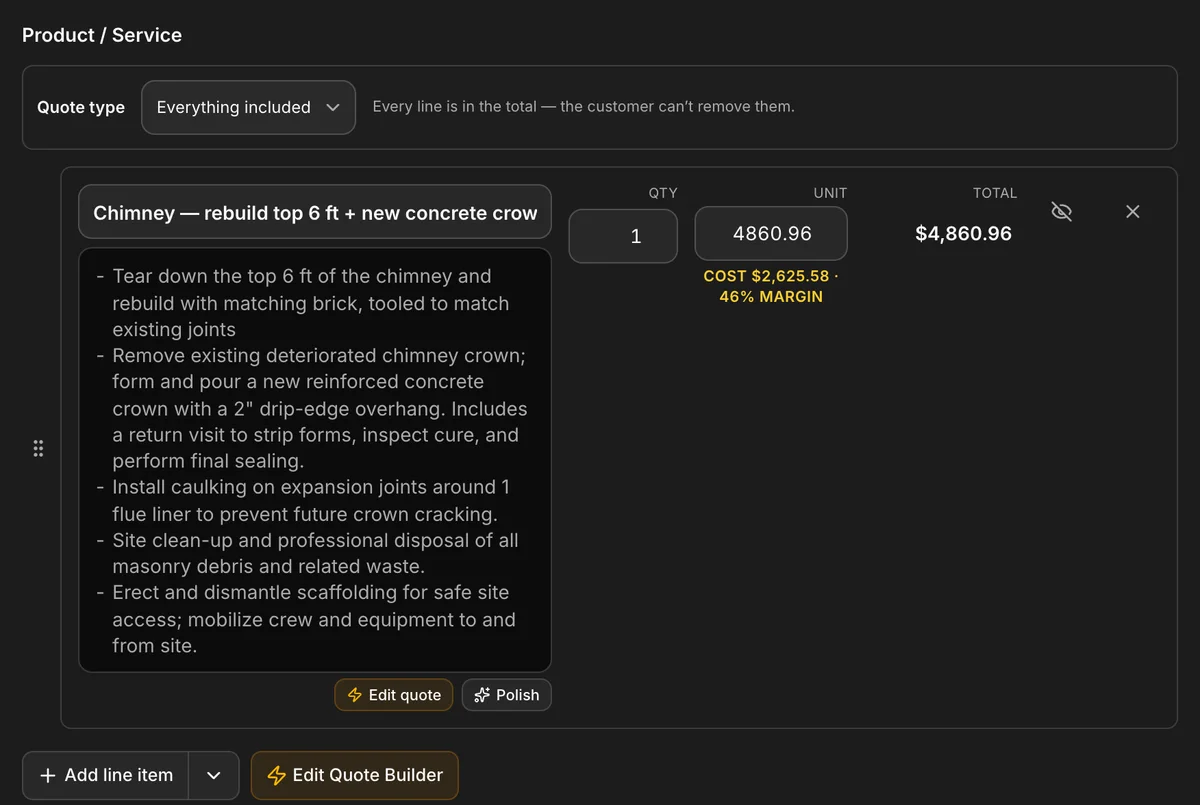
5. It lands on the quote, costed. The estimate drops onto the quote as a line item with your cost and margin right beside it — admin-only, never on the client’s PDF.


The build
From your numbers, not a template.
Give the builder your costs and it writes the labour, the materials and the line items. Prices come from your own catalog and price book, so the quote reads like your shop wrote it — because it did.
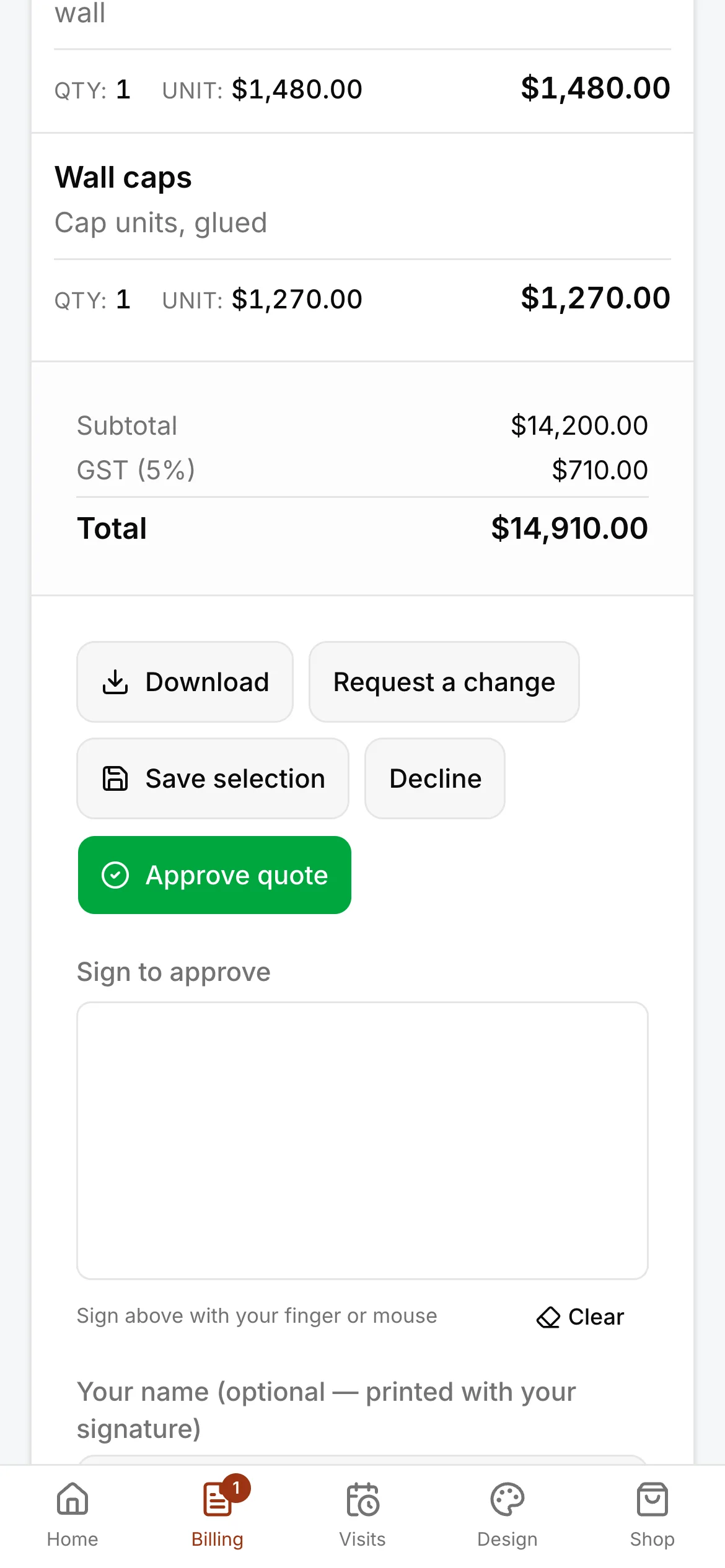
- Multi-option quotes with public approve/decline pages
- Quote from the catalog at your real prices
- Material takeoff — the crew gets the list straight off the quote
- Ballparks — a rough number emailed to a caller, and made a real quote when they say yes
Quote to paid
The quote is the start of getting paid.
Quotes, invoices, payments and expenses live in one system. When the client approves, nothing gets re-typed — and when an invoice goes overdue, the reminder goes out with a Pay Now link.
- Quotes, invoices, payments and expenses — one system
- Overdue reminders with a Pay Now link
- GST/HST by province, done correctly
See it on one of your real jobs.
Run your own workflow through Daybook — bring a quote, a messy email thread, or a week of scheduling.
14-day free trial · no card required