
The tour
A day in Daybook, in eight stops.
Not a sandbox to log into — the app itself, filmed being used, in the order a day happens. Every screen here is a real capture. Scroll, or jump to a stop.
Stop 1 · Say what you run.
The whole tour starts with one question. Answer it and the menus, the search box and the buttons rewrite themselves into your daily language — before you have set anything up.
Before you set anything up
Say what you run. Watch the words change.
Select your industry and the entire app adapts. Menus, search and buttons rewrite themselves into your daily language.
- The people you serve
- Clients
- The work itself
- Jobs
- Someone getting in touch
- Requests
- Your people
- Crew
- What they log into
- Client portal
- When it begins
- Work starts
- What is coming up
- Upcoming visits
- Their paperwork
- Client documents
The words a contractor, a shop or a crew-based business sees.
- The people you serve
- Families
- The work itself
- Enrolments
- Someone getting in touch
- Enquiries
- Your people
- Staff
- What they log into
- Family portal
- When it begins
- First day
- What is coming up
- Upcoming sessions
- Their paperwork
- Family documents
A centre enrols children for the year, so the work is an enrolment. Quotes, takeoffs and subcontractors are not hidden — they are switched off.
- The people you serve
- Families
- The work itself
- Bookings
- Someone getting in touch
- Enquiries
- Your people
- Staff
- What they log into
- Family portal
- When it begins
- First day
- What is coming up
- Upcoming sessions
- Their paperwork
- Family documents
A camp or a club books a week or a session, so the work is a booking. Quotes, takeoffs and subcontractors are not hidden — they are switched off.
Stop 2 · Someone gets in touch
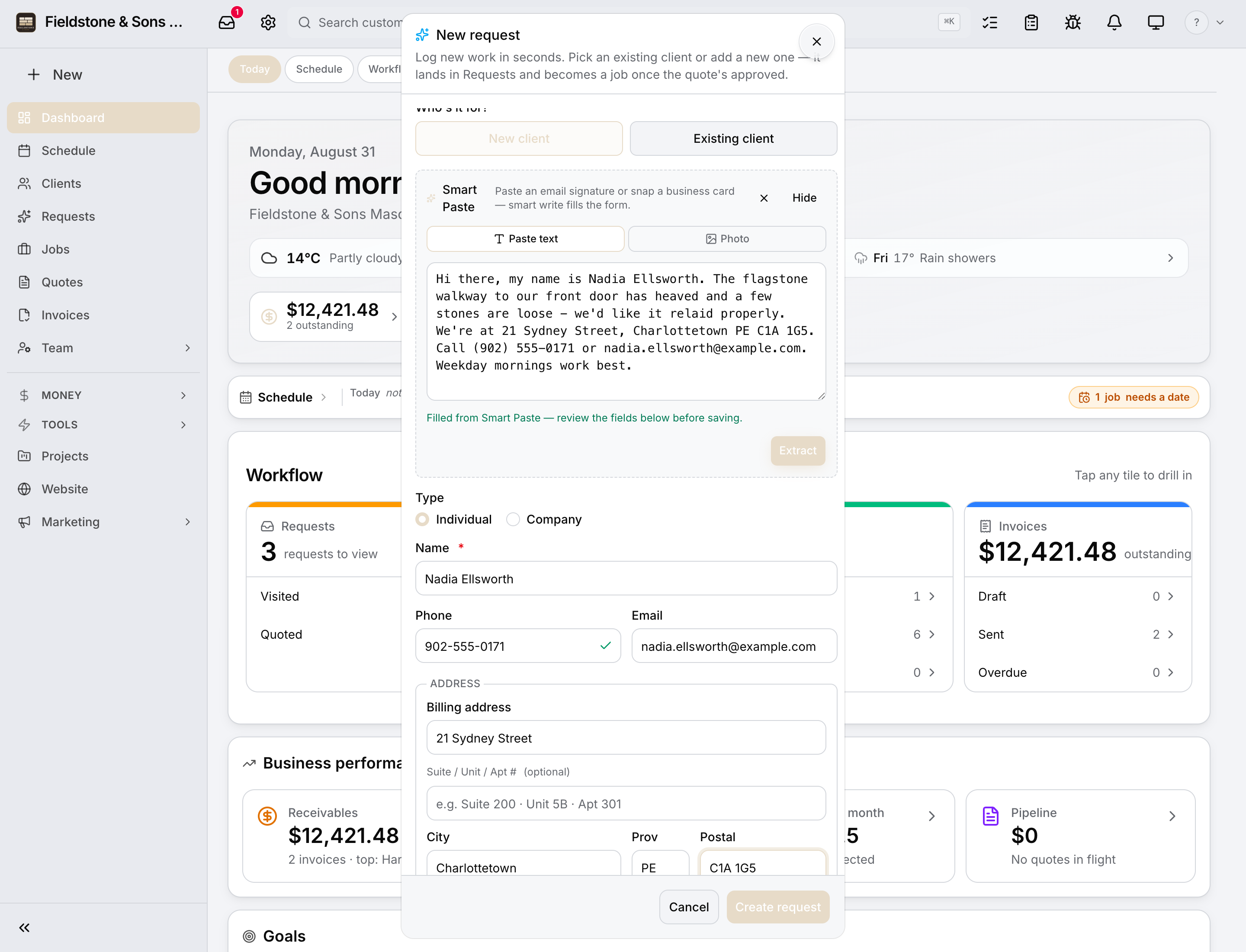
An email becomes a request. Nothing re-typed.
Paste what they sent — an email, a text, a voicemail transcript — and Daybook reads the name, the phone, the address and what they want into a request you can act on. Your website’s form does the same thing on its own.
Stop 3 · The schedule
Six views. One calendar.
Day, week, month, the map, the dispatch board and the action list — six views of one calendar, so the office and the people on site are looking at the same picture. Everything you take on has a date. Shown on a day camp’s summer — the same calendar every account gets.
Stop 4 · The office, on a laptop
Everything the desk needs, in one window.
The create menu, the schedule, a job and its whole record — the conversations, the paperwork, the money — without opening a second app. This is the office’s side of the same account the field is using.
Stop 5 · The day, on a phone
The phone already in their pocket.
Staff and crews work from the app on their own phones: the day, the people, clock-in, checklists and photos — with no signal, if it comes to that; it files itself when the signal returns. The office sees it the moment it lands. Shown at a day camp; a crew’s phone carries the same app with its own words.
Stop 6 · The client’s side
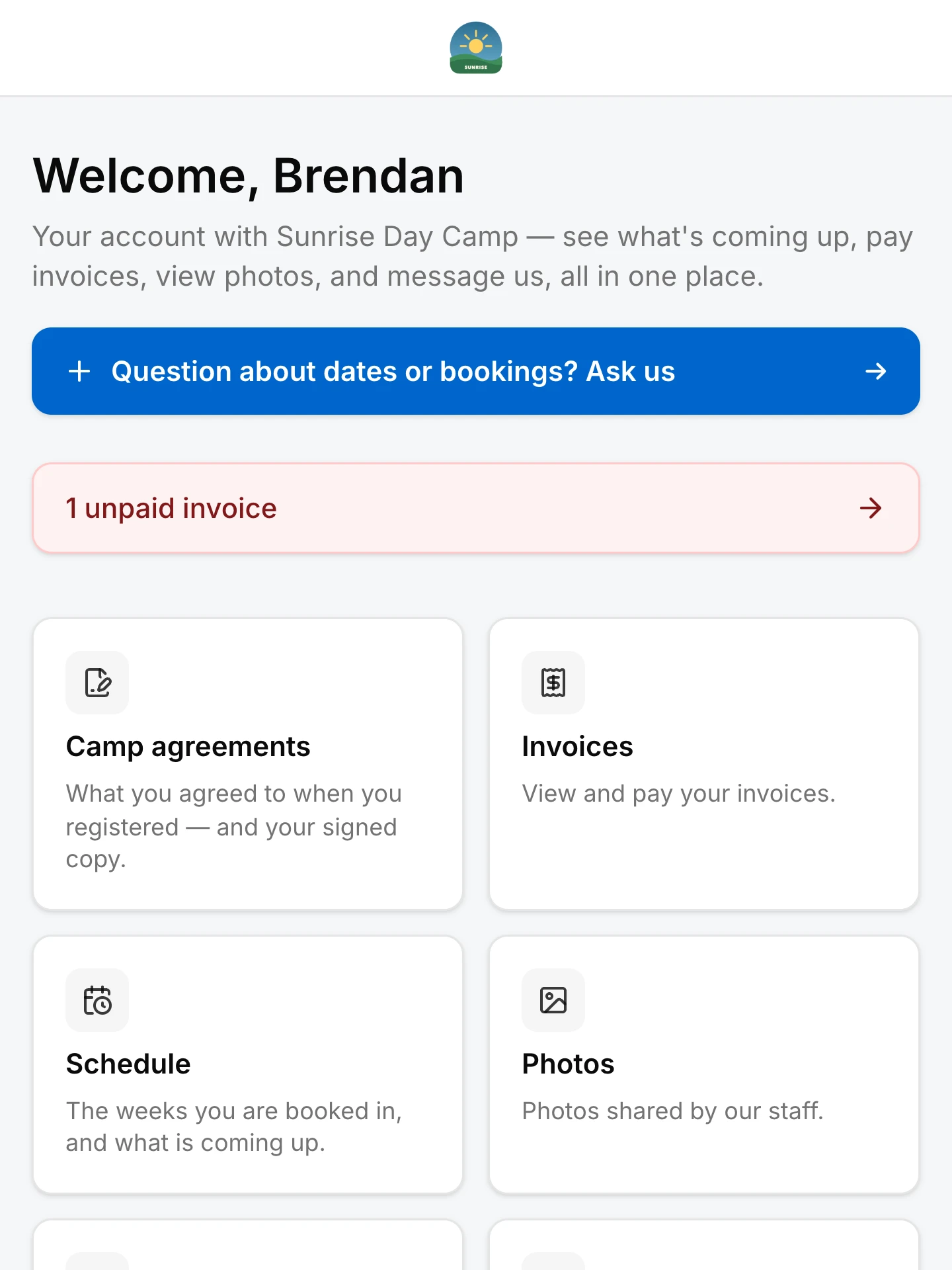
A portal they can read, pay and reply from.
Clients and families log in to see what they agreed to, what they owe, the schedule and the photos their consent allows — and to message you, so the question lands on their record and not in somebody’s pocket.
Stop 7 · Getting paid
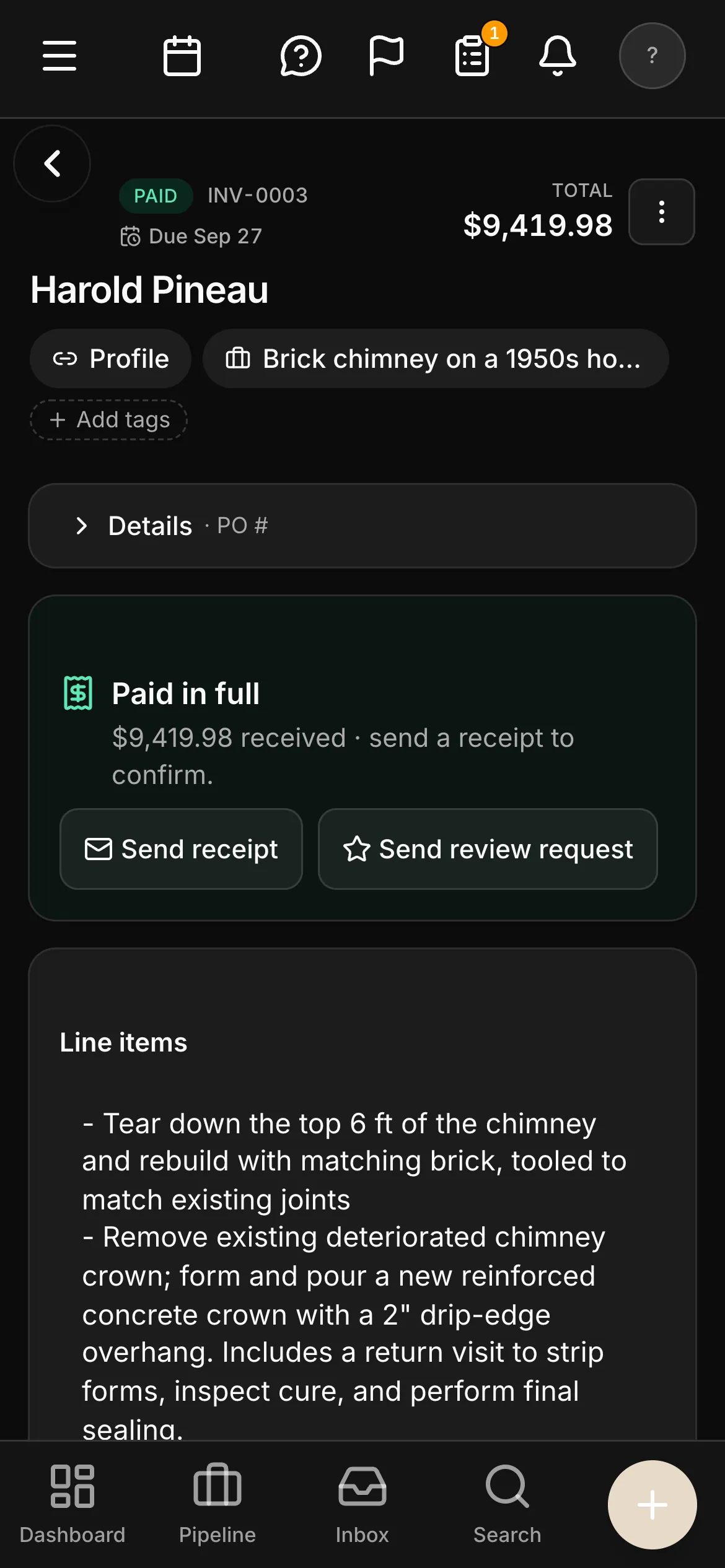
Invoiced when it’s done. Chased without you.
Invoices raised off what was agreed. A reminder you set once does the following-up, with a Pay Now link. E-transfers are matched to their invoices for you to confirm; cards online; GST/HST by province on every one.
Stop 8 · Your website
Edited in the app. Live when you press Publish.
Every account comes with a website built from its industry’s template. Open Wording, retype a heading and watch the page change as you type; press Publish and it is live. The form on it drops a real request into Daybook.
Where to next.
Pick the page written for your kind of work — field & service trades or facility & care — or start the 14-day trial and bring a real week of work.
Seen enough? Run a real week in it.
Start the trial, bring your clients and a week of work, and watch it run — your schedule, your conversations, your paperwork, your money.
14-day trial · No credit card · Bring your client list