Skip to content

14-day free trial on Crew — no credit card required.

Summer camps

It already calls them families.

Daybook knows the difference between a camp and a contractor. Tell it you run a camp and the whole app changes its words, its screens and what it asks you for — before you have set anything up.

The summer, five ways

Every way a camp looks at its own week.

  • The week

    Every child, every day, and what you need to know.

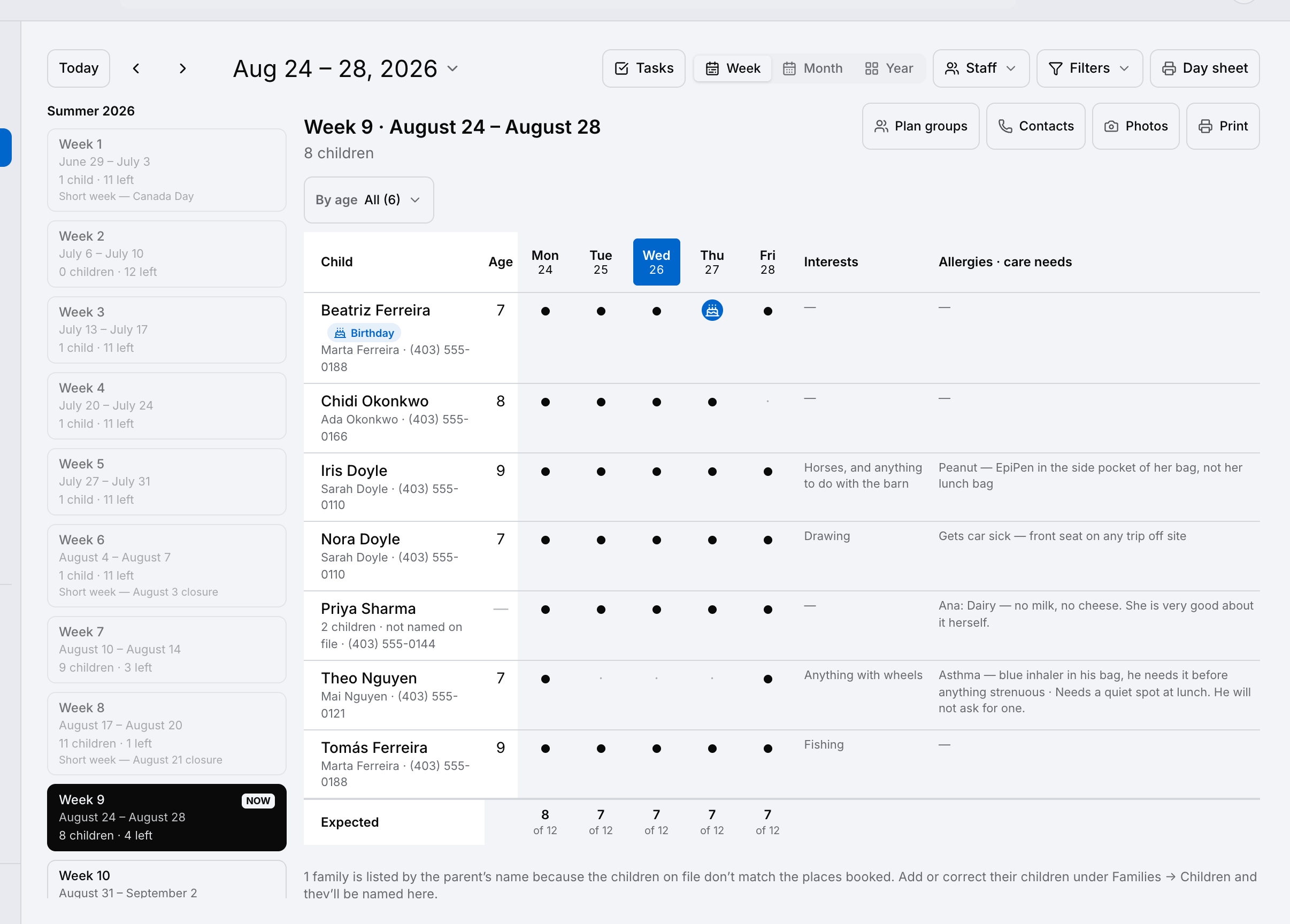
    A camp week board: each child with their age, a dot for every day they attend, their interests, and an allergies and care-needs column.
  • The month

    The shape of the summer at a glance.

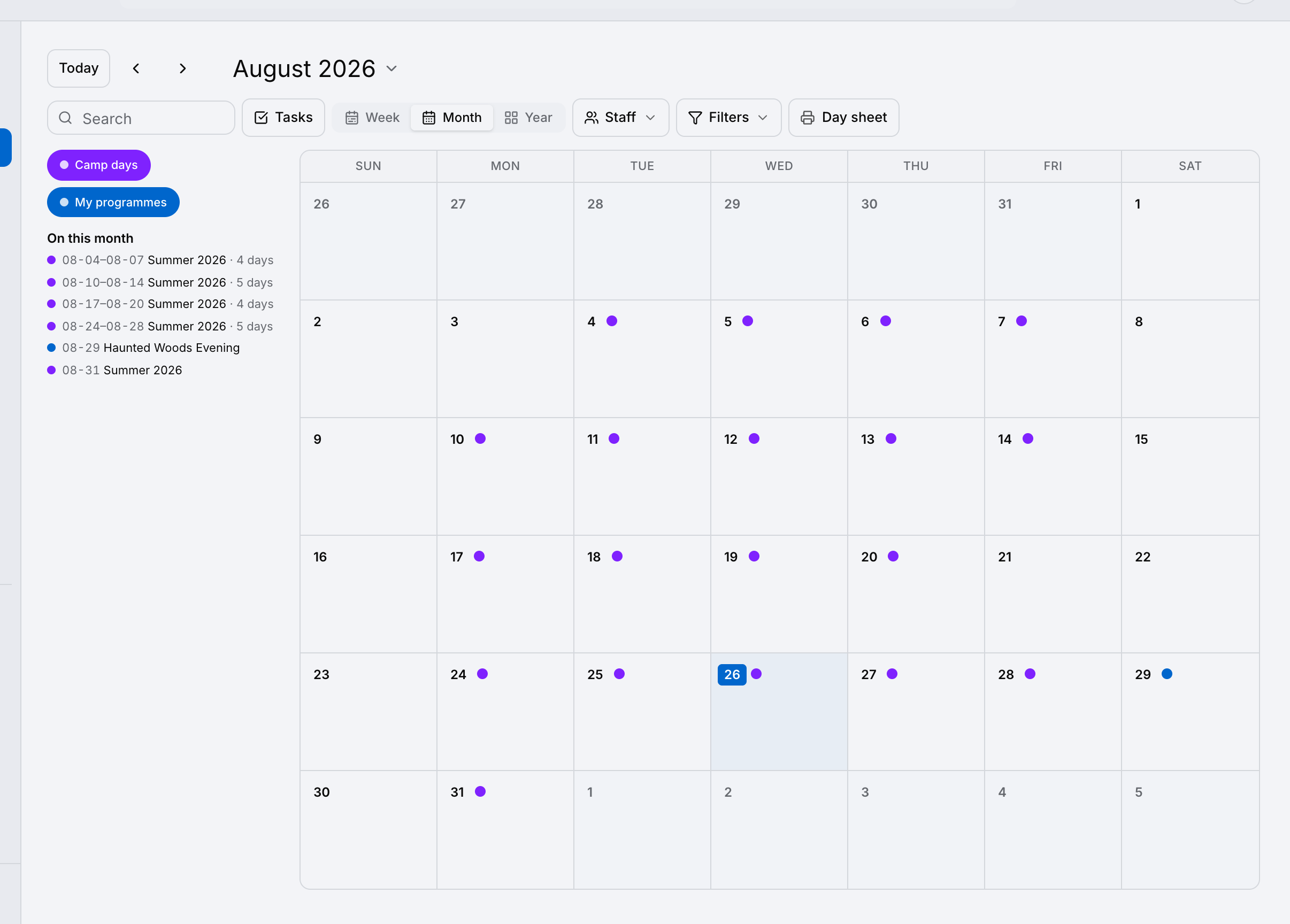
    A month calendar for a camp, with a dot on every camp day and the month’s sessions listed beside it.
  • The year

    Next summer, while this one is still running.

    A year view showing twelve months at once, with the camp’s running weeks marked.
  • The day sheet

    The roster, on paper, for the person at the gate.

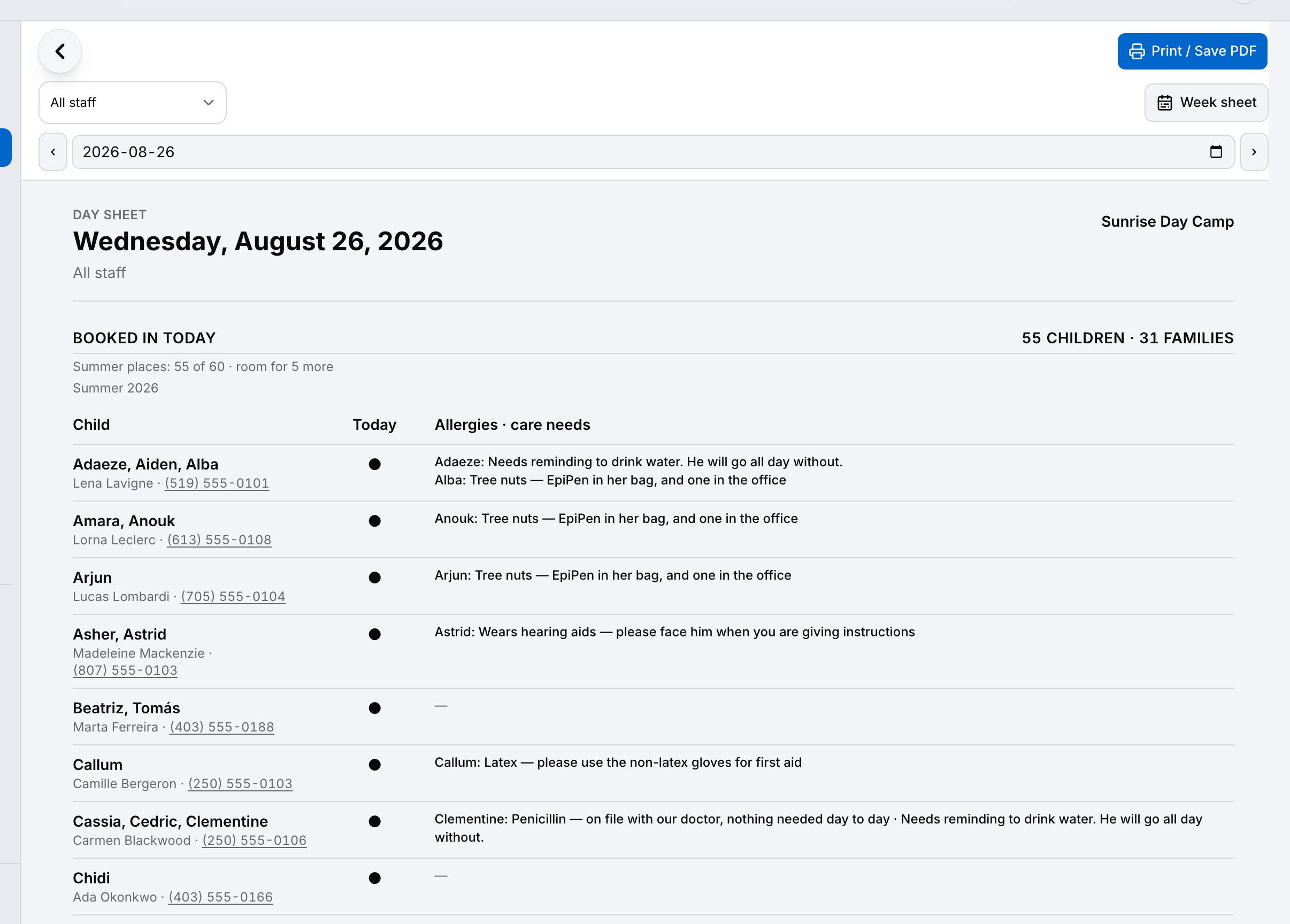
    A printable day sheet listing the children expected at camp on one day.
  • Contacts

    Everyone at camp this week, and who to ring.

    A camp contacts sheet: each child with their guardians and emergency contacts, each with a call button.

The week

Every child, every day, and what you need to know.

The week board is the one screen a camp lives on: who is in, which days each of them come, and the things you cannot afford to forget about any of them.

  • A dot for every day each child attends, and the places left underneath
  • Allergies and care needs on the same row as the child
  • Interests, so a new staff member has something to open with
  • The whole summer down the side, with how full each week is
Scheduling

The month

The shape of the summer at a glance.

Every camp day marked, the closures where they fall, and the one-off events sitting beside the regular weeks.

  • Camp days and programmes coloured apart
  • Closures show as closures, not as gaps
  • One-off events beside the weekly rhythm
  • Tap any day to open its sheet
Scheduling

The year

Next summer, while this one is still running.

The whole year on one screen, which is where a season gets planned — the weeks you ran, the weeks you are about to, and the space in between.

  • Twelve months without scrolling
  • Plan next season without losing this one
  • Every date you have committed to, in one picture
Scheduling

The day sheet

The roster, on paper, for the person at the gate.

A camp’s day is not a timetable of hours — children arrive in the morning and the day has the same shape. So the day is a roster you can print and hand to whoever is standing at the gate.

  • Who is expected today, and who is not
  • Prints on one page for the clipboard
  • The things that matter about each child travel with it
Scheduling

Contacts

Everyone at camp this week, and who to ring.

Parents first, then the emergency contact, for every child in the week — so nobody is hunting through a filing cabinet at the moment it matters.

  • Every child in the week with their guardians
  • Emergency contacts, with how they are related
  • One tap to call or message
  • Where a registration cannot be matched to a child, it says so instead of guessing
Communications

The same app. Your words.

This is not a heading swap on a brochure. These are the words on the buttons, the menus and the search box, on the day your account is made.

Clients Families
Jobs Bookings
Requests Enquiries
Crew Staff
Client portal Family portal
Work starts First day
Upcoming visits Upcoming sessions
Client documents Family documents

And the parts that make no sense for a camp are not hidden, they are switched off: quotes and estimating, material takeoffs and price books, subcontractors and field-level hazard assessments. Nobody on your staff ever has to walk past a screen that belongs to somebody else’s trade.

The summer is not the hard part.

You already know how to run a good week. What eats the evenings is the rest of it — the enquiry sitting in a personal inbox, the allergy written on a form nobody brought outside, the family who paid and the two who did not, the parent asking a question you answered last July. It is all the same summer. It should be in the same place.

Your families, not your clients.

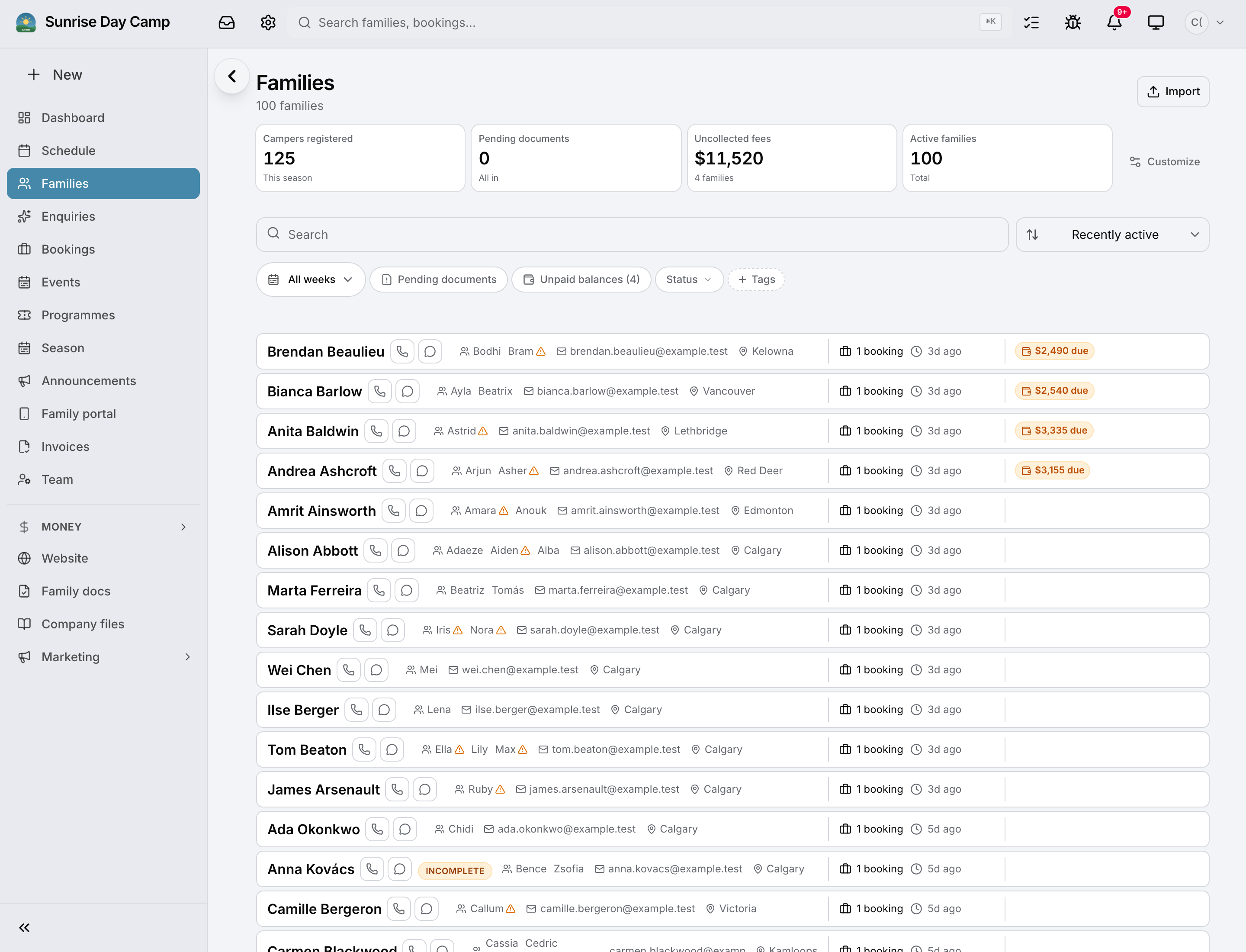
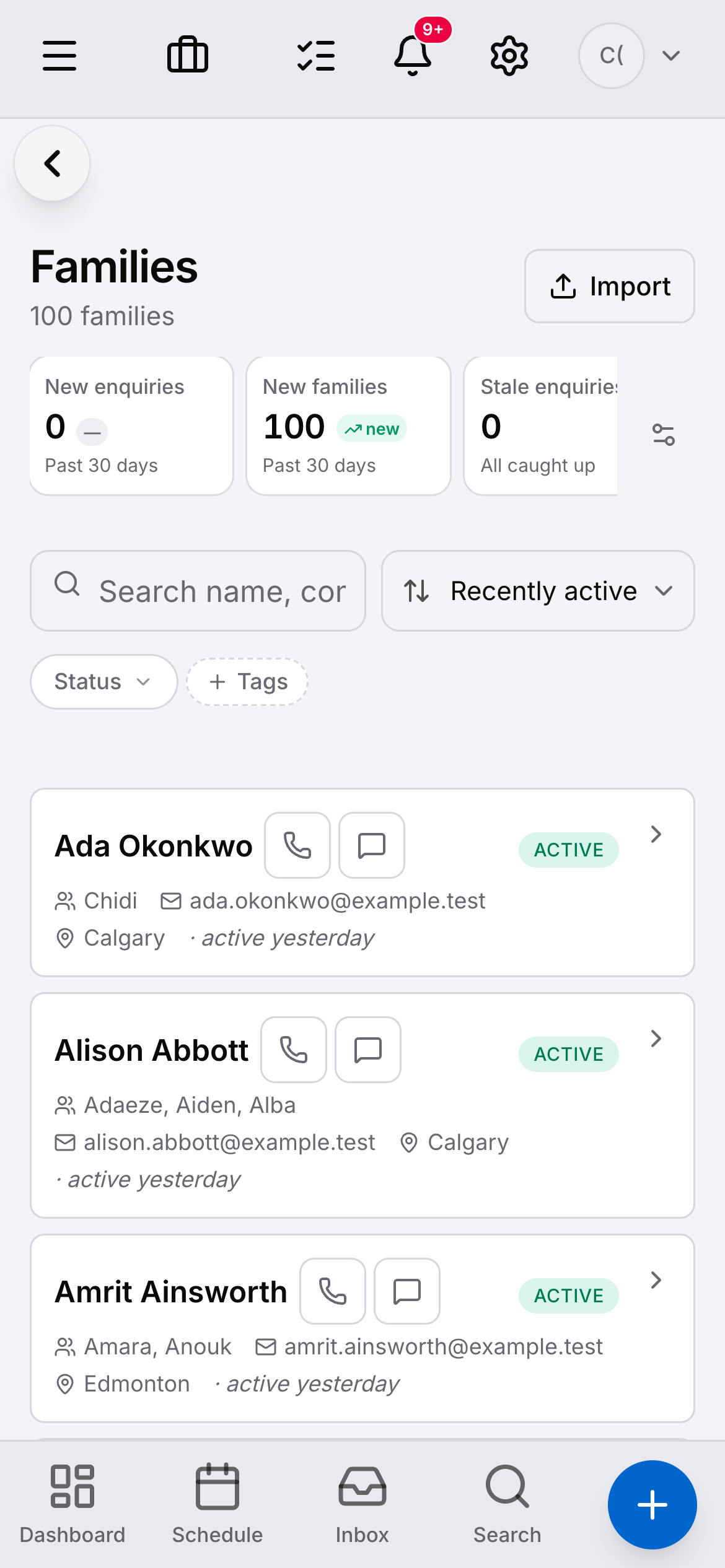
Every family carries its children, who to call, and what they have booked. The list says families because that is what they are.

See what else it holds
A camp’s family list — twelve families, each showing its children’s names and an active booking.

The whole summer, in your pocket.

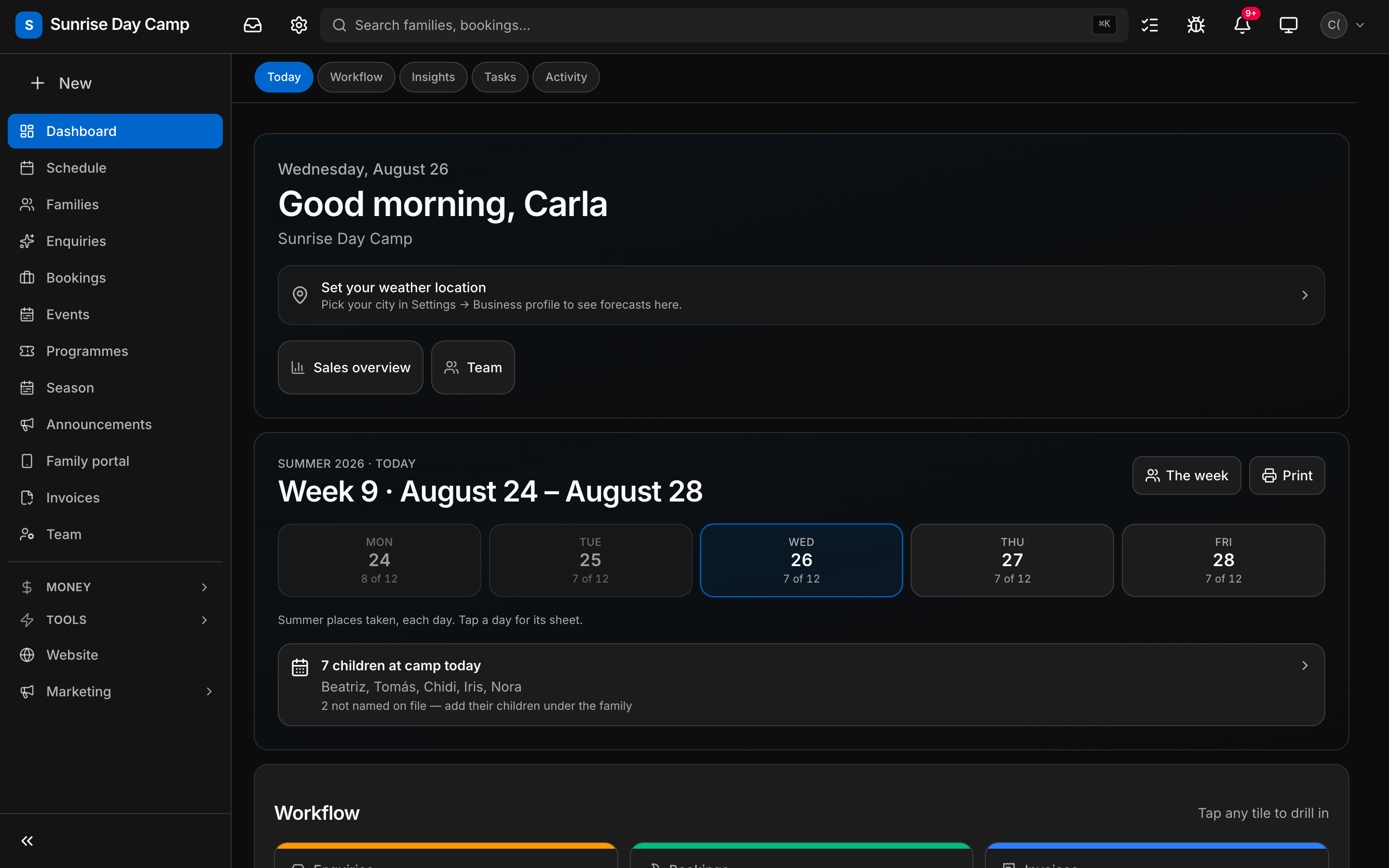
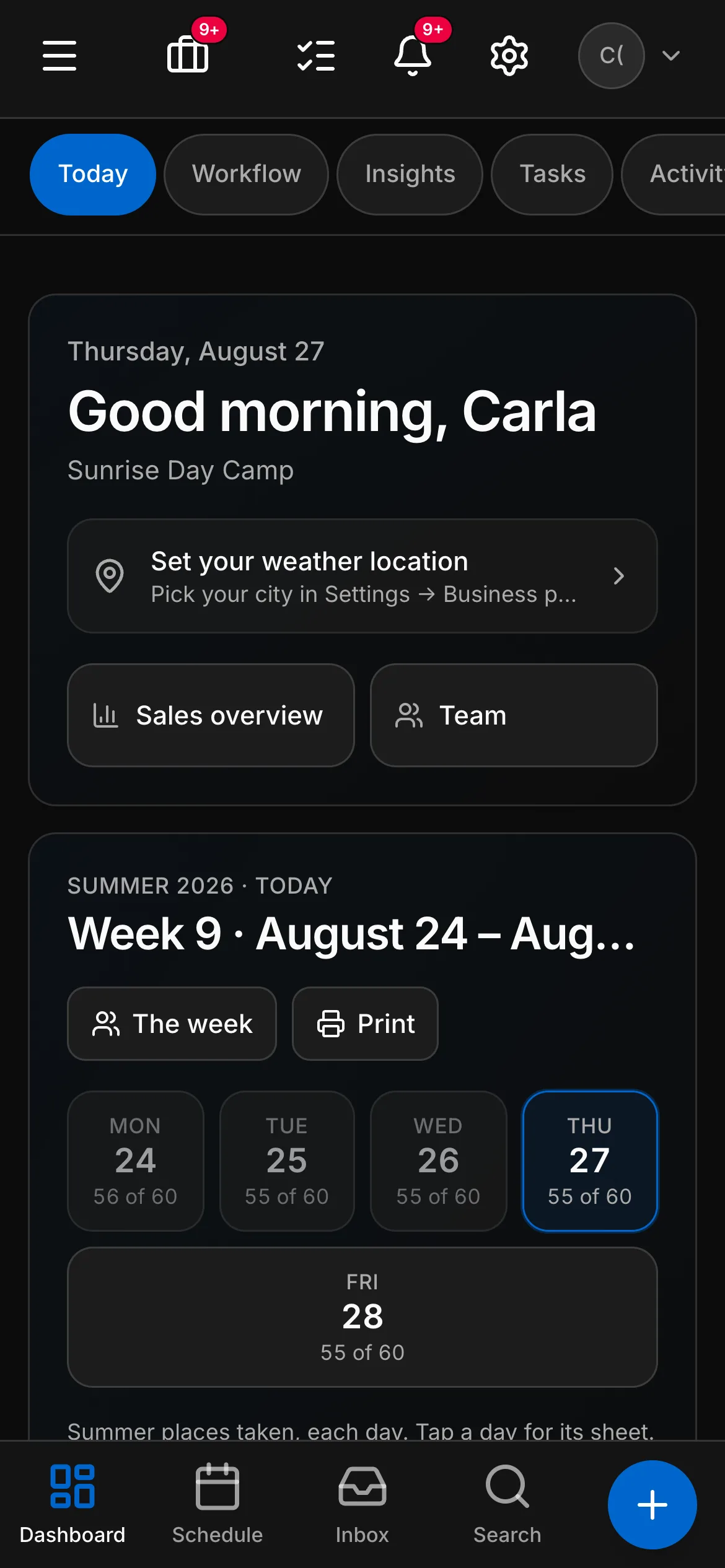
The same account on a phone: today’s week, how many places are taken each day, and who is at camp — for whoever is actually standing in the field.

On the phone
The camp dashboard on a phone, showing the week and the places taken on each day.

What running a summer looks like.

On top of everything Daybook does for every business — the full list is here — a camp gets its own.

Seasons, weeks and days

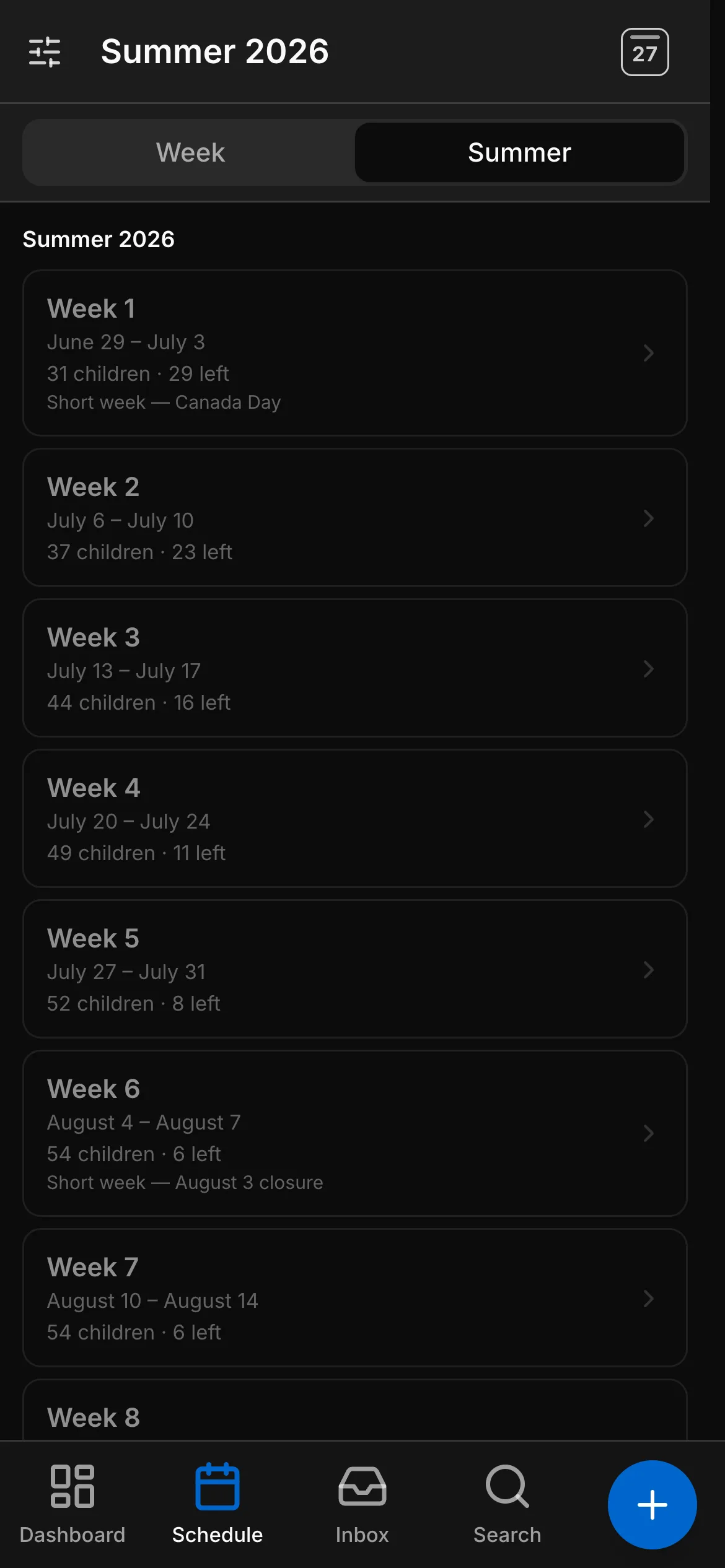
Build the summer once: weeks, closures, capacity. A family books whole weeks or single days, and the board shows you who is in on any given day.

Families, not customers

One family, their children, their contacts. Register once and come back next summer — the record is already there.

Allergies and medications on the child

Recorded where staff will actually see them: the week sheet, the group sheet and the day’s board, not buried in a profile.

Waivers signed before the first day

The family signs online. You can see who has and who has not, without chasing paper on the Monday morning.

Photographs, with consent that means something

Consent is asked for each child and checked on every photo. A child whose family said no is kept out of the album — and out of a group shot filed against a sibling.

Groups, sheets and the week board

Sort the week into groups, print the sheet, run the day. Move a child and the sheet, the board and the album all agree.

Every message in the booking

Email and texts land on the family’s record. The family portal is where they see what they booked, pay, and message you back.

Deposits, payments and the waiting list

Take a deposit at registration, invoice the balance, and let a cancellation pull the next family off the waiting list.

Children’s records, held properly.

A camp holds records about other people’s children, and that is not the same as holding a client list. Daybook treats it that way: the children’s-records module is not optional on a camp account, it is required.

  • Records kept for as long as your province requires — the rule is built into the account, not left to you to remember
  • Photo consent recorded per child, and checked at the moment a photo is shown
  • Waivers and acknowledgements signed by the family, with a record of who signed what
  • What each family can see is decided by the family, not by the album

And where it cannot be certain, it says so rather than tidying up. A family with three children on file and two places booked shows as the family until they tell you which two are coming — because putting a child on a sheet for a week nobody booked them for is not a small mistake, and neither is leaving one off.

The other side of it

What a family sees.

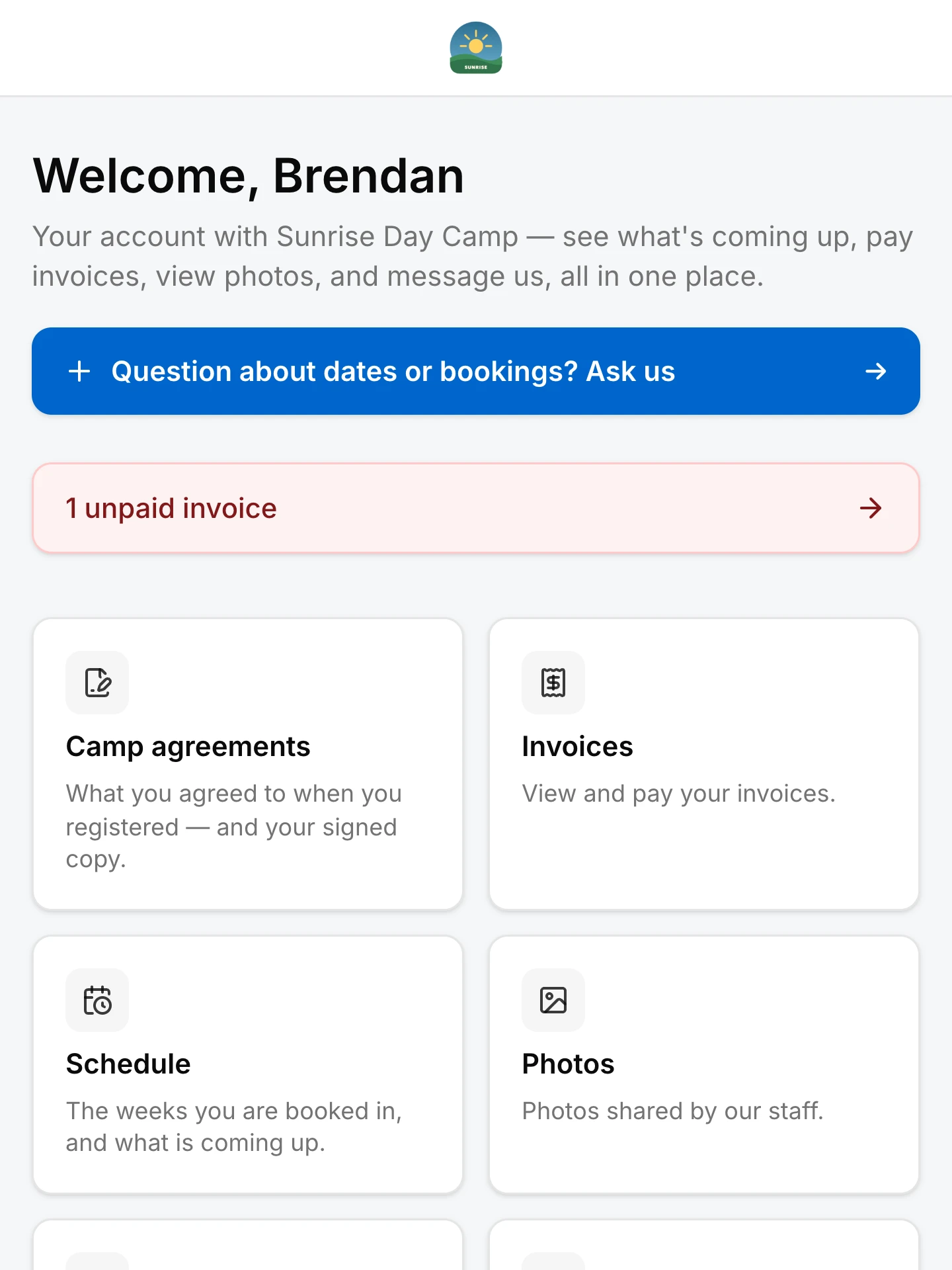
  • The family portal

    Their own summer, without ringing you.

    The family portal, showing a family’s booked weeks, balance and forms.
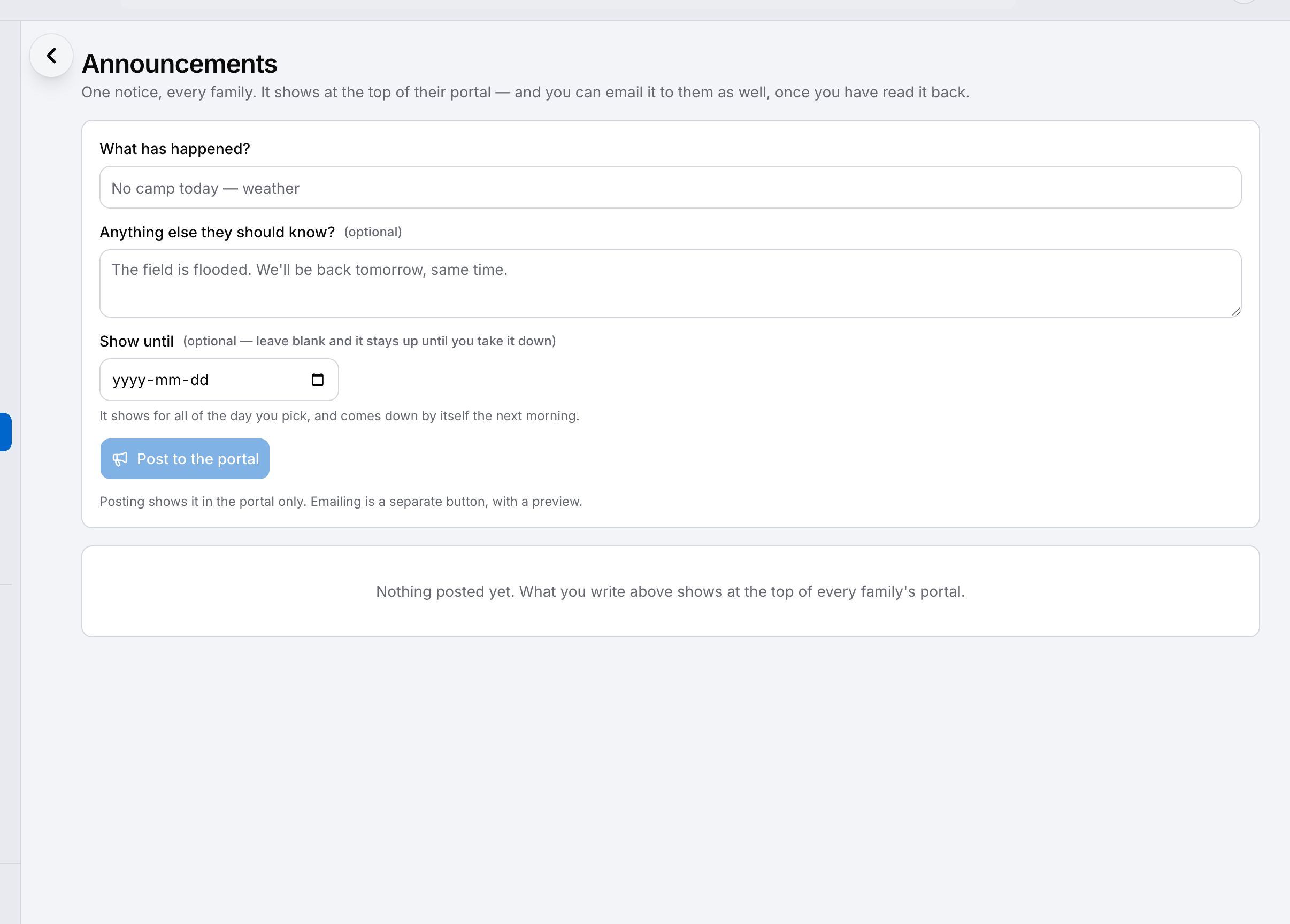
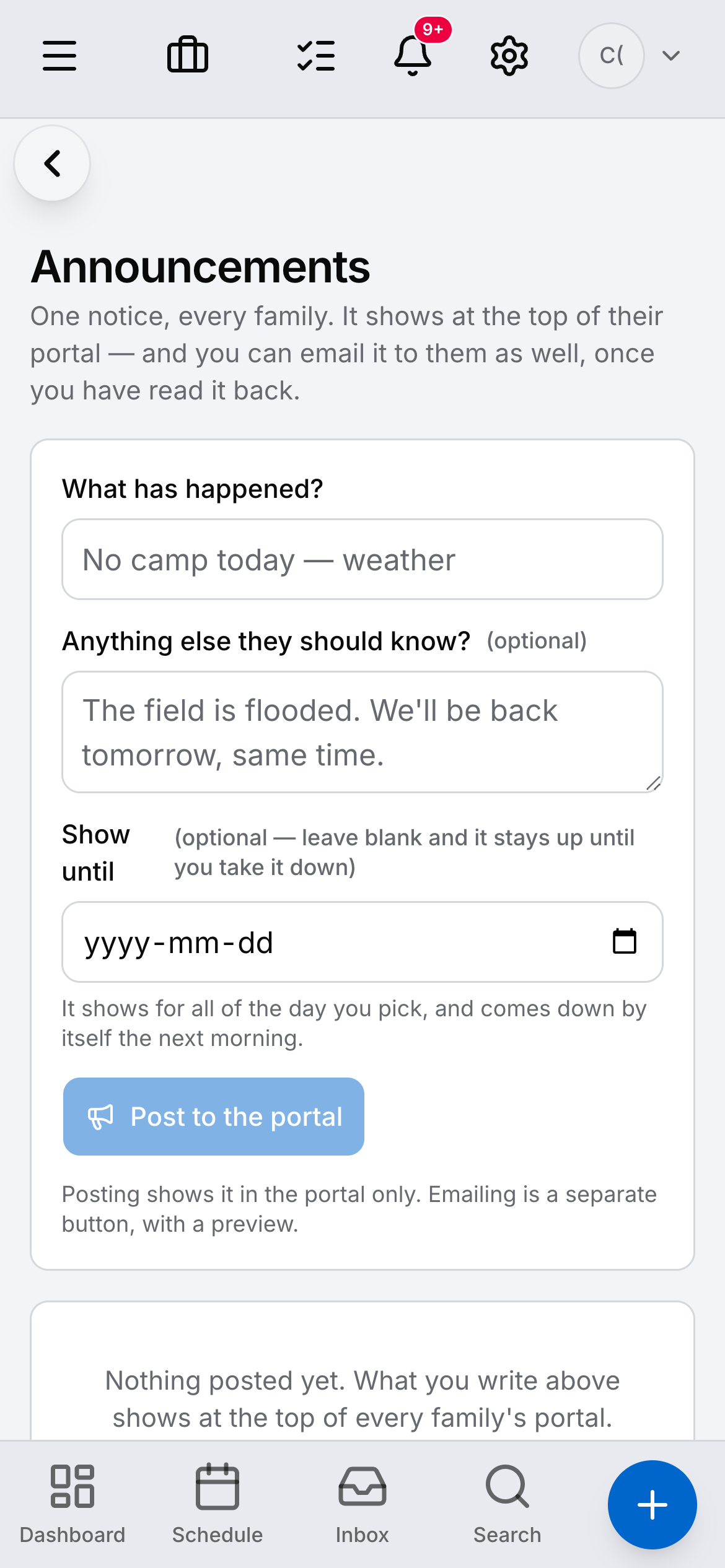
  • Announcements

    One message to everyone in a week.

    A camp announcements screen with messages sent to a week’s families.
  • Registration

    A form on your own site that makes a real booking.

    The website editor inside Daybook, with a camp’s own page open.

The family portal

Their own summer, without ringing you.

Every family gets a page of their own: the weeks they booked, what they owe, the forms still to sign, and a way to message you that lands on their record rather than in a personal inbox.

  • What they booked, and what is still to pay
  • Forms and waivers signed there, not printed
  • Messages that land on the family’s record
  • Their children’s details, kept up to date by them
The portal

Announcements

One message to everyone in a week.

Rain on Tuesday, a change of pickup point, the thing to bring on Friday — written once and sent to the families it concerns, not to the whole list.

  • Send to a week, a group, or the whole season
  • It lands in the portal as well as by email
  • Written once, kept on the record
Communications

Registration

A form on your own site that makes a real booking.

Your website comes with the account and you edit it inside the app. A family registers on it and the request appears in Daybook as a real booking request — not an email you have to retype.

  • Edited in the app, live when you press Publish
  • Registration makes a real booking request, not an email
  • Bring your own domain — we set it up with you
Website

Away from the desk

The same summer, in your hand.

Most of a camp day happens nowhere near a computer. The same account, the same words, on the phone in your pocket.

  • A camp dashboard on a phone, showing the week and the places taken each day.
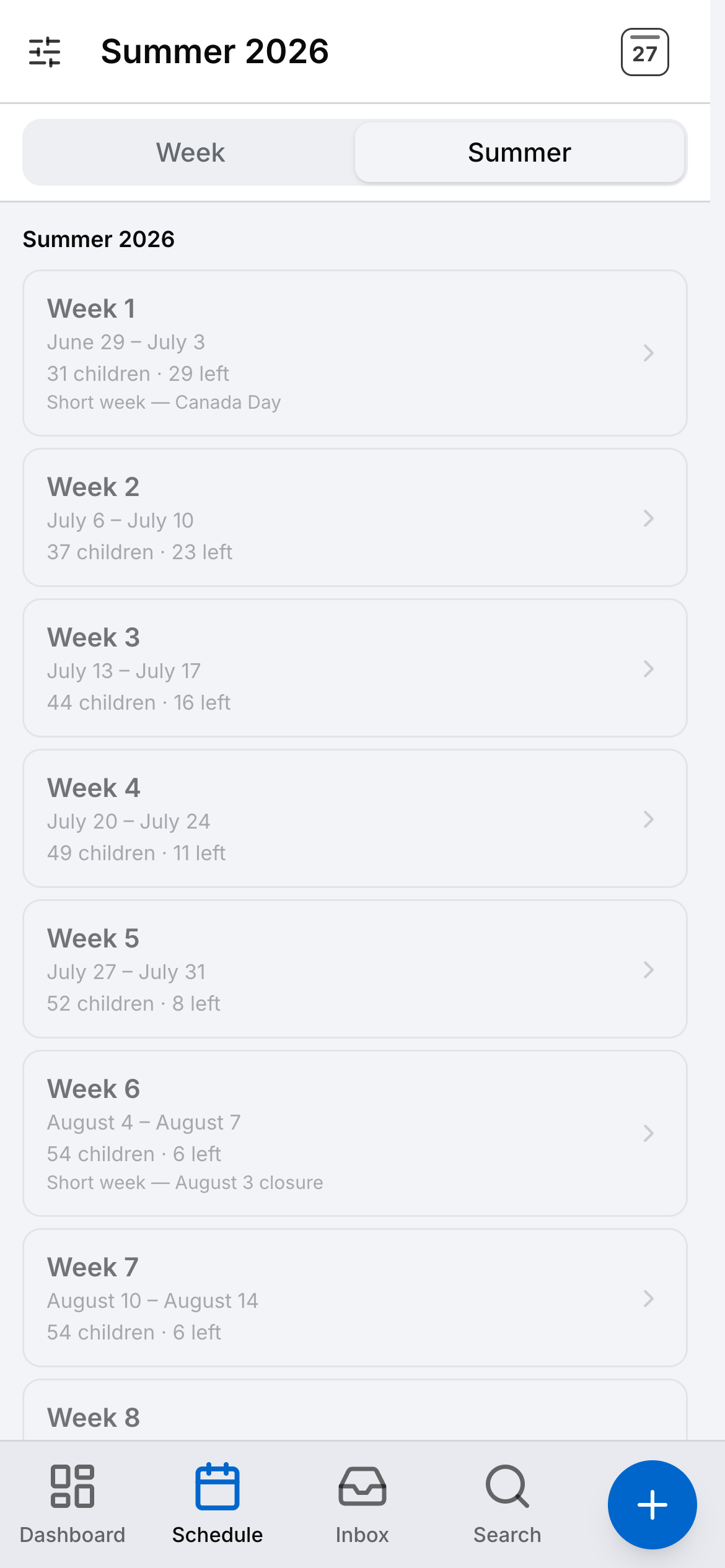
  • The summer’s weeks on a phone, each with the children booked and the places left.
  • A camp’s families list on a phone.
  • Camp announcements on a phone.

Your website, and what we won’t pretend about it.

Your account comes with a real website you edit inside the app, with a registration form that drops a live enquiry straight into Daybook. Eight industries also start from a template already written for their trade — camps are not one of the eight yet. You start from the same site every business gets and put it in your own words, and we would rather say so than let you find out.

  • Edited in the app — photos and changes go live when you press Publish
  • A registration form that mints a real enquiry
  • Bring your own domain — we set it up with you
  • The family portal your families log into

One price for the season.

Because that is how a camp earns. Every band is the whole product — unlimited staff, unlimited families, every feature. The bands are how many registrations you take; they are volume, never a shorter list of things you are allowed to do.

See the season bands

Bring your real summer. Watch it built.

Your own weeks, your own programmes and your own families beat any feature list. Start the trial and set the season up in it.

14-day free trial on Crew · no card required