
Features · The brief and the Assistant
Everyone talks at once. You read one brief.
A job is a week of emails, texts, notes, photos and updates from the crew. Daybook files them on the job, reads them, and tells you where it stands — and the Assistant keeps one list of what needs you today.
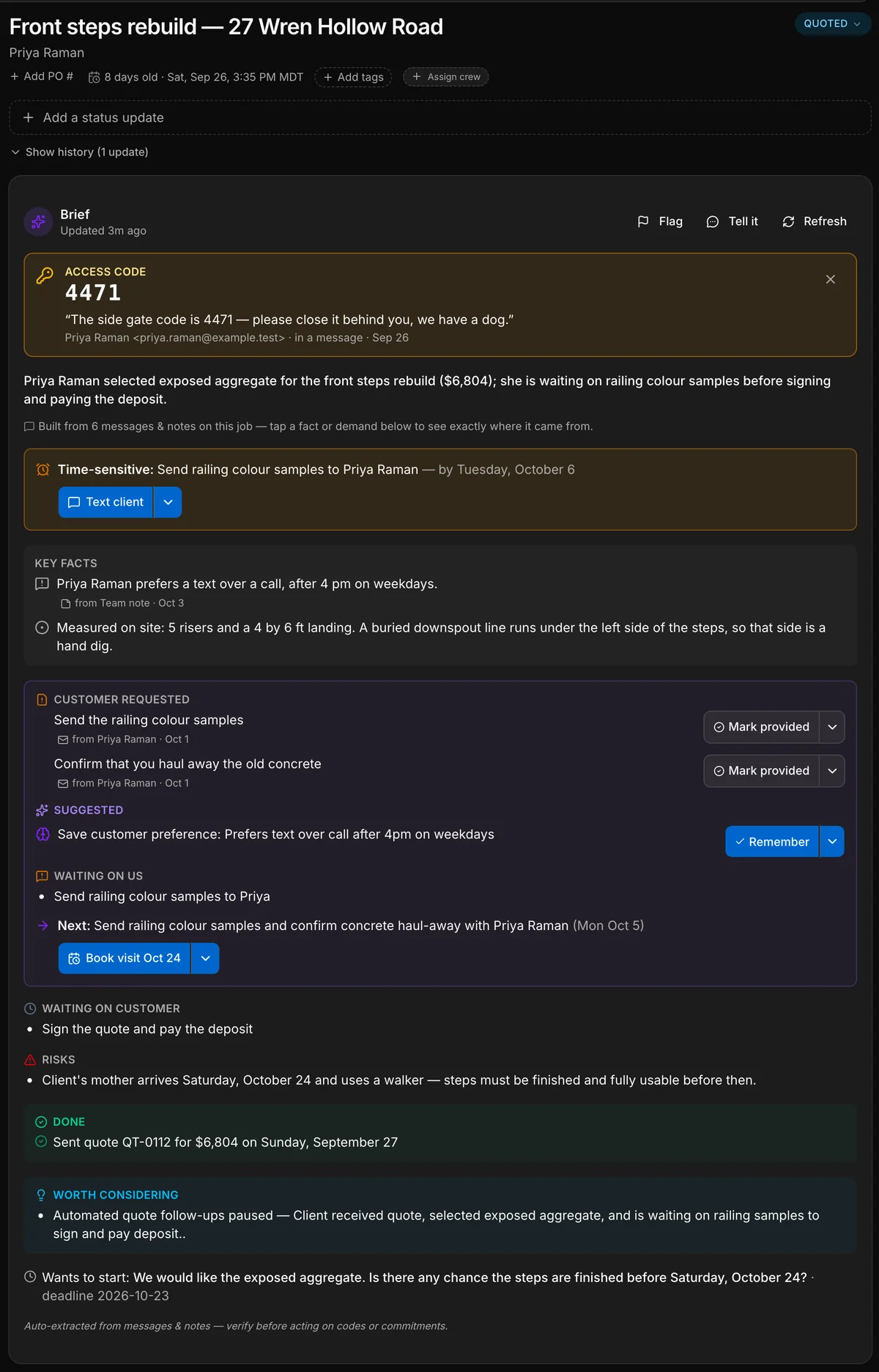
A real capture of a contractor’s job. Daybook wrote every line of this brief from the messages on the job; only the five teal labels are added. A camp gets the same brief on a booking, a property manager on a work order.





- Our front steps are crumblingThe customer, by email
- 5 risers. Hand dig on the leftThe crew, from the site
- Your quote is attachedThe office, by email
- 3 photosThe crew, from the site
- Done before the 24th?The customer, by text
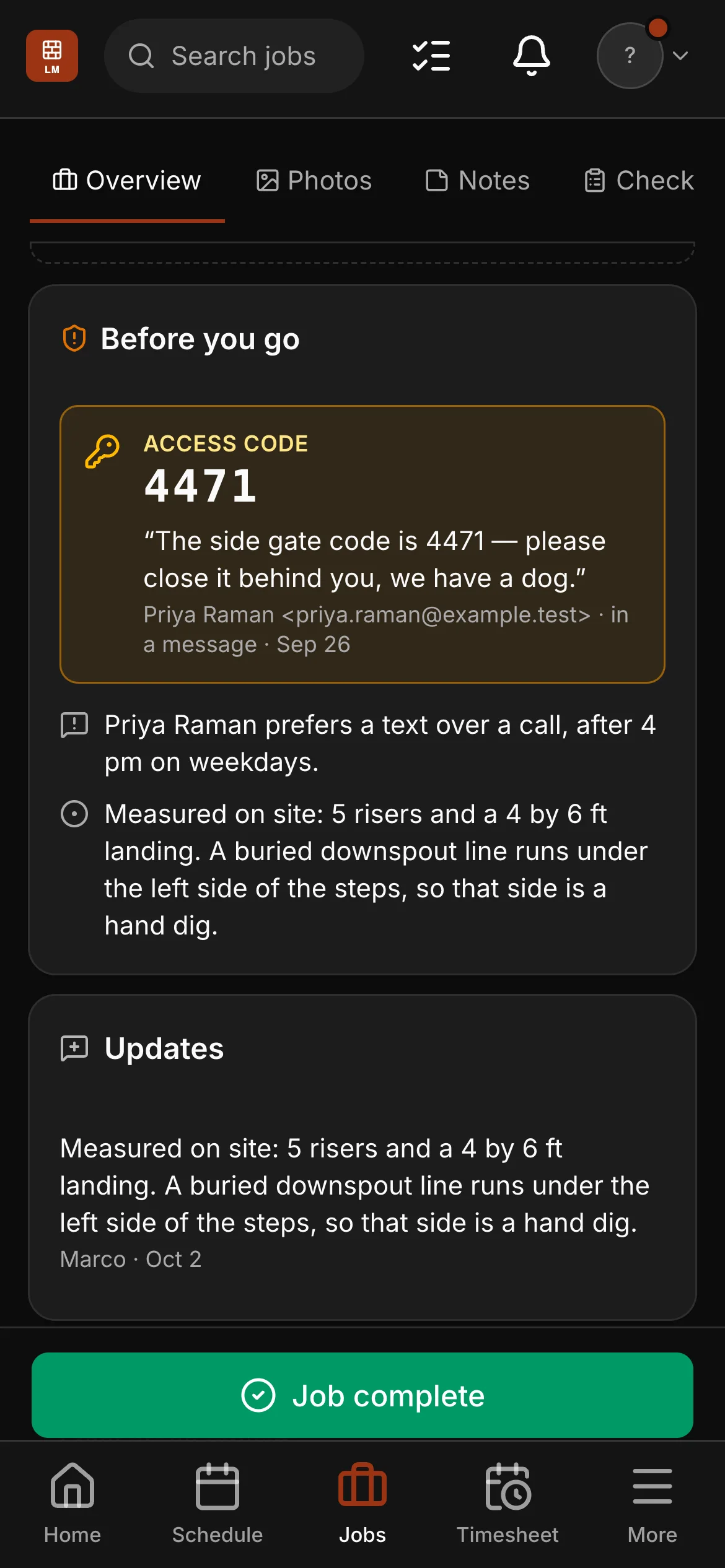
- Gate code 4471. Mind the dogThe office, to the crew
- Checklist doneThe crew, from the site
- The gate code, pinned. Said once in an email, and now at the top of the job for the crew.
- The deadline. What is time-sensitive, and by when.
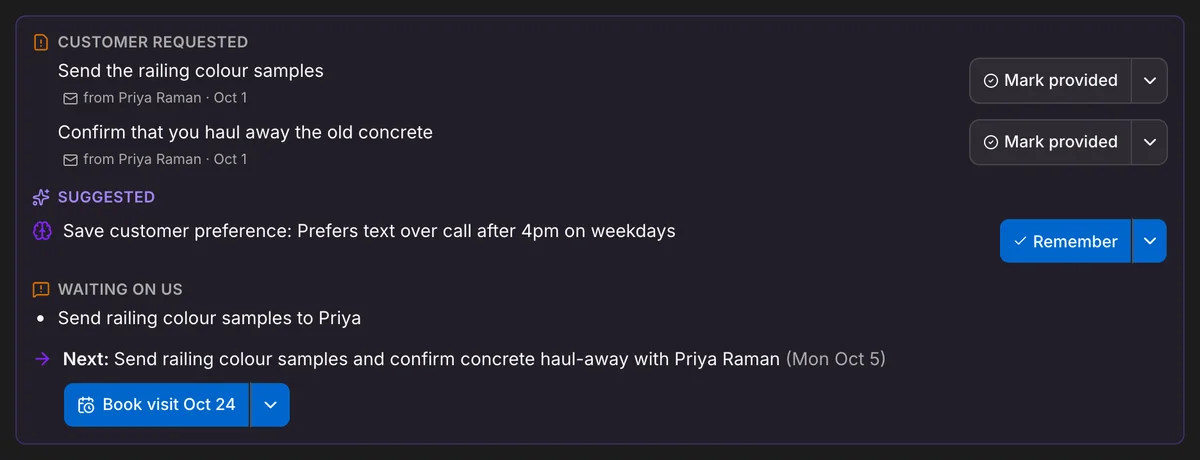
- What the customer asked for. Each request, with the message it came from.
- What we owe, and the next step. One next step, and a button that starts it.
- What the customer owes. So nobody chases the wrong person.
A real capture of a contractor’s job. Daybook wrote every line of this brief from the messages on the job; only the five teal labels are added. A camp gets the same brief on a booking, a property manager on a work order.
What it reads
A week of messages, in a few lines.
The brief is written from what is on the job: the emails, the texts, what your customer sends from their own page, the request that came in from your website, your notes, the crew’s updates, their photos and finished checklists, the quote and the bookings. When something new arrives it reads the job again and rewrites itself.
- Emails and texts with the customer, and messages from their own page
- Notes, updates from the crew, photos and finished checklists
- The quote, and what is booked
- A gate code said once is pinned where the crew will see it
- Key facts and requests open the message they came from
It reads what is written down: a phone call counts once someone adds a note about it, and the team’s chat is not read. Texting comes with the top plan of every rate card (Company, for a trade), from a local number of your own.
It files, you send
It does the filing. The talking stays yours.
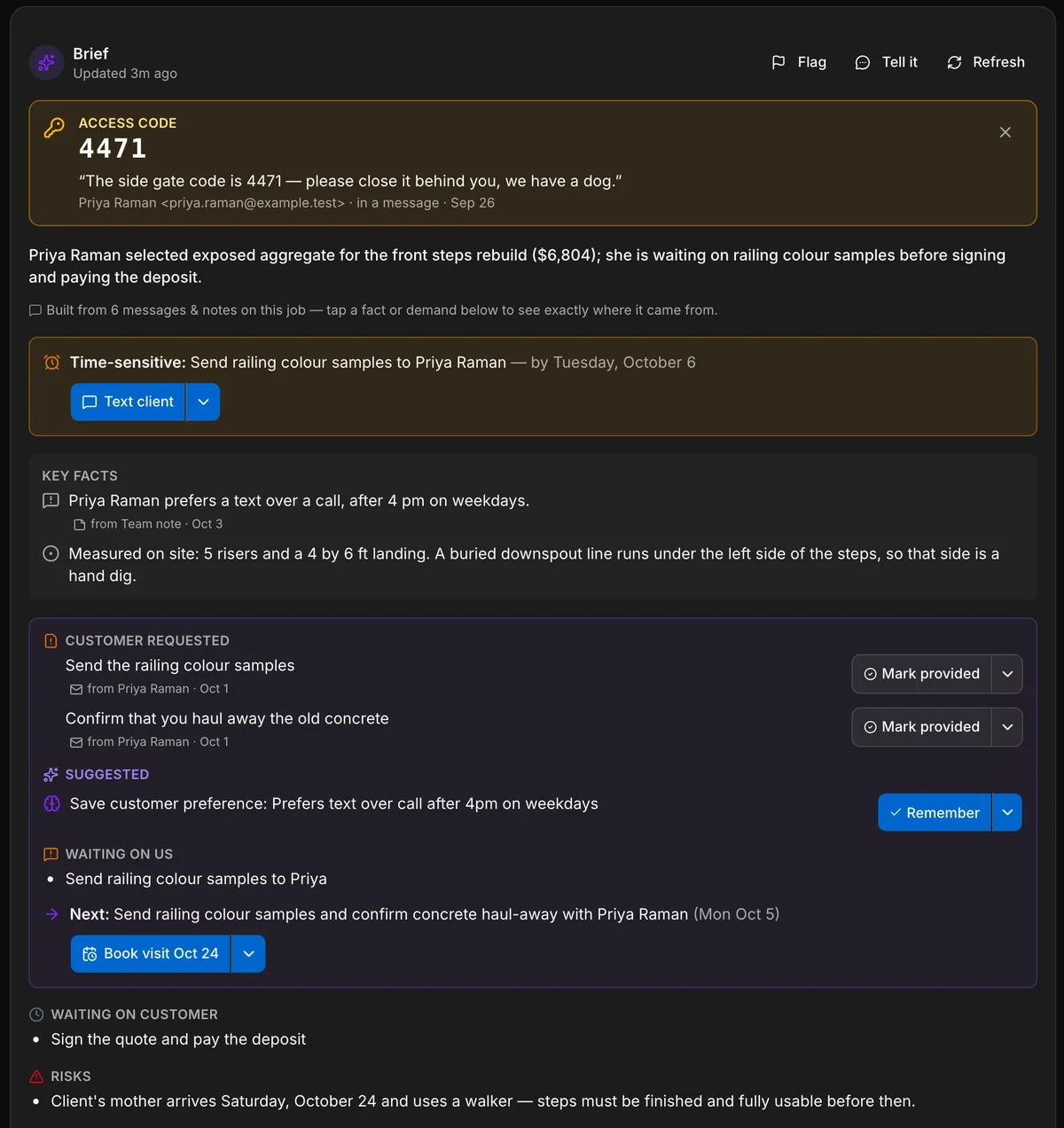
Some things the brief simply does: a customer names a day and the work goes on the schedule; your update says the job is finished and it is marked complete. Each one leaves a receipt on the card, with Undo. What it does not do is write to your customer. Its buttons — Text, Draft email, Book visit, Remind me — open the message, the booking or the reminder for you, and you send it.
- One next step, with the button that starts it
- Mark a request provided, or ignore it, in one tap
- A receipt and Undo on anything it did by itself
- “Tell it” — correct the brief in a sentence, and it reads that first
- Flag a brief for a teammate and it lands on their dashboard
Where it follows you
The brief turns up where the job does.
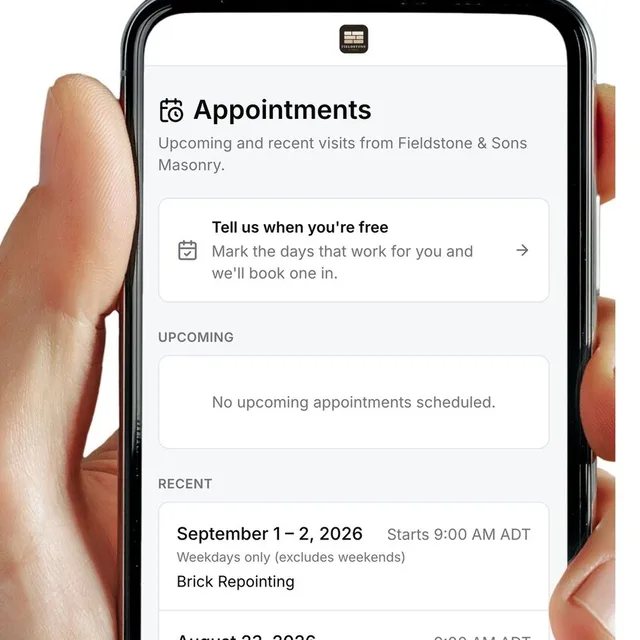
Under an email from that customer, the next step from the job’s brief is waiting with a Write this reply button. Open the visit on the schedule and the brief is on it. And on the crew’s phone, “Before you go” carries the gate code and the facts they need on site — never the money.
- In the inbox, under the conversation: the next step, and Write this reply
- On the schedule: open a visit and its brief is there
- On the crew’s phone: access codes and the facts for the site
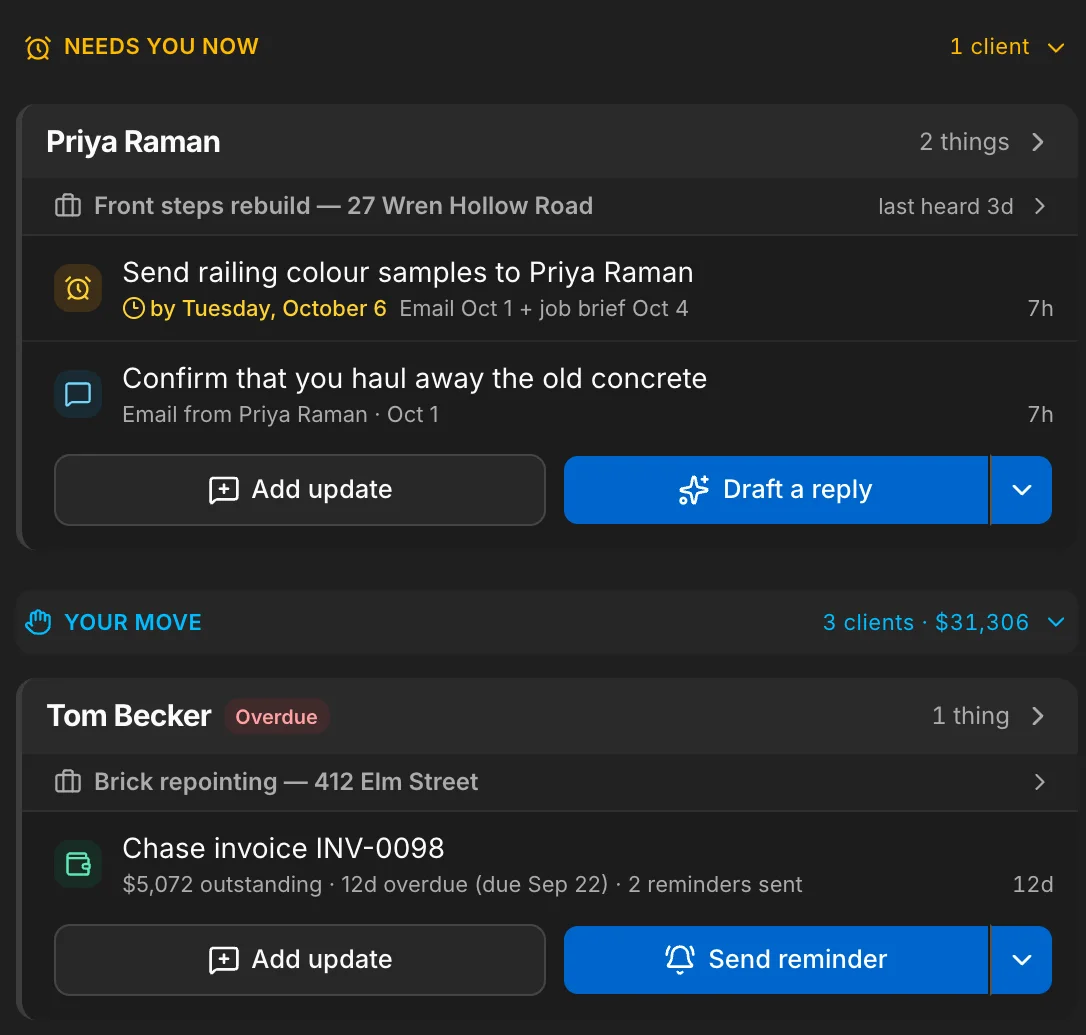
- In the Assistant: what you owe a customer becomes a line in your list
The Assistant
One list of what needs you today.
The Assistant opens from any page. Today is your next five moves, most pressing first, each with the button that does it. All is the whole list — client asks, money, leads and scheduling — one card per client. Inbox is your conversations, without leaving the page you are on.
- Today: your next five moves, most pressing first
- All: everything waiting on someone, one card per client
- Inbox: email, chat, messages from clients and the team, from any page
- Nothing is hidden and nothing is guessed — the list is worked out from your records
What it costs
Counted in credits, printed on the page.
Every plan includes AI credits each month: 2,500, 5,000 or 7,500, from the smallest plan to the largest. A brief uses 4 each time it rewrites itself. The Assistant’s lists use none. If the month’s credits run out, briefs stop updating until the next month or until you add more — the ones already written stay, and everything else keeps working.
- 4 credits each time a brief rewrites itself
- Opening a job never uses a credit — only something new does, or Refresh
- Packs of 1,000, 3,000 or 6,000 credits, and bought credits carry over
Every figure is under What are AI credits? on the pricing page.
- 2,500, 5,000 or 7,500 credits a month, by plan
- 4 credits each time a brief rewrites itself
- The Assistant’s lists use none
- Packs of 1,000, 3,000 or 6,000 credits; bought credits carry over
See it on one of your real jobs.
Run your own workflow through Daybook — bring a quote, a messy email thread, or a week of scheduling.
14-day free trial · no card required