
Features · Scheduling & the day
The day, already sorted.
Six schedule views — including the day on a map — the Assistant’s one list of everything that needs you, and a Today card each morning with what matters first.
The schedule
See the day the way you think about it.
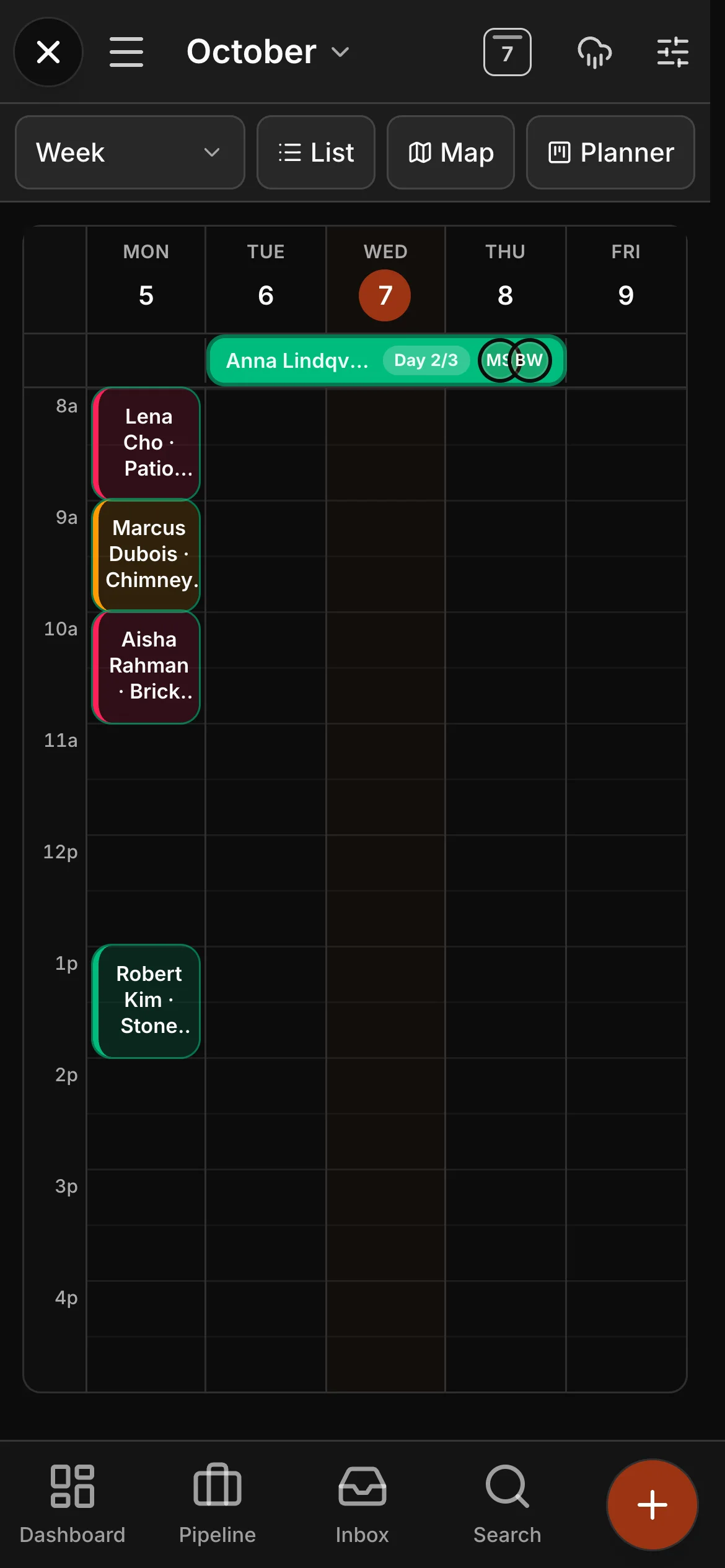
Jobs, clients, schedule and tasks in one place, with six ways to look at the same day — including a map view that shows where every crew actually is going.
- Six schedule views, including a map of the day
- The Assistant — everything that needs you, in one list
- The Today card each morning: the day in a few lines
When plans change
Rain moves in. The day moves with it.
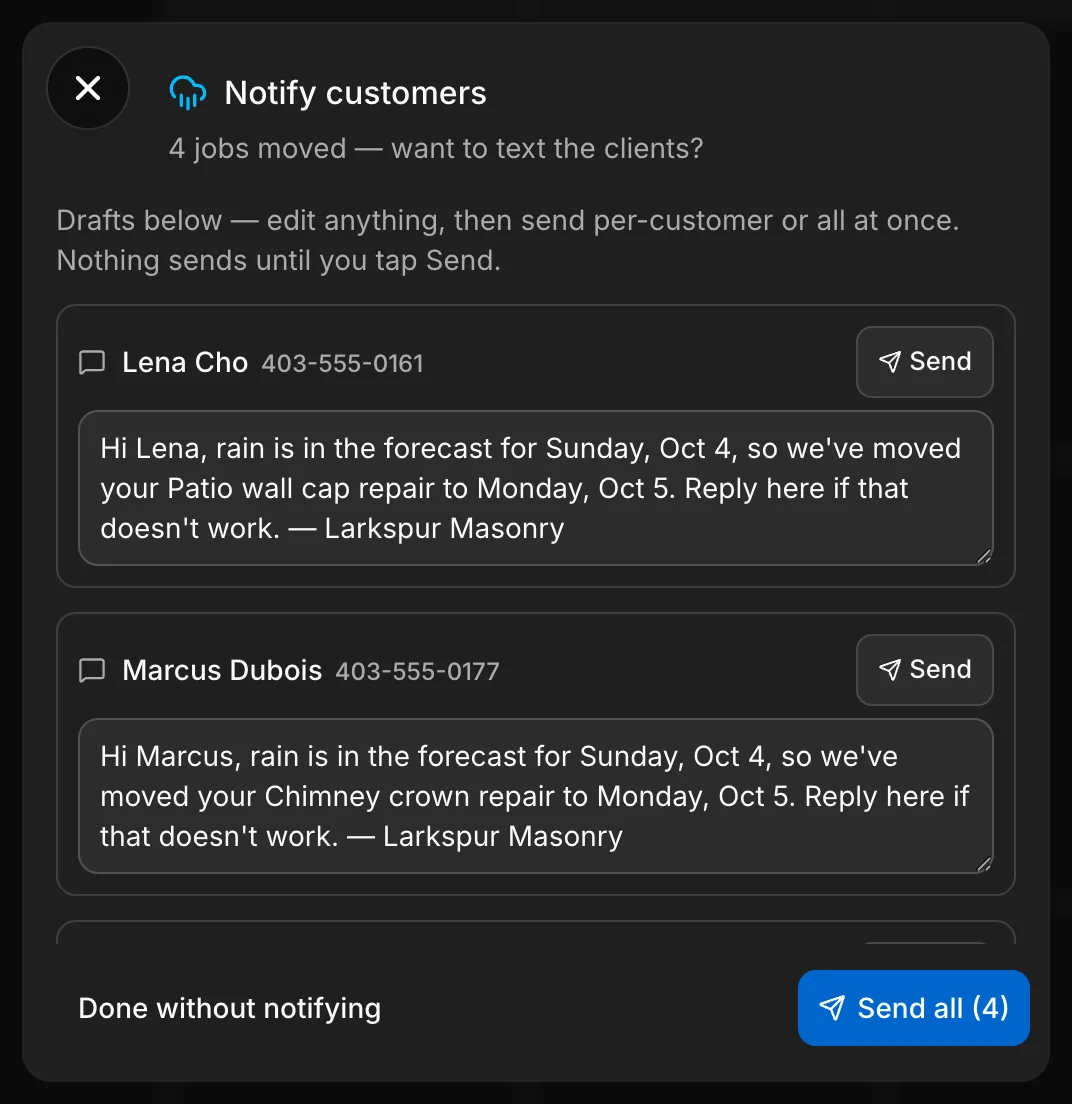
Push the day back and the jobs move together, outdoor ones ticked for you. Then a text for each client is already written — edit any of them, send them one by one or all at once, and nothing goes until you tap Send. The crew sees the new day on their phones.
- Rain day: every outdoor job on the day pushed back in one step
- A text drafted for each client, sent when you say
- The crew sees the new day on their phones
Texting comes with the top plan of every rate card (Company, for a trade), from a verified toll-free number of your own.
From the phone
Anything, two taps from anywhere.
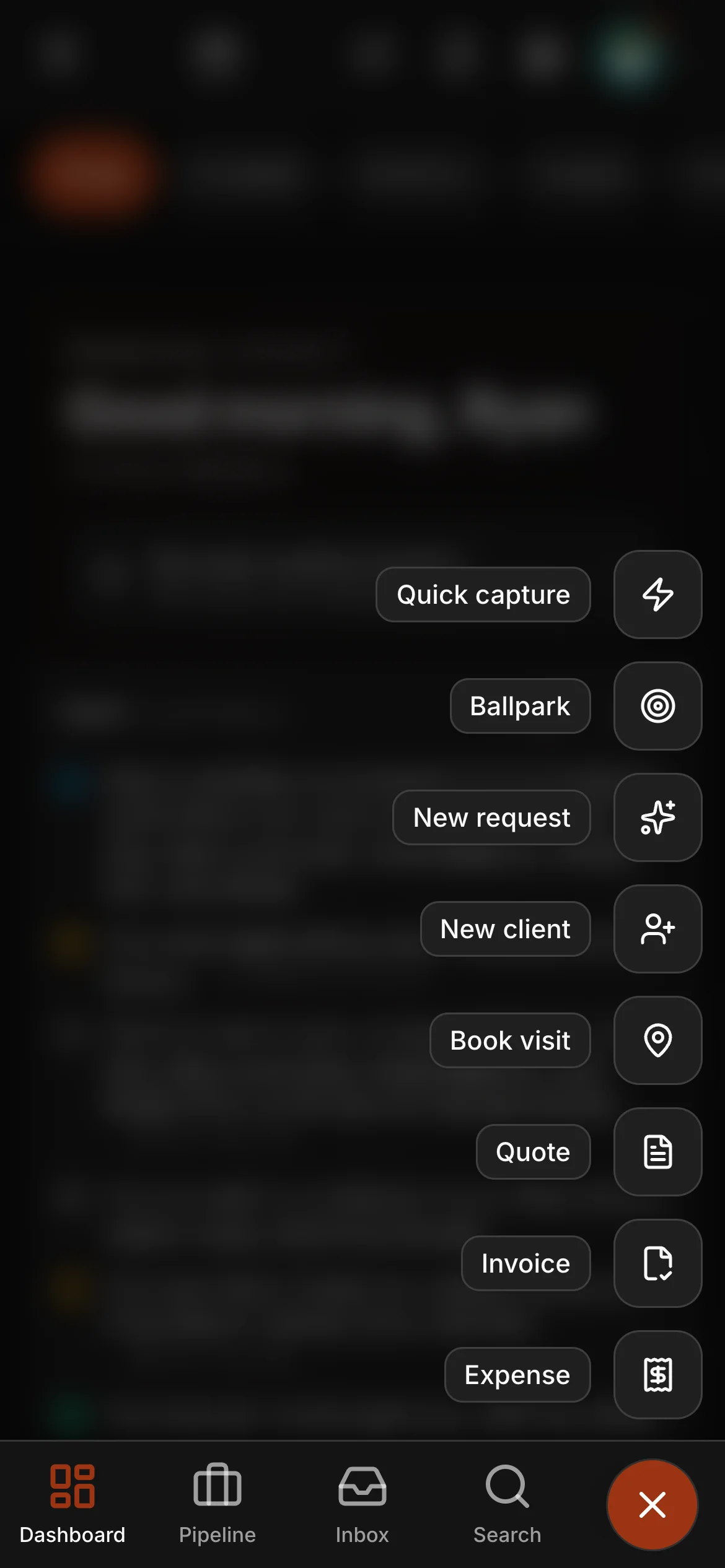
The whole office runs from the phone, and the create button follows you. New quote, invoice, visit, request, client or expense — two taps from any screen, with the day’s weather, schedule and money on the dashboard behind it.
- Quote, invoice, visit, request, client, expense — one tap up
- Quick capture and a ballpark price, from the same button
- The dashboard: weather, schedule and money at a glance
The client knows when
An arrival window, and a text when you are on the way.
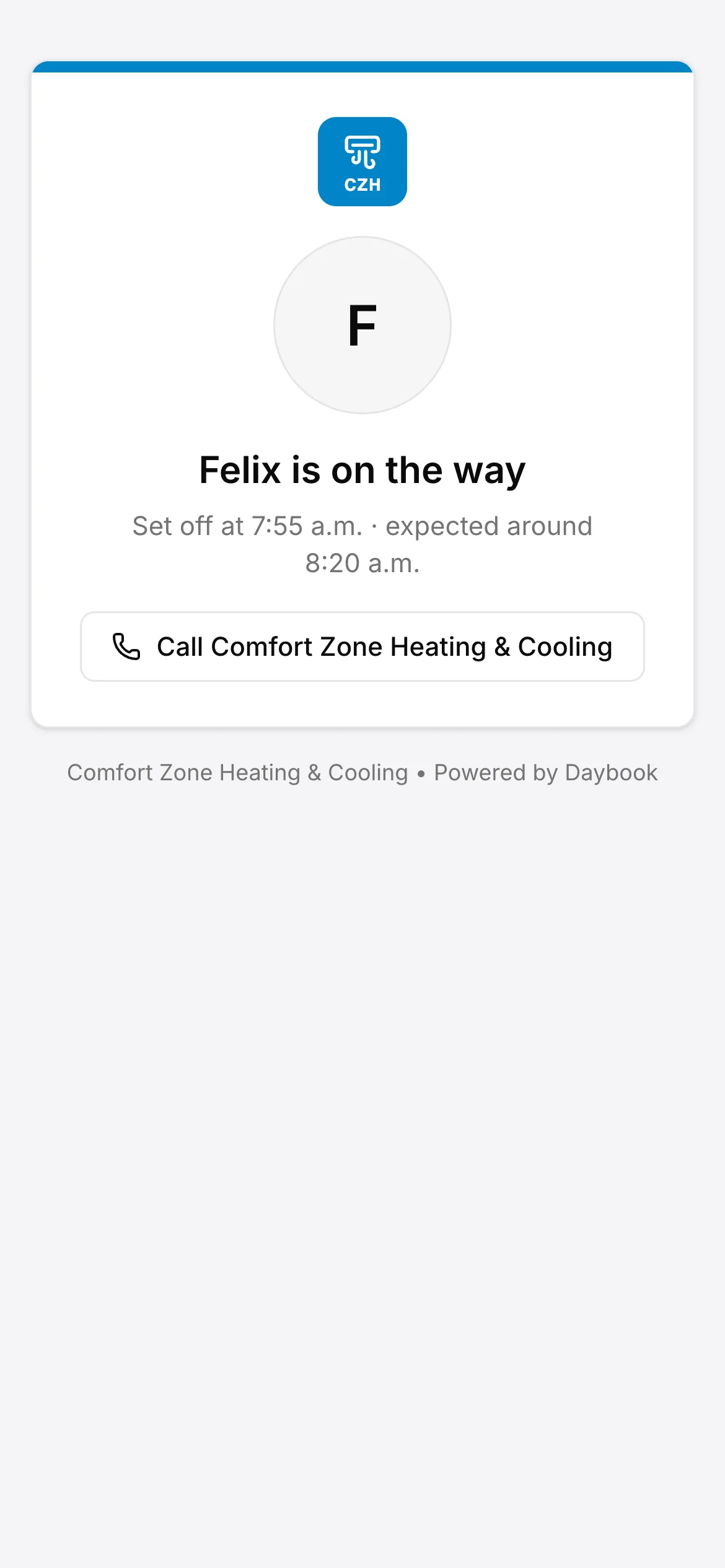
For service calls and route work, a booking can tell the client a window instead of an exact time, and the reminders say the same. When someone taps On my way, the client’s message names who is coming and links to a page that shows whether they are on the way, running behind, arrived or done. There is no map: nobody is tracked.
- Arrival windows on the booking, the reminders and the client portal
- On my way names who is coming, with a link to follow
- Recurring jobs, weekly to yearly, that keep their visits on the schedule
Texting comes with the top plan of every rate card (Company, for a trade), from a verified toll-free number of your own.
See it on one of your real jobs.
Run your own workflow through Daybook — bring a quote, a messy email thread, or a week of scheduling.
14-day free trial · no card required