
Features · Automations
The follow-ups run themselves.
Invoices go out, reminders chase them, reviews get requested, quotes get followed up — on rules you set once and can read forever.
What runs
Set the rule once. It works every day after.
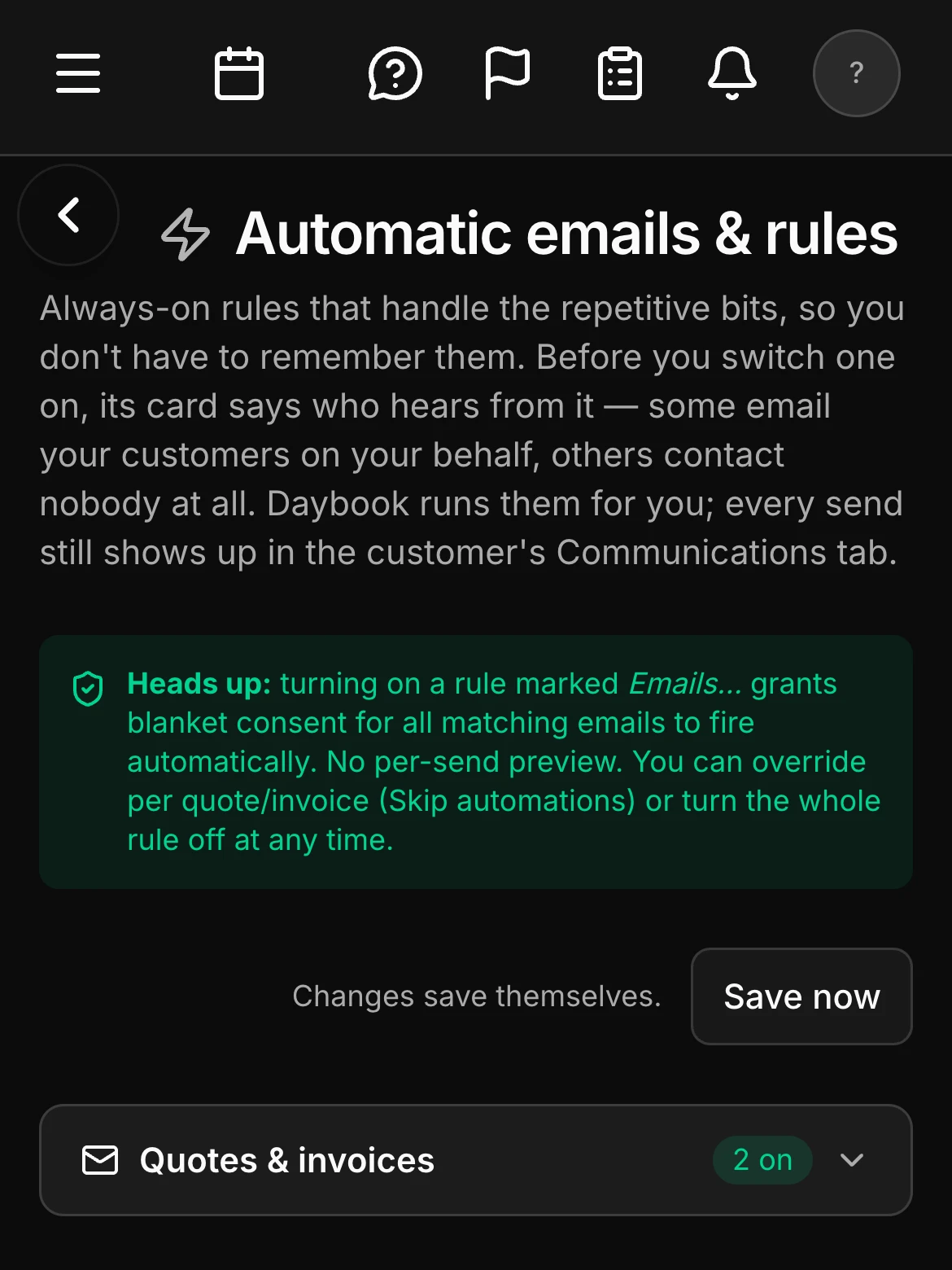
Automations cover invoices, quotes, reviews, reminders and follow-ups. Overdue invoices send a reminder with a Pay Now link. Review requests go out when the job wraps. None of it depends on someone remembering.
- Automations — invoices, quotes, reviews, reminders, follow-ups
- Overdue reminders with a Pay Now link
- Review requests when the work is done
What stays yours
Automation that knows when to hand it back.
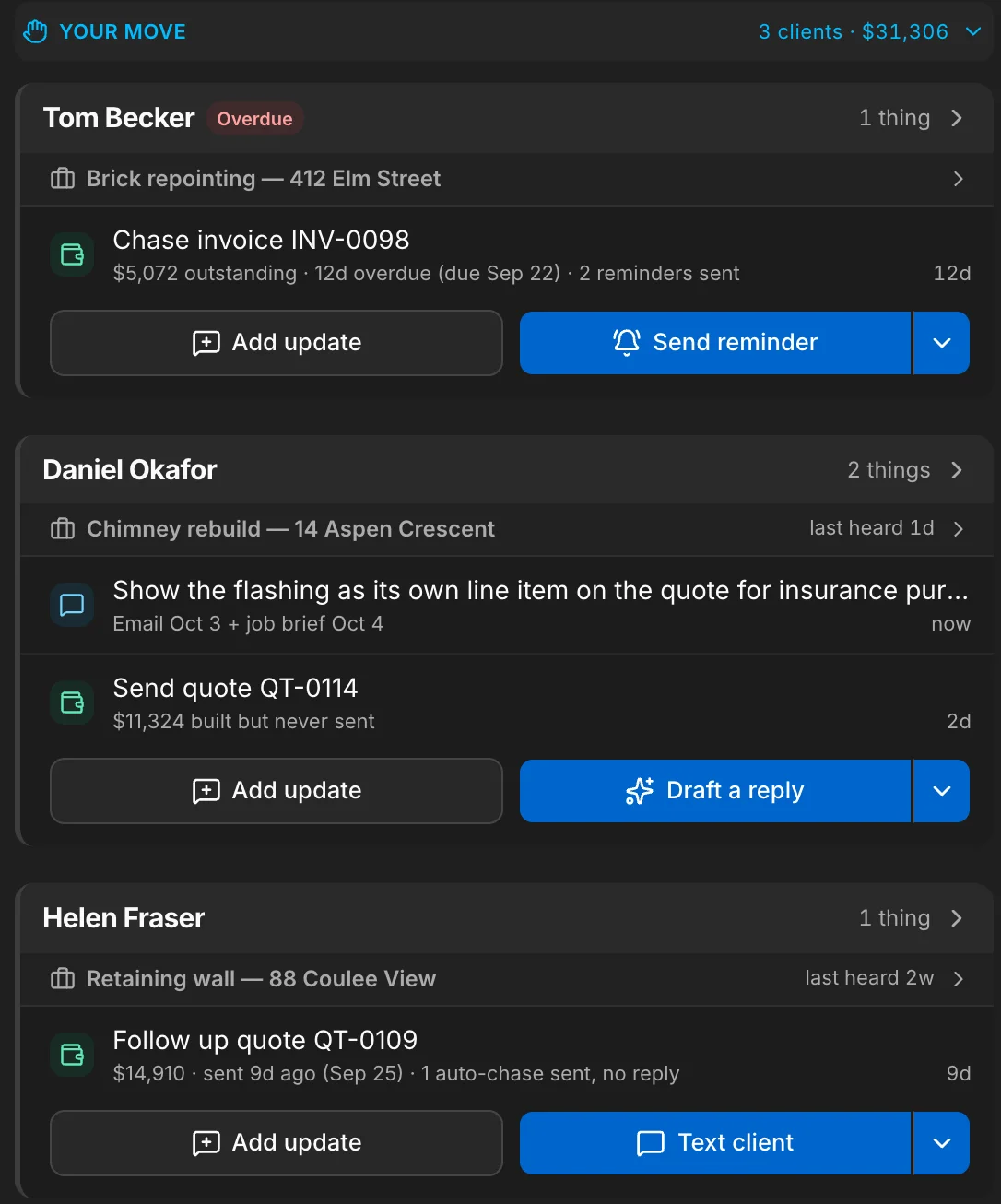
The Assistant’s list holds everything that still needs a person, and says what the automation already tried — an invoice with two reminders sent, a quote whose one follow-up got no reply. A quote still being chased stays off the list until the automation gives up, and every automatic send is on the job it touched.
- The Assistant’s list — everything that needs you, one card per client
- What the automation already sent, on the line it sent it for
- Every automatic send, on the job it touched
Smart paste
Paste the enquiry. The client makes itself.
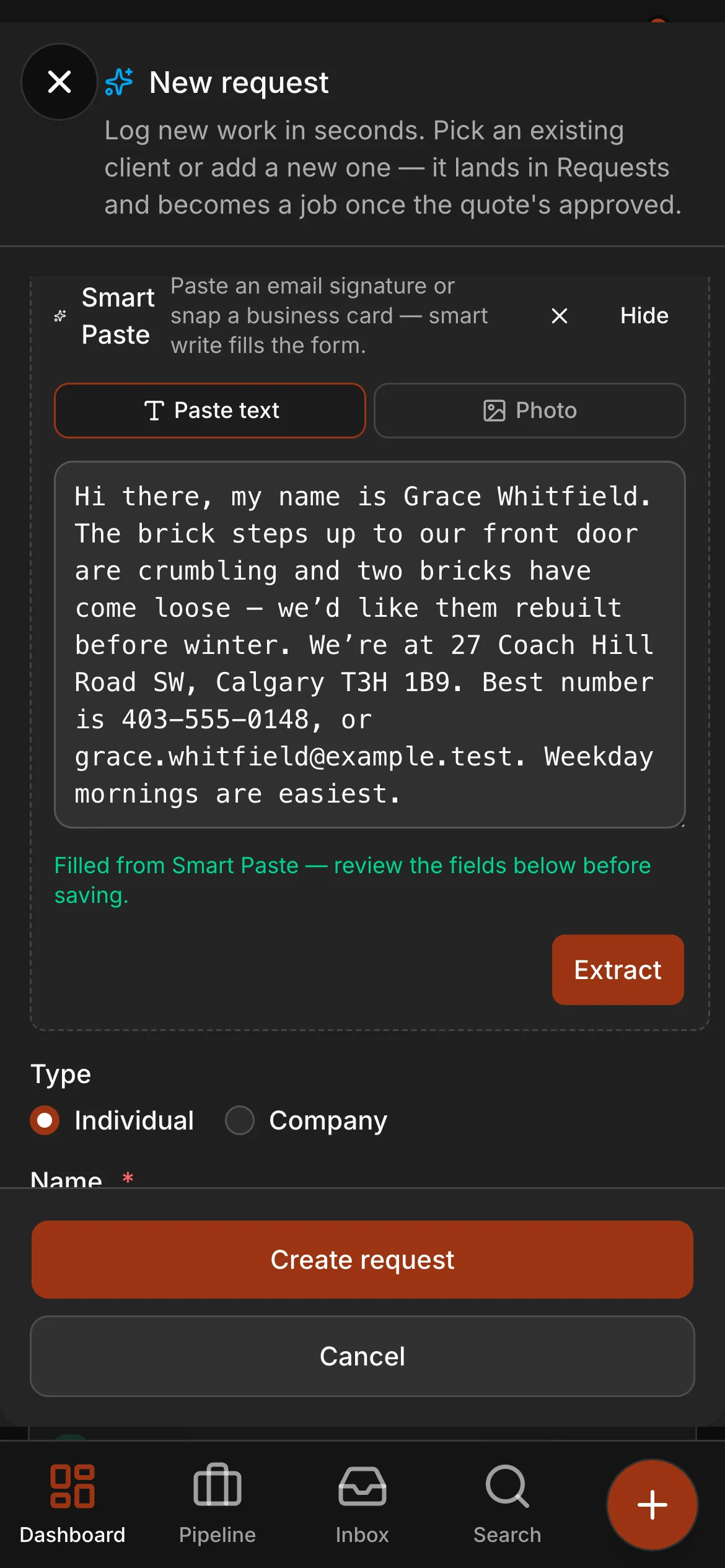
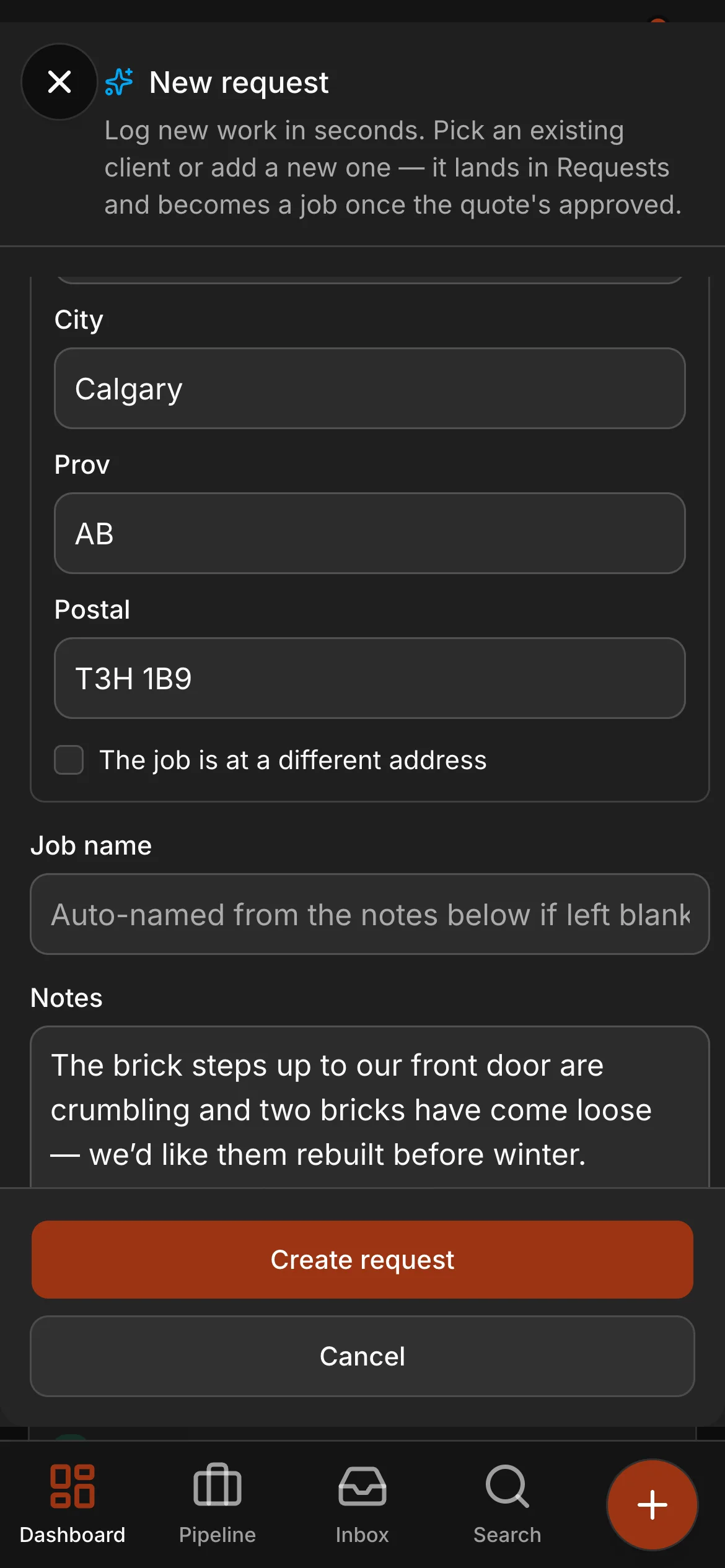
A forwarded email, a voicemail transcript, a text — paste it into a new request and the name, the phone, the email, the address and the scope are read out and filled in. Snap a business card and it does the same. You review every field before it saves.
- Paste text or snap a business card — the form fills itself
- The scope lands as the request notes, ready to quote
- You review every field before anything saves
Smart Paste uses AI credits from your plan.
Requests
Every request knows its next move.
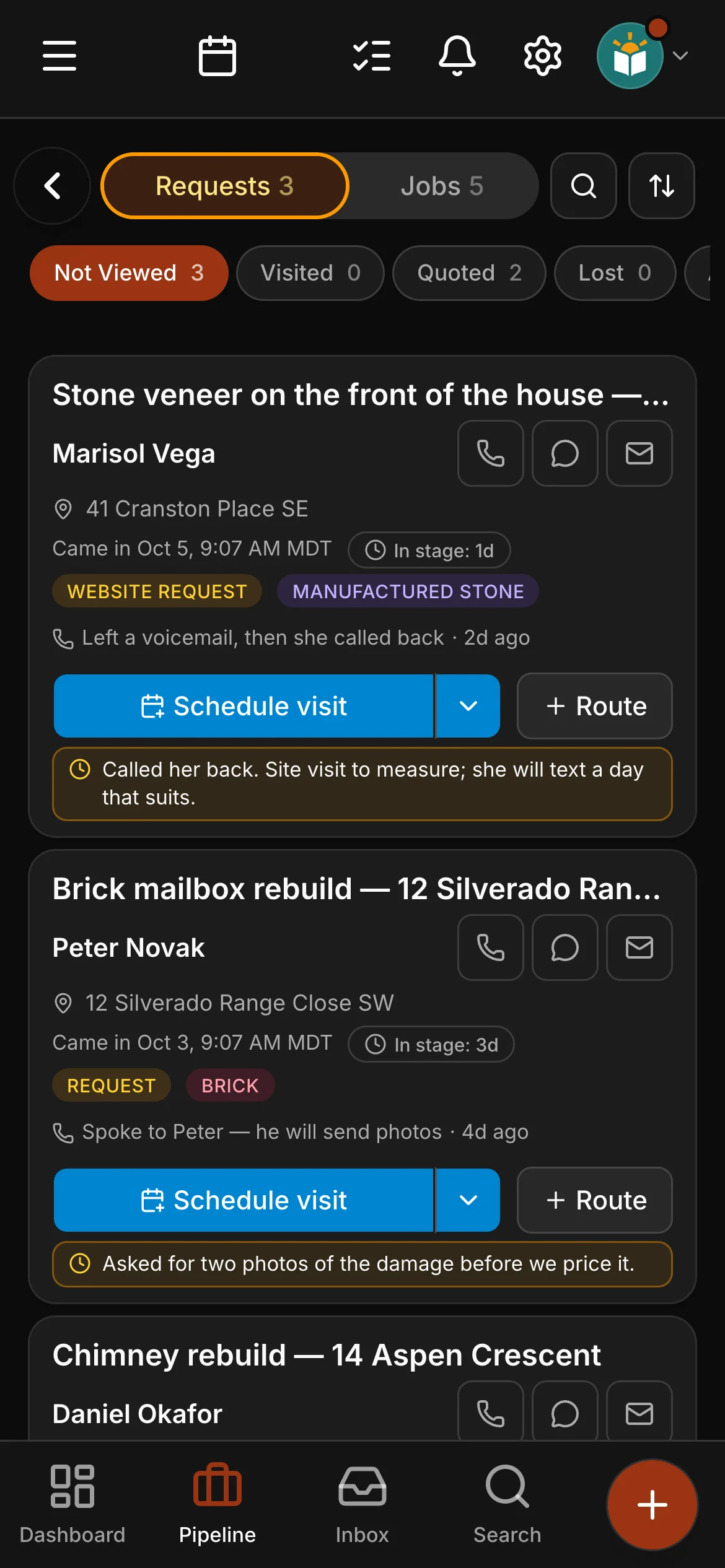
New requests line up with the scope, the address and a suggested next step — schedule the visit, generate the quote — so nothing sits in a pile waiting for someone to remember it.
- A suggested next step on every request
- Schedule the visit or generate the quote in one tap
- Plan the day’s visits into a route from the same screen
See it on one of your real jobs.
Run your own workflow through Daybook — bring a quote, a messy email thread, or a week of scheduling.
14-day free trial · no card required