
Why Daybook
Software that speaks your work.
Not a generic app with your industry’s name pasted into the headline. Daybook changes its words, its paperwork and its tools to the kind of business you run — and reads the week’s messages for you.
Before you set anything up
Say what you run. Watch the words change.
Select your industry and the entire app adapts. Menus, search and buttons rewrite themselves into your daily language.
- The people you serve
- Clients
- The work itself
- Jobs
- Someone getting in touch
- Requests
- Your people
- Crew
- What they log into
- Client portal
- When it begins
- Work starts
- What is coming up
- Upcoming visits
- Their paperwork
- Documents
The words a contractor, a shop or a crew-based business sees.
- The people you serve
- Families
- The work itself
- Enrolments
- Someone getting in touch
- Enquiries
- Your people
- Staff
- What they log into
- Family portal
- When it begins
- First day
- What is coming up
- Upcoming sessions
- Their paperwork
- Family docs
A centre enrols children for the year, so the work is an enrolment. Quotes, takeoffs and subcontractors are not hidden — they are switched off.
- The people you serve
- Families
- The work itself
- Bookings
- Someone getting in touch
- Enquiries
- Your people
- Staff
- What they log into
- Family portal
- When it begins
- First day
- What is coming up
- Upcoming sessions
- Their paperwork
- Family docs
A camp books a week or a day, so the work is a booking. Quotes, takeoffs and subcontractors are not hidden — they are switched off.
- The people you serve
- Families
- The work itself
- Enrolments
- Someone getting in touch
- Enquiries
- Your people
- Coaches
- What they log into
- Family portal
- When it begins
- First class
- What is coming up
- Upcoming classes
- Their paperwork
- Waivers & forms
A club enrols families in classes that run in terms, so the work is an enrolment. Quotes, takeoffs and subcontractors are not hidden — they are switched off.
The brief
Everyone talks at once. You read one brief.
Whatever you call the record — a job, a booking, a work order — the emails, the notes and the updates about it land on it, and Daybook writes the brief: what was asked for, what you owe, what they owe you and the next step. It is rewritten whenever something new arrives. It drafts; you send.
The brief and the AssistantTexting comes with the top plan of every rate card (Company, for a trade), from a verified toll-free number of your own.
The picture is a contractor’s job. A booking and a work order get the same brief.
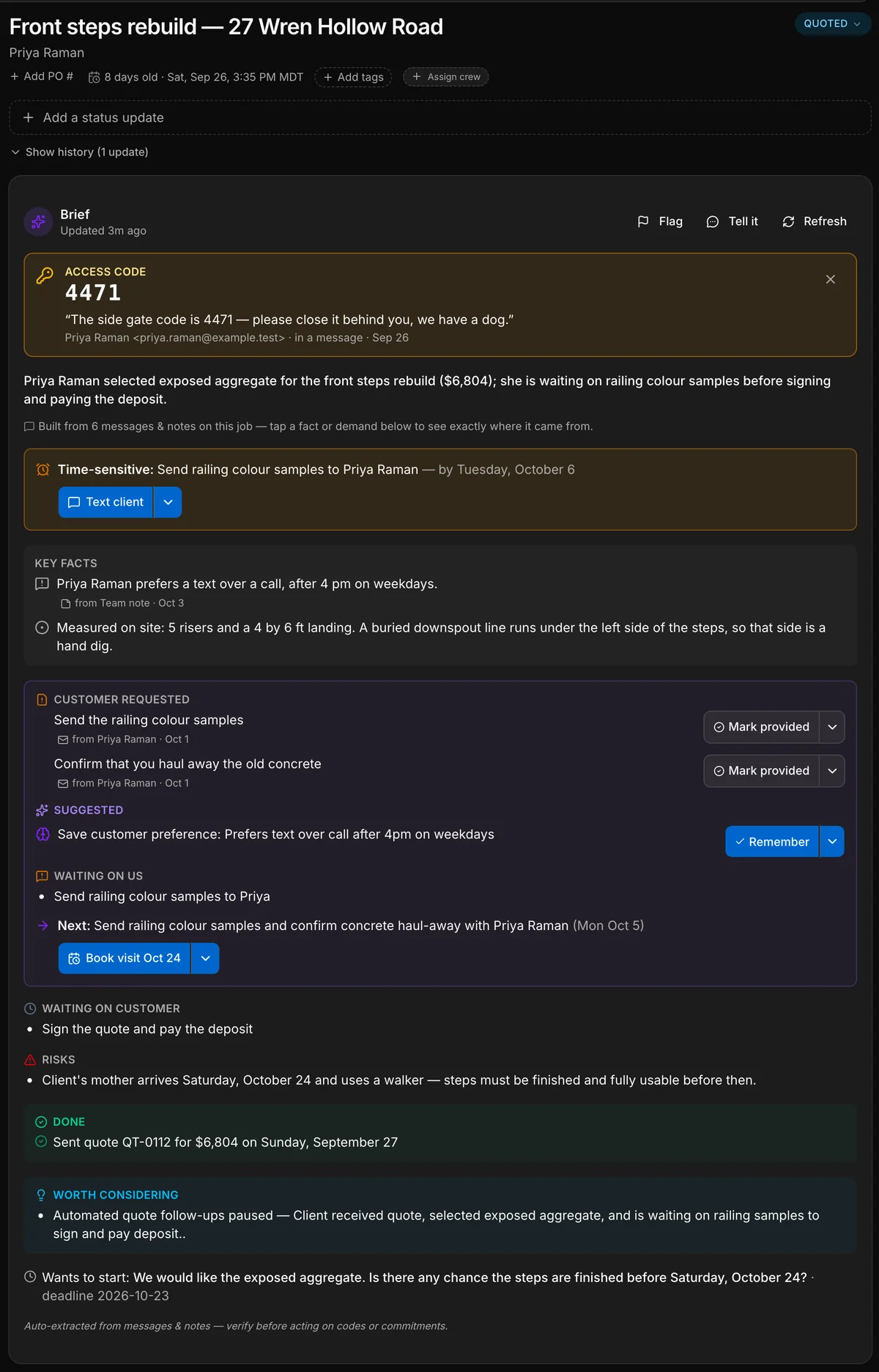
A real capture of a contractor’s job. Daybook wrote every line of this brief from the messages on the job; only the five teal labels are added. A camp gets the same brief on a booking, a property manager on a work order.
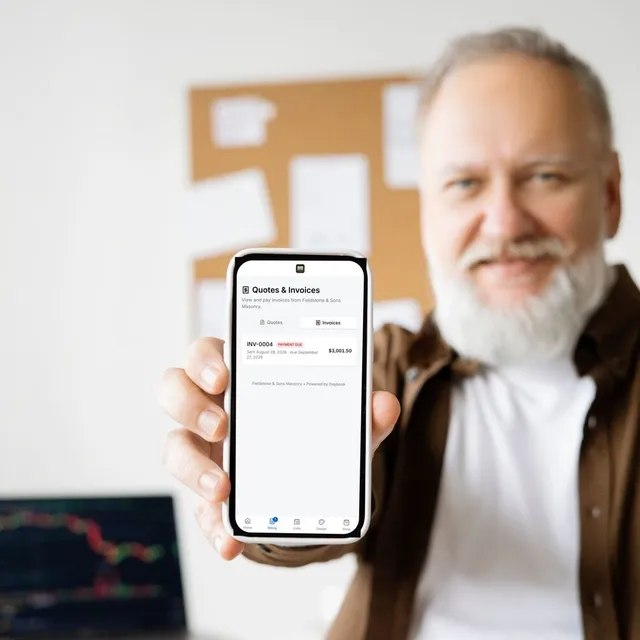
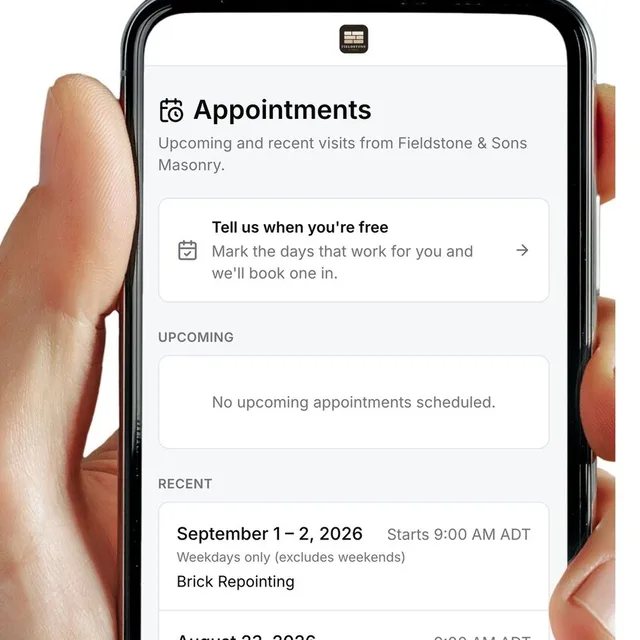



- Our front steps are crumblingThe customer, by email
- 5 risers. Hand dig on the leftThe crew, from the site
- Your quote is attachedThe office, by email
- 3 photosThe crew, from the site
- Done before the 24th?The customer, by text
- Gate code 4471. Mind the dogThe office, to the crew
- Checklist doneThe crew, from the site
- The gate code, pinned. Said once in an email, and now at the top of the job for the crew.
- The deadline. What is time-sensitive, and by when.
- What the customer asked for. Each request, with the message it came from.
- What we owe, and the next step. One next step, and a button that starts it.
- What the customer owes. So nobody chases the wrong person.
A real capture of a contractor’s job. Daybook wrote every line of this brief from the messages on the job; only the five teal labels are added. A camp gets the same brief on a booking, a property manager on a work order.
Four things it will not ask of you.
It speaks your work
Generic software makes you translate your work into its boxes. Daybook starts from the work. A trade gets quotes built the way its jobs are priced; a camp gets registration by the week and a week board; a property manager gets work orders and owner approvals. The menus and the buttons use your words.
The office pays. The people doing the work do not.
Charging by the head taxes you for growing. Daybook charges the office seats and leaves the rest alone.
- Trades and field service. Field seats are free and unlimited on Crew and Company.
- Property management. Maintenance crews are free and unlimited on every plan.
- Gymnastics and rec clubs. Coaches and instructors are free and unlimited on every plan.
- Day camps. Seasonal counsellors are free and unlimited on every plan.
Paperwork is the app’s job
Warranties, inspection reports and closeout packages for a trade. Waivers signed before the first day for a camp. Move-in and move-out inspections that both sides sign for a property. On your letterhead, and filed on the record they belong to.
Prices printed, nothing hidden
Every price is on the pricing page, flat, in Canadian dollars. No “talk to sales” before you learn a number — you can read every figure and start on your own.
Price lists, side by sideTwo kinds of day. One app.
Crews on job sites, or staff in rooms with families at the door. Pick the one that sounds like yours and the site speaks your words.
Field & service trades
Quotes built from your own labour, materials and markups. Clock-in, safety forms, checklists and photos from the site. Progress invoicing on long jobs.
See Daybook for tradesFacility & care
Registration by the term, the week or the day. The week board, with allergies and medications beside each child. A family portal. Monthly billing for a club, a deposit at registration for a camp.
See Daybook for facilitiesQuestions, answered.
Is Daybook only for trades?
No. It runs field and service trades and facility and care businesses — camps, clubs and property management among them — each in its own words. Say what you run when you sign up, and the menus, the buttons and the paperwork follow; the tools you do not need are switched off, not hidden.
Do I pay for every person on my team?
No. Daybook charges the office and leaves the people doing the work alone.
Trades and field service: field seats are free and unlimited on Crew and Company.
Property management: maintenance crews are free and unlimited on every plan.
Gymnastics and rec clubs: coaches and instructors are free and unlimited on every plan.
Day camps: seasonal counsellors are free and unlimited on every plan.
What does it cost?
Every plan and every add-on is printed on the pricing page, in Canadian dollars. There is no setup fee, and you can read every figure without speaking to anyone.
Can I try it before I talk to anyone?
Yes. The trial is 14 days, with no credit card. The tour shows the app being used before you sign up.
Does the brief send messages to my clients?
No. The brief reads what is on the job and drafts the reply or the booking for you. You read it, and you send it. The brief and the Assistant says what it reads and what it does by itself.
The app is the demo.
There is no slide deck and no follow-up sequence to sit through. Start the free trial, bring a real week of work, and watch it run in Daybook — your schedule, your conversations, your paperwork, your money.
- Your own workflow, live in the app
- A real week of your work, with your own numbers
- Straight answers on what the app does and doesn’t do
- 14-day free trial — no card
Judge it on your own work.
Bring a real week — the schedule, the conversations, the paperwork. That is the only comparison that matters.
14-day free trial · no card required